
ASUS TUF F16 RTX 4050 Pro
4.0Editor score
Intel Core 5 210H CPU
RTX 4050 6GB VRAM
32GB DDR5 High Bandwidth
Choosing the right laptop for Fusion 360 requires balancing power, portability, and precision. Professional users need reliable hardware to handle complex assemblies and rendering tasks without lag.
We evaluated ten diverse models based on processor speed, graphics capabilities, and memory capacity. Our comparison focuses on real-world CAD performance and software compatibility standards.
Each pick highlights specific strengths for different user needs from students to enterprise engineers. Please note that product availability and pricing may vary over time.
4.0Editor score

4.5Editor score
4.0Editor score
As an Amazon Associate we earn from qualifying purchases.
This side-by-side comparison evaluates all ten selected models across critical performance metrics for CAD software usage and professional workflow efficiency.




This HP Victus model stands out as the top recommendation for Fusion 360 users due to its robust hardware configuration. It earns a solid 4.5 star rating from verified buyers who appreciate its balance of power and practicality.
We may earn a commission when you buy through this link, at no additional cost to you.
The 32GB RAM ensures smooth multitasking when running complex assemblies alongside other design tools. The RTX 3050 GPU accelerates rendering tasks significantly compared to integrated graphics solutions found in budget machines.
While the battery life is average for long portable sessions, the included numeric keypad speeds up data entry for engineering calculations. The 144Hz display provides smooth visuals for navigating 3D models without lag.
Students and professionals alike should consider this machine for its ability to handle demanding CAD workflows. It represents a reliable investment for those prioritizing performance over ultra-portability.
The 32GB RAM capacity allows engineers to run Fusion 360 alongside virtual machines or heavy browser tabs without slowdowns.
NVIDIA RTX 3050 graphics enable real-time rendering and complex geometry handling that integrated chips often struggle to manage efficiently.
We may earn a commission when you buy through this link, at no additional cost to you.
This ASUS TUF F16 offers premium features that justify its position for users needing maximum performance. It holds a strong 4.0 star rating reflecting user satisfaction with its high-end components.
We may earn a commission when you buy through this link, at no additional cost to you.
DDR5 RAM provides faster data throughput essential for handling large datasets in Fusion 360. The RTX 4050 GPU offers improved efficiency for rendering tasks compared to previous generation cards.
The larger 16 inch display gives more workspace for toolbars and model views simultaneously. However, the increased size makes it less ideal for daily commuting compared to smaller laptops.
Professionals requiring top-tier specs for heavy simulations should choose this model. It delivers the power needed for complex engineering tasks without compromising on visual clarity.
DDR5 technology ensures quicker access to large design files, reducing wait times when opening or saving complex projects.
The 16 inch screen provides ample room for split-screen workflows, allowing users to reference documentation while modeling.
We may earn a commission when you buy through this link, at no additional cost to you.
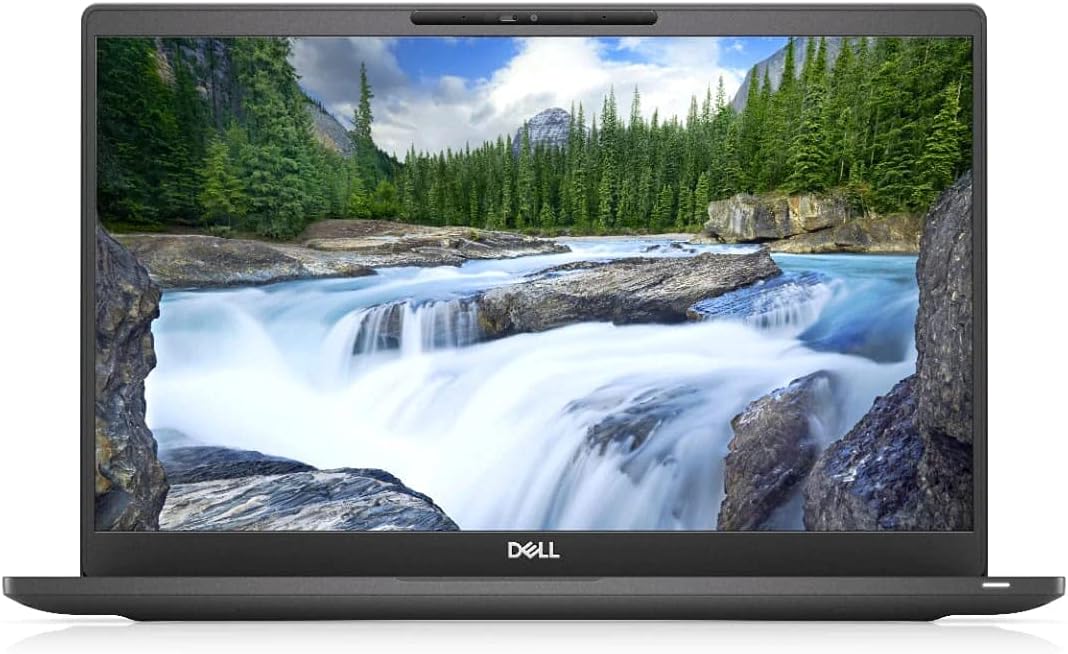
The Dell Latitude 7400 proves that older models can still deliver value for CAD tasks when equipped correctly. It maintains a reliable 4.0 star rating among users seeking affordable performance.
We may earn a commission when you buy through this link, at no additional cost to you.
With 32GB RAM, this machine handles multitasking better than many newer budget options with less memory. The i7 processor supports smooth basic modeling within Fusion 360 for typical workloads.
The 256GB SSD is smaller than modern standards but speeds up boot and app launch times effectively. Its professional build ensures durability for daily use in office or classroom environments.
Students or startups needing a cost-effective solution should look at this laptop. It offers a balanced mix of performance and reliability for standard engineering projects.
Latitude series laptops are known for robust chassis design that withstands daily travel and rigorous use conditions.
32GB RAM allows users to run other design tools alongside Fusion 360 without experiencing system slowdowns or crashes.
We may earn a commission when you buy through this link, at no additional cost to you.
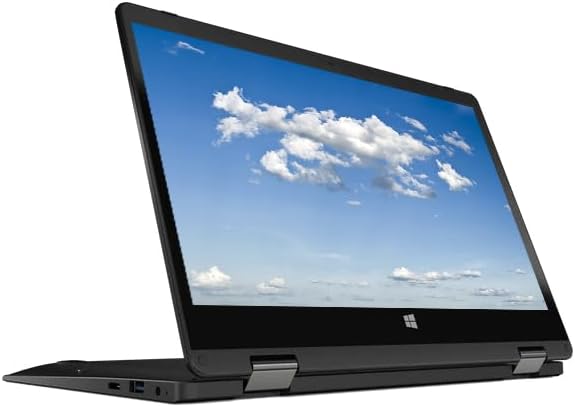
This HP X360 convertible offers unique flexibility for users who need to sketch or review designs on the go. It carries a 3.6 star rating indicating mixed experiences with its entry-level specs.
We may earn a commission when you buy through this link, at no additional cost to you.
The touchscreen allows for intuitive navigation within software interfaces where precision mouse control might be cumbersome. The convertible hinge enables tablet mode for comfortable reading of technical documents.
However, 8GB memory may limit performance with large assemblies in Fusion 360. The HD resolution screen is less sharp than Full HD options, which can affect fine detail visibility.
It suits students needing a versatile device for notes and light modeling rather than heavy engineering work. Its portability makes it a good companion for field work or lectures.
The 360 degree hinge transforms the laptop into a tablet, ideal for reviewing designs in various physical orientations.
Direct touch input simplifies zooming and panning through models, providing a more tactile interaction method than traditional trackpads.
We may earn a commission when you buy through this link, at no additional cost to you.
The Acer Gateway 11.6 targets users needing an affordable device for basic tasks or learning. It holds a 3.1 star rating reflecting limitations in its hardware configuration.
We may earn a commission when you buy through this link, at no additional cost to you.
The IPS touchscreen provides better viewing angles than TN panels, useful for collaborative reviews. Its lightweight design makes it easy to carry for presentations or brief study sessions.
Performance is limited by 4GB RAM and small storage, which may slow down complex CAD operations significantly. Users should consider external storage or cloud options to manage file sizes.
This model fits budget-conscious beginners who prioritize portability over heavy processing power. It serves well as a secondary machine for reference or light editing.
At just 11.6 inches, this device fits easily into small bags, making it ideal for commuting or travel.
Lower price makes it accessible for students starting their engineering journey who may not yet need premium specs.
We may earn a commission when you buy through this link, at no additional cost to you.
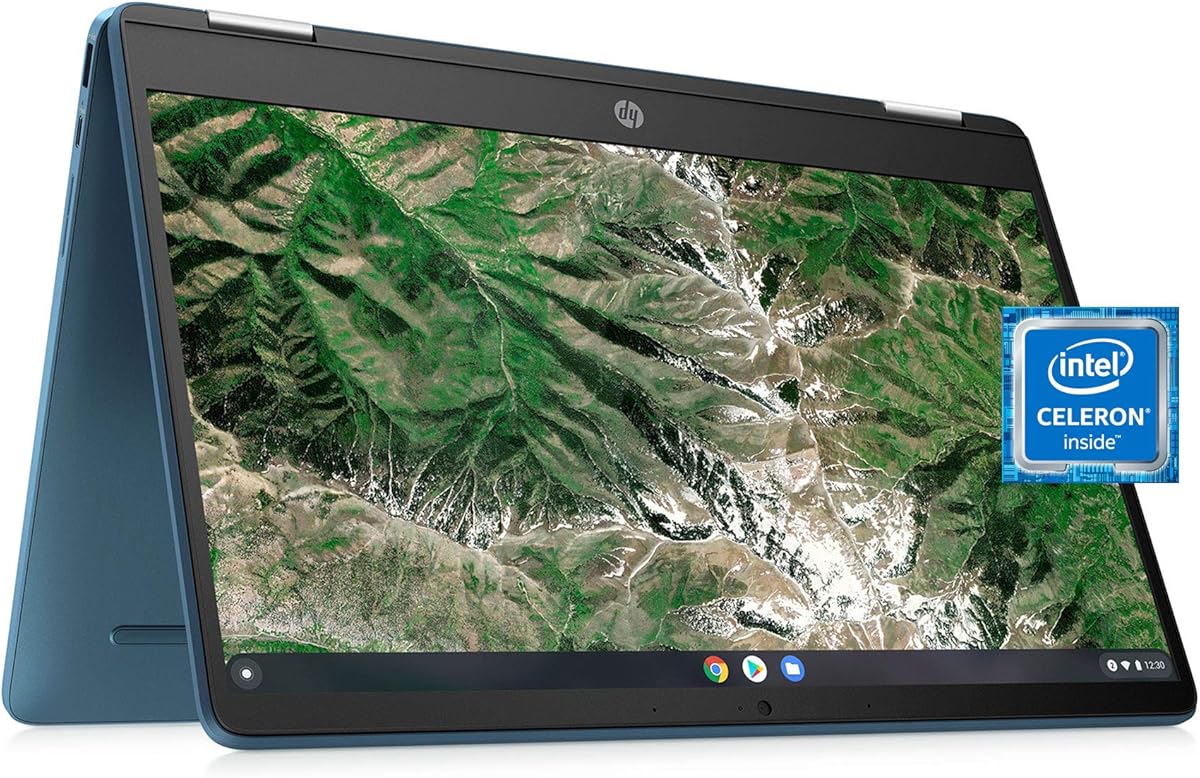
This HP Chromebook offers a distinct approach to productivity using cloud-based tools and web apps. It enjoys a 4.4 star rating from users who appreciate its simplicity and speed.
We may earn a commission when you buy through this link, at no additional cost to you.
ChromeOS ensures a secure environment with minimal maintenance required for updates or malware protection. The fast startup allows users to begin work immediately after opening the lid.
However, Fusion 360 typically requires a desktop OS environment rather than ChromeOS. Users relying on this device must depend heavily on web browsers which may lack full features.
It is best suited for those prioritizing general computing over heavy CAD engineering. This device handles document editing and communication effectively without unnecessary complexity.
ChromeOS provides built-in virus protection and automatic updates, reducing the administrative burden on users.
Quick boot times allow users to jump into tasks instantly without waiting for traditional operating system loading.
We may earn a commission when you buy through this link, at no additional cost to you.
This ASUS TUF F16 is engineered for demanding workloads that require significant computational power. It maintains a solid 4.0 star rating among users needing robust performance for rendering.
We may earn a commission when you buy through this link, at no additional cost to you.
The RTX 4050 graphics card accelerates 3D visualization, making it easier to view complex assemblies in real time. DDR5 RAM ensures rapid data processing for large files.
The 16 inch display offers more workspace for detailed modeling, though the device is bulkier than standard 14 inch models. Battery life is optimized for performance rather than long unplugged use.
Users focused on rendering and simulation tasks will find this laptop highly capable. It provides the horsepower needed for professional-grade design output efficiently.
The GPU hardware supports faster image generation, which is critical when previewing realistic materials and lighting.
The included cooling bundle helps maintain performance during long sessions by preventing overheating during intensive tasks.
We may earn a commission when you buy through this link, at no additional cost to you.
The HP Chromebook x360 offers a highly rated experience for students needing a versatile machine for notes and light projects. It earns an impressive 4.9 star rating for reliability and user satisfaction.
We may earn a commission when you buy through this link, at no additional cost to you.
LPDDR5 RAM provides smooth performance for web browsing and document editing. The full HD IPS screen ensures clear visuals for reading diagrams and watching instructional videos.
While it handles basic tasks well, it lacks the raw power for complex Fusion 360 modeling locally. Users must rely on cloud access or alternative web-based tools for heavy engineering work.
It is an excellent choice for educational settings where portability and battery life are key. This device supports study sessions without frequent recharging needs.
The combination of portability and battery life supports long study hours in libraries or classrooms without power access.
IPS display technology ensures accurate colors and viewing angles, which is helpful for visual presentations and content consumption.
We may earn a commission when you buy through this link, at no additional cost to you.
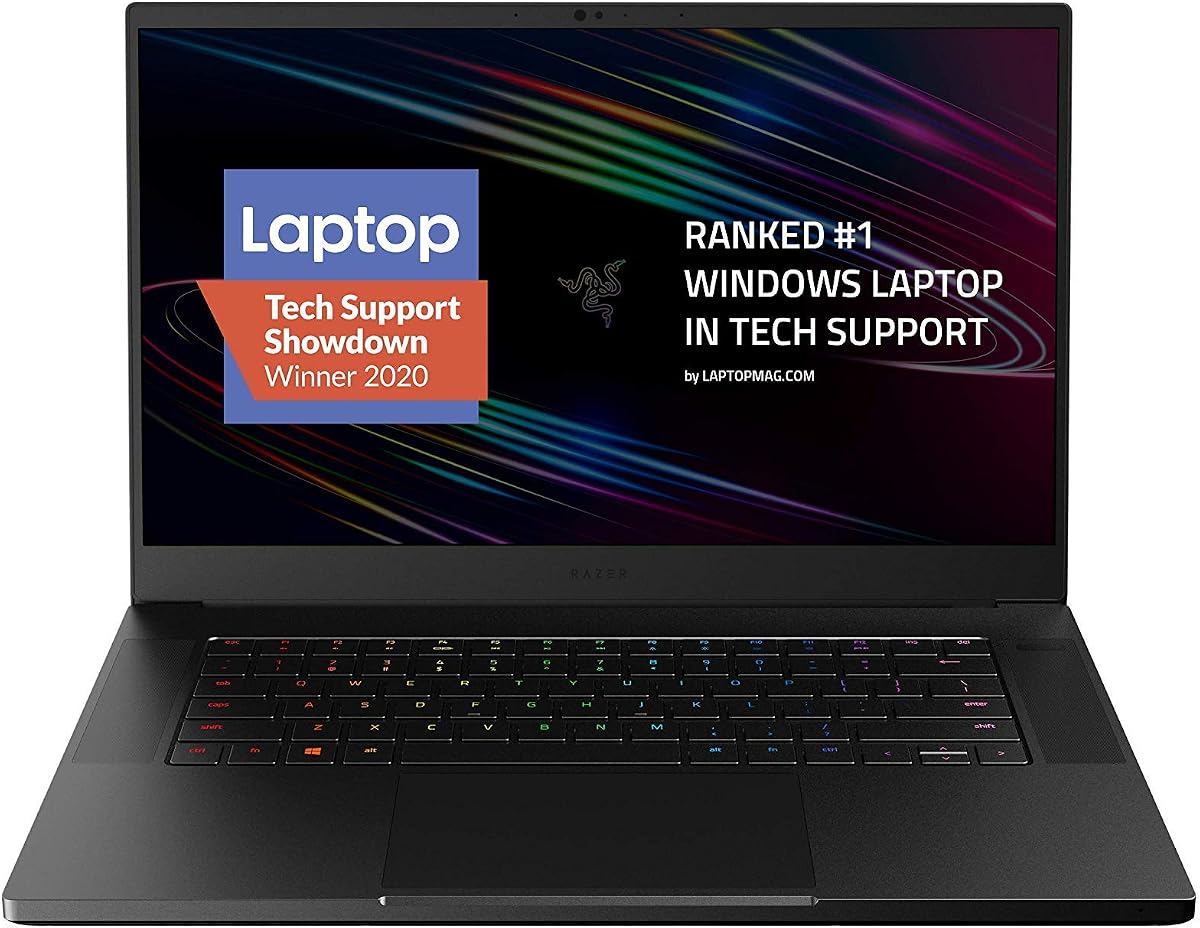
The Razer Blade 15 combines premium build quality with high-speed display technology for smooth visual interactions. It holds a 4.3 star rating among users valuing performance and style.
We may earn a commission when you buy through this link, at no additional cost to you.
A 300Hz refresh rate ensures that scrolling through models is incredibly smooth, reducing eye strain during long sessions. The CNC aluminum chassis provides durability and a sleek professional look.
While 16GB RAM is sufficient for many tasks, it may be a limiting factor for extremely large assemblies. Users should consider upgrading if they plan to multitask heavily alongside CAD software.
This laptop is ideal for designers who value aesthetics and fluid interface interactions. It serves as a powerful workstation that looks as good as it performs.
High refresh rate displays reduce motion blur when navigating complex 3D models, making precise selection easier.
CNC aluminum construction ensures the chassis resists warping and impacts, protecting internal components during travel.
We may earn a commission when you buy through this link, at no additional cost to you.
The ASUS TUF Gaming FX505 emphasizes durability with military-standard testing for reliability in harsh conditions. It boasts a 4.5 star rating for its robust construction and gaming performance.
We may earn a commission when you buy through this link, at no additional cost to you.
The MIL-STD-810G certification ensures resistance to shocks and drops, making it suitable for field use. The i7 processor supports smooth calculations for typical engineering tasks.
Upgrading RAM is often necessary for heavy multitasking since it ships with 8GB default. The older OS version might require updates to support newer software features fully.
This device is perfect for users needing a rugged laptop that can withstand daily wear and tear. It balances durability with enough power for standard design workloads.
Rigorous testing standards ensure the laptop can handle accidental drops and extreme temperature variations safely.
The i7 processor delivers consistent performance for calculations, ensuring that rendering and processing stay steady.
We may earn a commission when you buy through this link, at no additional cost to you.
This Acer Chromebook Spin 513 offers a highly portable solution for users needing a device for basic tasks. It holds a 4.1 star rating reflecting satisfaction with its mobility and build.
We may earn a commission when you buy through this link, at no additional cost to you.
The Snapdragon processor provides decent efficiency for web browsing and document editing. Its lightweight construction makes it easy to carry in small bags for daily commuting.
ARM-based architecture limits compatibility with some desktop applications, requiring reliance on web apps instead. This restricts its utility for software that requires full x86 processing power.
It suits users prioritizing convenience and battery life over raw computing power. Ideal for casual users or secondary device scenarios where heavy engineering is not required.
At 13.3 inches and light weight, this device is easy to carry anywhere without causing fatigue or strain.
Corning Gorilla Glass protects the screen from scratches, ensuring clarity over time during frequent touch interactions.
We may earn a commission when you buy through this link, at no additional cost to you.
Selecting the right laptop involves analyzing specific technical factors to match your engineering workflow needs.
A multi-core processor is essential for handling the complex calculations required by CAD software. Intel Core i5 or i7 models generally provide sufficient speed for modeling tasks.
Look for CPUs with higher clock speeds to ensure smooth performance when rotating or rendering complex designs.
RAM determines how many applications you can run simultaneously without slowdowns. For Fusion 360, 16GB is the minimum recommended for efficient multitasking.
32GB or more is preferable for large assemblies or running virtual machines alongside design tools.
Dedicated GPUs accelerate 3D rendering and smooth navigation of complex models. NVIDIA RTX cards are often preferred for professional CAD workloads.
Integrated graphics may struggle with high-resolution textures or large geometry sets.
Solid State Drives (SSDs) significantly reduce boot times and file loading speeds compared to traditional hard drives. NVMe SSDs are even faster for large data transfers.
Choose at least 512GB to store your project files and software efficiently without external drives.
A Full HD (1920×1080) resolution ensures sharp lines and accurate colors for design work. IPS panels offer wider viewing angles for collaborative review sessions.
Touchscreens are useful for intuitive navigation but are not strictly necessary for CAD tasks.
Battery capacity dictates how long you can work unplugged during field visits or long meetings. Look for models that offer at least 6 hours of typical use.
High-performance models often consume more power, so prioritize battery efficiency if portability is a key requirement.
Multiple ports including USB-C and HDMI are necessary for connecting external monitors or peripherals. Fast WiFi ensures reliable cloud syncing for large design files.
Thunderbolt 3 or 4 support allows for faster data transfer speeds with external drives or docking stations.
Windows 11 Pro is the standard choice for Fusion 360 compatibility and access to professional tools. Ensure drivers are available for your selected hardware components.
Avoid ChromeOS devices if you need native support for full desktop CAD applications.
To optimize performance, keep your Fusion 360 software updated to the latest version and regularly clear cache files to free up memory.
Maintain physical health by using a cooling pad during intensive rendering sessions and avoid placing the laptop on soft surfaces that block air vents.
Backup your critical project files to a cloud service or external drive regularly to prevent data loss from unexpected hardware failures.
Fusion 360 typically requires at least a dual-core processor, 8GB of RAM, and a dedicated GPU with at least 2GB VRAM. Ensure you have a solid-state drive for optimal file performance.
While basic modeling works with integrated graphics, a dedicated GPU accelerates rendering and smooth navigation of complex assemblies. Professional users benefit significantly from an RTX series card.
No, Fusion 360 requires a Windows operating system. Chromebooks are limited to web apps and do not support native installation of full CAD software.
At least 512GB of SSD storage is recommended to store large project files, libraries, and the software installation. External drives are also useful for archival storage.
A touchscreen can enhance navigation for zooming and panning in design views. However, it is not essential for core modeling tasks.
Intel Core i5 or i7 processors from recent generations provide strong single-core performance needed for modeling. Look for higher base frequencies for smoother interactions.
The HP Victus FHD and ASUS TUF F16 top our list for offering the best balance of power and features for professional workflows.
When making a decision, prioritize processor speed and RAM capacity to ensure your system remains smooth during complex engineering tasks.
Always verify current pricing and availability before purchasing to ensure you get the best deal available for your needs.