
Dell Inspiron 15 3000 Business Laptop
4.3Editor score
11th Gen Intel Core i5
16GB RAM and 1TB PCIe SSD
Windows 11 Pro Included
Finding a laptop that combines a physical numeric keypad with a responsive touchscreen can significantly boost your workflow. These devices cater to professionals who need rapid data entry and intuitive navigation without switching between input methods constantly.
We analyzed ten real-world models based on performance, display quality, and connectivity. Each product was evaluated for its ability to handle multitasking, its battery life, and the usability of its touch interface alongside a full-size keyboard layout.
Every pick below highlights specific strengths like processing power or screen clarity. Keep in mind that availability and pricing fluctuate frequently, so verify current details before making your final decision to ensure you get the best value today.
4.3Editor score

4.0Editor score

4.7Editor score
As an Amazon Associate we earn from qualifying purchases.
This side-by-side comparison outlines the key specifications and features of each model to help you identify the right device for your specific computing needs and workflow requirements.


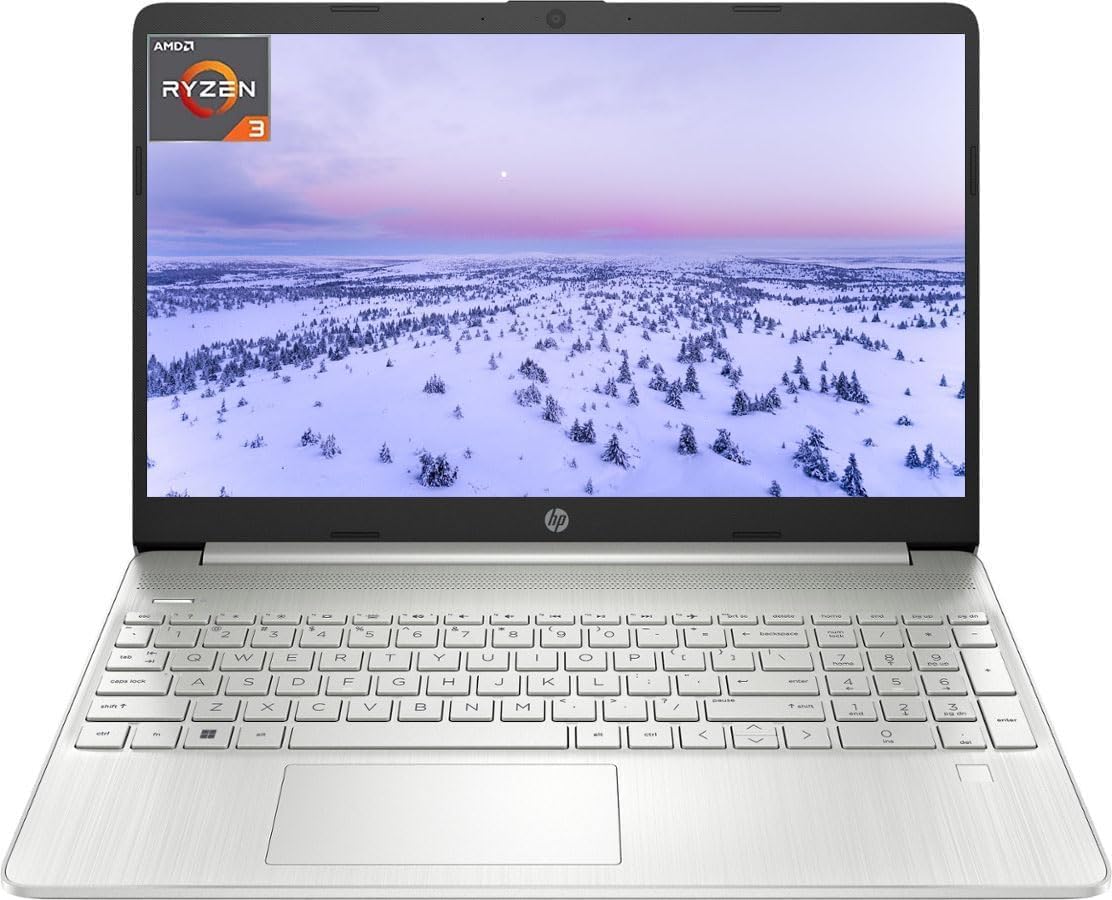

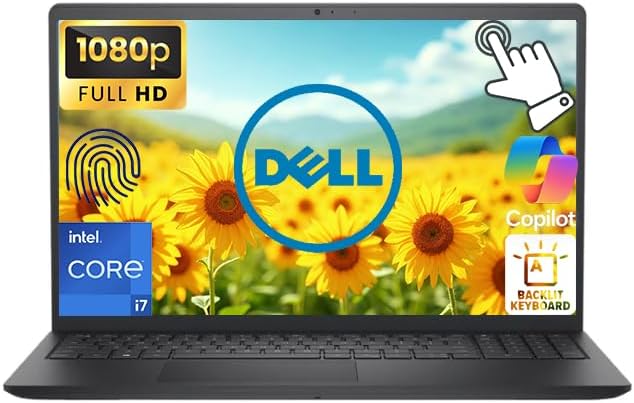


This HP model delivers strong performance with its AMD Ryzen 7 processor and generous memory allocation. It stands out for users needing reliable speed and ample storage for daily tasks.
We may earn a commission when you buy through this link, at no additional cost to you.
The combination of 32GB RAM and a 1TB SSD ensures that multiple applications run smoothly without lag. The Full HD touchscreen adds a layer of interaction that simplifies navigation through complex documents.
While the battery life is decent, it may not last a full workday on heavy use. The webcam is functional but lacks advanced features found in higher-end business models.
Ideal for students and professionals who need a balance of power and affordability. The numeric keypad makes data entry efficient for spreadsheet work or budgeting tasks.
The high RAM capacity allows you to keep numerous browser tabs and apps open simultaneously without performance drops.
The IPS touchscreen offers wide viewing angles and accurate colors for both work and media consumption.
We may earn a commission when you buy through this link, at no additional cost to you.
This model offers a spacious 17.3-inch display that provides ample room for multitasking and viewing content. It is designed for users who prioritize screen size over portability.
We may earn a commission when you buy through this link, at no additional cost to you.
Powered by an Intel Core i7 processor, it handles demanding applications with ease. The 32GB RAM supports intensive workflows without slowing down.
The weight is significant for travel, and the resolution is lower than Full HD. However, the screen size compensates for this in stationary environments.
Best for home office users or students with a dedicated workspace. The large display makes it easier to review detailed documents or design layouts.
The expansive screen makes streaming and presentations more engaging compared to smaller laptops.
Built-in AI capabilities help streamline routine tasks and improve overall system responsiveness.
We may earn a commission when you buy through this link, at no additional cost to you.
This Dell model provides a solid balance of performance and value for everyday computing. It includes essential features like a numeric keypad and Windows 11 Pro.
We may earn a commission when you buy through this link, at no additional cost to you.
The 1TB SSD ensures plenty of space for files and quick data transfers. Express Charge technology helps you get back to work quickly after a short power-up.
The processor is slightly older but remains capable for most tasks. Build quality is sturdy but lacks premium touches found in more expensive units.
Great for small businesses or budget-conscious professionals. The Pro OS edition adds security features that are valuable for office environments.
Windows 11 Pro offers enhanced security against malware and phishing attempts for business users.
Express Charge capability minimizes downtime by refilling the battery significantly in just one hour.
We may earn a commission when you buy through this link, at no additional cost to you.
This laptop combines a large screen with a relatively lightweight design. It is suited for casual users who need basic functionality without heavy lifting.
We may earn a commission when you buy through this link, at no additional cost to you.
The fingerprint reader and backlit keyboard add convenience for daily use. Microsoft 365 inclusion ensures you have essential productivity tools ready.
Storage and memory are limited for heavy applications. Upgrading may be necessary if you plan to store large media files or run complex software.
Perfect for home users or light office work. The large display makes reading and browsing comfortable for extended periods.
The fingerprint reader allows for quick and secure access without typing passwords repeatedly.
Despite its large screen, the chassis is designed to be easy to carry around the house or office.
We may earn a commission when you buy through this link, at no additional cost to you.
This model features a robust 10-core processor that handles multitasking efficiently. It is a reliable choice for general business and educational use.
We may earn a commission when you buy through this link, at no additional cost to you.
The Full HD touchscreen provides clear visuals for presentations and web browsing. Express Charge ensures you spend less time plugged into a wall outlet.
Memory is adequate for standard tasks but may require closing apps when multitasking heavily. The webcam is functional but lacks high-end clarity.
Recommended for students or remote workers needing a dependable machine. The numeric keypad aids in quick data entry for various tasks.
The 10-core processor ensures smooth switching between applications without noticeable lag.
AI Copilot integration helps optimize workflows and streamline daily administrative tasks.
We may earn a commission when you buy through this link, at no additional cost to you.
This budget-friendly option provides essential features for everyday use. It includes a numeric keypad and a touchscreen for intuitive interaction.
We may earn a commission when you buy through this link, at no additional cost to you.
The privacy shutter on the webcam adds a layer of security for video calls. Wi-Fi 6 ensures stable connectivity for streaming and browsing.
S Mode limits app installation to Microsoft Store apps only, which may be restrictive for some users. The screen resolution is lower than Full HD.
Suitable for basic home computing and student assignments. It offers good value for those who need a reliable device without extra cost.
The integrated camera shutter allows you to physically block the lens when not in use.
Multiple USB ports and HDMI allow you to connect external monitors and accessories easily.
We may earn a commission when you buy through this link, at no additional cost to you.
This model stands out with a high-resolution 2K touchscreen that delivers sharp visuals. It is designed for users who value display quality and portability.
We may earn a commission when you buy through this link, at no additional cost to you.
The AI noise reduction feature ensures clear audio during conference calls. The lightweight chassis makes it easy to carry between meetings or classrooms.
Gaming performance is suitable for casual titles but not high-end graphics. The keyboard is standard but comfortable for long typing sessions.
Ideal for professionals needing a premium display on the go. The Pro OS ensures security and control over system settings.
AI noise reduction filters out background sounds for clearer voice communication.
The 2K IPS screen offers precise colors and clarity for detailed visual work.
We may earn a commission when you buy through this link, at no additional cost to you.
This business-oriented model combines powerful hardware with practical features like a fingerprint reader. It is tailored for users who need security and speed.
We may earn a commission when you buy through this link, at no additional cost to you.
The backlit keyboard enhances usability in low-light environments. AI Copilot integration offers streamlined assistance for productivity tasks.
Performance is strong for most applications but the screen is standard Full HD. The weight is typical for a 15-inch laptop with these specs.
Recommended for business professionals needing reliable performance and security. The fingerprint reader adds a convenient layer of access control.
The fingerprint reader allows secure login without typing passwords or dealing with smart cards.
The keyboard illumination helps you type comfortably in dimly lit rooms or at night.
We may earn a commission when you buy through this link, at no additional cost to you.
This model offers substantial memory and storage for handling large datasets or multiple projects. It targets users who need high capacity without premium cost.
We may earn a commission when you buy through this link, at no additional cost to you.
The IPS display ensures consistent colors from different angles. Windows 11 Pro provides security features and management tools useful for business environments.
The processor is capable but not top-tier. Wi-Fi 5 is standard but may be slower than newer standards in congested areas.
Great for students or professionals working with large files. The generous RAM supports multitasking efficiently for complex workflows.
With 32GB RAM you can run multiple virtual machines or heavy apps simultaneously.
Windows 11 Pro offers advanced security and remote access features for business users.
We may earn a commission when you buy through this link, at no additional cost to you.
This model provides a balanced configuration for daily tasks with a stylish finish. It is suitable for home users who need reliable performance.
We may earn a commission when you buy through this link, at no additional cost to you.
Bluetooth 5.4 ensures stable connections for peripherals. The numeric keypad and Full HD display make it versatile for various tasks.
Storage is modest so you may rely on cloud storage. The webcam is functional for video calls but lacks advanced features.
Recommended for home office use or casual computing. The design and color offer a modern look for personal spaces.
Bluetooth 5.4 offers improved range and stability for connecting wireless devices.
The Moonlight Blue finish adds a distinctive touch to the laptop's professional design.
We may earn a commission when you buy through this link, at no additional cost to you.
Selecting the right device requires evaluating several key factors to ensure it meets your specific workflow needs and usage habits.
The processor determines how quickly your laptop can handle tasks like opening files or running applications. Look for models with at least a mid-range quad-core processor to ensure smooth performance.
Prioritize newer generation chips to maintain performance over time and avoid slowdowns during heavy use.
RAM affects how many programs you can run simultaneously without lag. Aim for at least 16GB of RAM if you plan to multitask heavily.
Storage speed is crucial for boot times and file access. SSDs are significantly faster than traditional hard drives and should be the default choice.
A touchscreen enhances usability but requires good resolution for clarity. Full HD (1920×1080) is the standard for sharp text and images.
IPS panels offer better viewing angles which are important if you share the screen with others during presentations.
A numeric keypad is essential for data entry roles. Ensure the keyboard has adequate key travel for comfortable typing during long sessions.
Check for backlit keys if you often work in low-light environments to reduce eye strain.
Modern laptops should include USB-C ports for versatile charging and data transfer. HDMI ports are necessary for connecting to external monitors.
Wi-Fi 6 support ensures faster and more stable internet connections which are vital for remote work and video calls.
Windows 11 offers the latest security features and interface improvements. Pro versions provide additional management tools beneficial for business users.
Verify software compatibility before purchasing to ensure your essential applications run correctly on the system.
Battery performance varies based on usage. Aim for at least 8 hours of active use to get through a typical workday without hunting for a charger.
Fast charging technology is a valuable feature that allows you to quickly top up the battery during short breaks.
Portability matters if you travel frequently. Check the weight and dimensions to ensure the laptop fits comfortably in your bag.
Durable construction like reinforced hinges protects the device from damage during transport and daily handling.
Use the touchscreen to interact with the OS efficiently by swiping through taskbars and resizing windows with simple gestures. This method can speed up navigation compared to using only a mouse.
Clean the screen regularly with a microfiber cloth to remove fingerprints and dust. Avoid using harsh chemicals that might damage the protective coating on the display.
Store the laptop in a cool dry place to maintain battery health. Extreme temperatures can degrade the internal components over time and shorten the device's lifespan.
A numeric keypad allows for rapid data entry without needing to look away from the screen. This feature is particularly useful for accountants, analysts, and students working with spreadsheets frequently.
Touchscreens can consume more power than standard displays when used often. However, modern battery technologies often offset this drain to ensure reasonable overall usage times.
Home users can comfortably use Windows 11 Home. Pro offers advanced security and remote tools which are more relevant for business or enterprise environments.
Many laptops allow RAM upgrades if the memory is not soldered to the motherboard. Check the specific product manual to confirm if the RAM is expandable or fixed.
Using a privacy screen protector or a thin glass film can shield the display from scratches. Avoid using styluses not designed for capacitive screens to prevent damage.
Integrated graphics handle casual gaming well but may struggle with demanding titles. For serious gaming you should look for models with dedicated graphics cards.
Wi-Fi 6 provides faster speeds and better performance in crowded networks. This ensures smoother streaming and quicker file transfers in modern environments.
Batteries typically maintain good health for about three to five years depending on usage. Keeping the device plugged in occasionally can also help extend the overall lifespan.
We have reviewed ten distinct models ranging from budget-friendly options to high-performance machines. Each offers unique strengths depending on your need for speed or screen size.
Prioritize RAM and storage if you plan to handle large files or multitask regularly. A quality display with accurate colors will enhance your viewing experience significantly.
Check current prices and availability before buying to ensure you get the best deal. Product details and offers change frequently so verifying the latest specs is always wise.