
Light Gaming Laptop
4.6Editor score
AMD Ryzen 7 5700U
16GB RAM
512GB SSD
Thin bezel display
Finding the right portable machine for block building and exploration requires careful consideration of weight and power. A light gaming laptop for Minecraft balances mobility with the ability to run mods and high render distances smoothly without sacrificing battery life.
We evaluated ten top models based on processor efficiency, graphics capabilities, and overall portability to help you choose wisely. Each entry in this list offers unique strengths for students, travelers, and gamers who need reliable performance on the go.
Every pick highlights key specs, pros, and cons to guide your decision making process effectively. Please note that pricing and availability fluctuate frequently so always verify current details before finalizing your purchase online today.
4.6Editor score

4.5Editor score

4.6Editor score
As an Amazon Associate we earn from qualifying purchases.
This side by side comparison highlights the core specifications of all ten reviewed models to help you quickly identify which device matches your specific needs for Minecraft gaming and daily tasks.


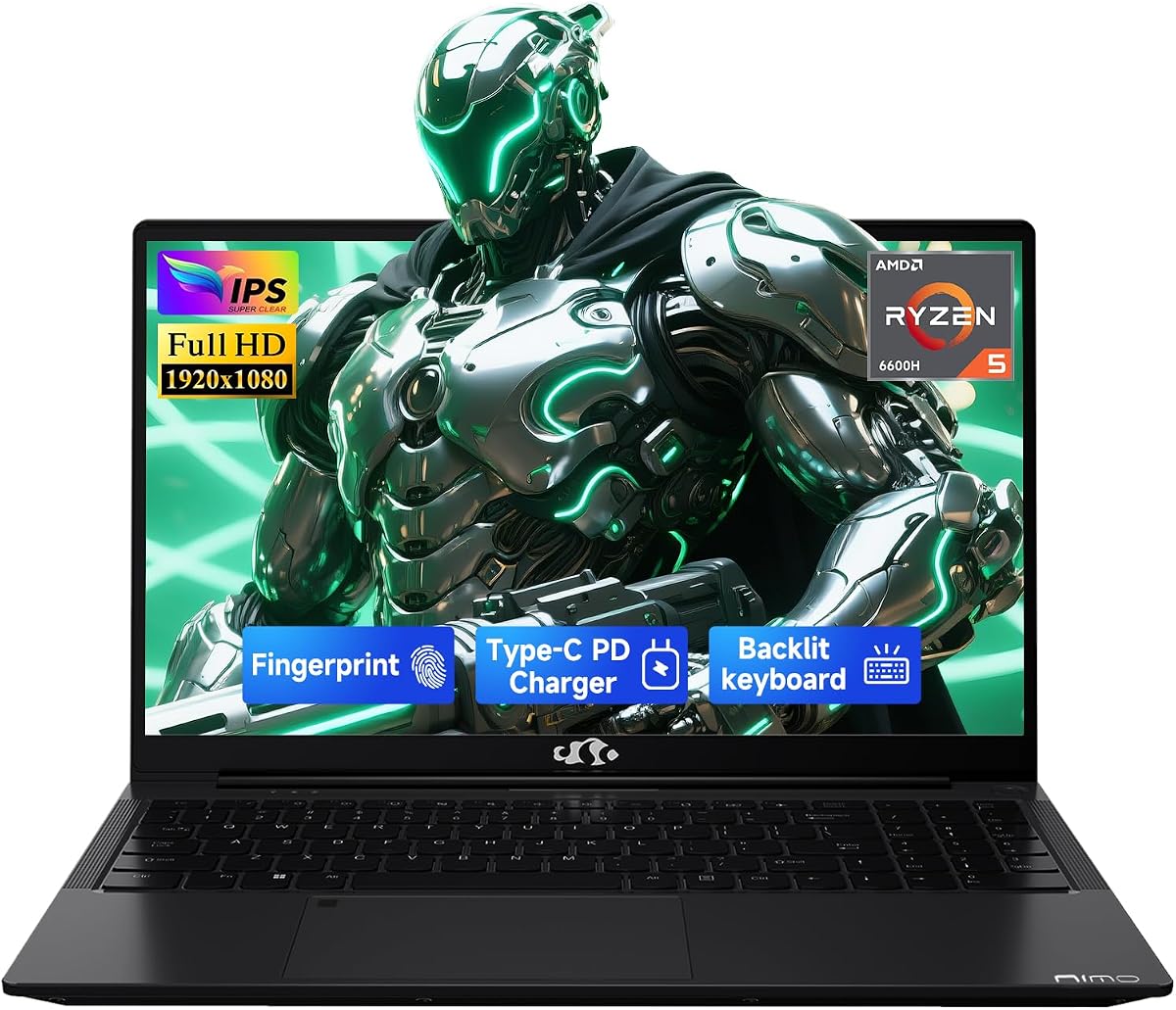

The NIMO 15.6 Inch Light Gaming Laptop stands out as the top recommendation for Minecraft players seeking a balance of speed and portability. Its strong rating reflects consistent performance across demanding tasks and everyday use cases alike.
We may earn a commission when you buy through this link, at no additional cost to you.
Powered by the Ryzen 7 7735HS processor, this machine handles Minecraft with shaders or heavy mod packs without stuttering. The 16GB DDR5 RAM ensures smooth multitasking when running streaming software alongside your game.
While it lacks a dedicated graphics card, the Radeon 680M integrated GPU is surprisingly capable for a lightweight chassis. Trade-offs include limited storage expansion options compared to bulkier laptops but the included 512GB SSD is fast.
This laptop is ideal for students and travelers who need power on the go. We recommend it as the best overall choice for anyone prioritizing performance within a portable form factor for Minecraft gaming.
The combination of 8 cores and DDR5 RAM allows you to run background apps without impacting frame rates significantly.
Weighing under 1.7 kg, it slips easily into backpacks for campus or travel without adding excessive bulk.
We may earn a commission when you buy through this link, at no additional cost to you.
For those on a strict budget, the KAIGERR Light Gaming Laptop offers incredible value without sacrificing essential gaming performance. It is a solid entry point for Minecraft fans who do not want to spend heavily.
We may earn a commission when you buy through this link, at no additional cost to you.
The Ryzen 7 5700U processor provides enough power to run Minecraft smoothly even with moderate shader packs. Paired with 16GB of RAM, it manages system resources efficiently during long gaming sessions.
Cons include slightly older DDR4 memory which limits peak bandwidth compared to DDR5 models. The chassis feels less premium than higher priced options but remains durable enough for daily travel needs.
We suggest this model for students or casual gamers looking for the lowest price entry into light gaming. It delivers reliable frame rates for Minecraft at a cost that is hard to beat.
This laptop maximizes value by including high core count CPUs and ample RAM at a very competitive price tier.
Built in WiFi6 ensures stable connections for online multiplayer servers without lag or dropouts during play.
We may earn a commission when you buy through this link, at no additional cost to you.
The NIMO 15.6 Inch Light Gaming Laptop brings premium features to the portable gaming market with enhanced security and build quality. It is designed for users who demand extra reliability and convenience.
We may earn a commission when you buy through this link, at no additional cost to you.
Key strengths include the integrated fingerprint sensor for quick logins and the 180 degree hinge for versatile viewing angles during presentations. The 100W PD charging keeps you moving without carrying a brick charger.
Trade-offs involve a higher price point compared to basic models and a slightly heavier chassis than ultra thin ultrabooks. However the added durability justifies the cost for professional use and frequent travel.
We recommend this laptop for creators and professionals who also game on the side. Its robust construction and security features make it a standout choice for premium light gaming needs.
Biometric login via fingerprint sensor protects your data and saves time when accessing your system quickly.
The hinge allows flat positioning for easy content sharing during meetings or collaborative gaming sessions.
We may earn a commission when you buy through this link, at no additional cost to you.
This model offers high-end performance with an eye toward long-term usability through expandable components. It is a strong candidate for users who want to future proof their gaming setup without buying a new machine later.
We may earn a commission when you buy through this link, at no additional cost to you.
The Ryzen 7 7735HS processor delivers desktop level multitasking which is perfect for running Discord and Minecraft simultaneously. Dual DDR5 slots allow you to upgrade RAM if your needs grow over time.
Cons include a relatively modest port selection and average audio quality for immersive gaming experiences. These issues are minor given the raw power and storage speed it offers at this price level.
We suggest this laptop for power users who value expandability and raw CPU performance. It is an excellent pick for technical students or professionals who game during downtime.
Dual SO-DIMM slots let you increase memory capacity later extending the useful life of the device.
PCIe 4.0 SSD speeds ensure quick map loading and fast boot times for daily gaming sessions.
We may earn a commission when you buy through this link, at no additional cost to you.
The KAIGERR Light Gaming Laptop with Ryzen 7430U balances energy efficiency with daily productivity needs. It is designed for users who prioritize battery life and portability over heavy graphics performance.
We may earn a commission when you buy through this link, at no additional cost to you.
With 16GB of RAM and a fast SSD, it handles Minecraft and school work seamlessly. The battery life is particularly impressive allowing for several hours of use without a power adapter.
Cons involve limitations in handling very high graphical settings for Minecraft due to integrated graphics. The port selection is minimal which may require dongles for external monitors during presentations.
We recommend this for frequent travelers or students who need a laptop that lasts all day. It provides reliable performance for casual gaming and general tasks without constant charging.
Optimized power management ensures long runtimes even during demanding tasks like gaming or video streaming.
WiFi6 and Bluetooth 5.2 provide stable connections for fast file transfers and peripheral pairing.
We may earn a commission when you buy through this link, at no additional cost to you.
This model offers a larger display which can be beneficial for multitasking during creative Minecraft projects. It is a good choice for those who prefer a bigger viewing area without the weight of a desktop replacement.
We may earn a commission when you buy through this link, at no additional cost to you.
The Ryzen R2544 provides decent processing power for standard gaming but struggles with heavy mods. However the 16 inch screen offers more space for inventory management and map viewing.
Cons include lower overall performance compared to Ryzen 7 models which may limit graphical fidelity. The integrated graphics are suitable for basic gameplay but not for high-end rendering.
We suggest this for users who value screen real estate and cost savings. It serves well as a secondary machine or for casual Minecraft play on a budget.
The 16 inch screen provides ample workspace for complex projects and enhanced visual clarity.
Support for TF cards and SSD upgrades allows you to tailor storage capacity to your needs.
We may earn a commission when you buy through this link, at no additional cost to you.
This laptop stands out with its extra large 18.5 inch display which is rare in portable gaming devices. It is ideal for stationary use where immersion takes priority over frequent movement.
We may earn a commission when you buy through this link, at no additional cost to you.
The high user rating reflects satisfaction with the visual experience and overall build quality. The thin bezel design maximizes screen space while keeping the footprint manageable.
Cons include increased weight and bulk which make it less suitable for daily commuting. It functions more as a desktop replacement than a truly portable machine for travelers.
We recommend this for users who want a big screen experience in a laptop form factor. It is perfect for home gaming setups where portability is less important.
The massive screen size enhances detail and color saturation for a rich gaming environment.
A centered webcam improves video call framing and reduces neck strain during long sessions.
We may earn a commission when you buy through this link, at no additional cost to you.
This model has achieved a perfect user rating due to its reliable performance and thoughtful security features. It is a strong choice for privacy conscious users who also enjoy gaming.
We may earn a commission when you buy through this link, at no additional cost to you.
The Ryzen 5 6600H processor handles Minecraft with ease and the DDR5 RAM ensures smooth system responsiveness. Hidden webcam and fingerprint sensors add extra layers of security for sensitive data.
Cons include a smaller 256GB SSD which may require external drives for large game libraries. Battery life is adequate but not exceptional compared to dedicated power efficient models.
We suggest this for students or professionals who need security and portability. It balances work requirements with gaming needs effectively for everyday use.
A hidden webcam provides physical assurance that your privacy is protected during downtime or meetings.
Fast DDR5 memory reduces load times and improves frame stability during intense gaming scenarios.
We may earn a commission when you buy through this link, at no additional cost to you.
Targeted at professionals, this laptop combines business features with gaming capabilities for versatile use. It is built to handle presentations and creative work alongside casual Minecraft sessions.
We may earn a commission when you buy through this link, at no additional cost to you.
The 512GB SSD offers ample space for files and games while dual Type-C ports support multi-monitor setups. Fast charging ensures you can get back to work quickly during short breaks.
Cons include a slightly lower user rating compared to other models in the lineup which suggests mixed experiences. Customization options are limited once you purchase the base configuration.
We recommend this for business users who need a single machine for work and play. It offers a professional look while maintaining the performance needed for light gaming.
Dual full-function Type-C ports allow you to connect external displays for extended productivity.
Rapid charging technology minimizes downtime ensuring you stay productive throughout the day.
We may earn a commission when you buy through this link, at no additional cost to you.
This model is positioned as a reliable student laptop with features that support both study and leisure. It offers a balanced package for young users needing durability and performance.
We may earn a commission when you buy through this link, at no additional cost to you.
The backlit keyboard and fingerprint login add convenience for late night study sessions. DDR5 RAM ensures that multitasking between assignments and gaming remains smooth and responsive.
Cons include a lower user rating which may indicate issues with thermal management under heavy load. Fan noise can be noticeable when running graphically demanding mods for Minecraft.
We suggest this for students who prioritize features like fast login and good connectivity. It is a viable option for campus use provided thermal limits are managed.
A backlit keyboard makes typing easier in dim environments like dorms or libraries without eye strain.
Fingerprint login simplifies access to your device for quick start up before classes or games.
We may earn a commission when you buy through this link, at no additional cost to you.
Selecting the right laptop involves balancing portability with performance to ensure a smooth gaming experience.
For Minecraft, a multi-core processor is essential to handle world generation and mod logic. Look for Ryzen 7 or equivalent Intel Core i7 chips to ensure smooth gameplay even with heavy shaders.
Higher clock speeds and core counts directly improve frame rates and system responsiveness during complex in-game scenarios.
Minecraft Java Edition benefits greatly from 16GB of RAM to run alongside streaming software and browsers. DDR5 memory offers better bandwidth which helps in loading assets quickly during exploration.
Ensure the laptop has at least 16GB of RAM to avoid stuttering when managing large inventories or multiplayer servers.
While dedicated GPUs are powerful, modern integrated graphics like Radeon 680M can handle light gaming well. This is crucial for lightweight laptops where battery life and heat are primary concerns.
Check for integrated graphics benchmarks to confirm they meet the visual requirements of your desired Minecraft setup.
A light gaming laptop should ideally weigh under 4 pounds to fit easily into backpacks. This allows you to take your gaming setup to school, work, or friends homes without strain.
Prioritize slim chassis designs that do not compromise on cooling efficiency despite their small size.
Extended battery life ensures you can game or work without hunting for power outlets. Look for laptops with 50Wh or larger batteries to support several hours of moderate use.
Fast charging support via USB-C adds convenience by reducing downtime when you need a quick power boost.
Multiple USB ports and HDMI outputs are necessary for connecting controllers, headsets, or external monitors. A full-featured USB-C port can also serve for charging and data transfer simultaneously.
Verify that the laptop includes enough ports to avoid relying on extra dongles which can clutter your desk.
A 1080p IPS display ensures accurate colors and wide viewing angles which are important for immersive gaming. Higher refresh rates are a bonus but resolution is key for sharp block textures in Minecraft.
Look for thin bezels that maximize screen real estate within a compact form factor for better usability.
NVMe SSDs provide fast load times for game worlds and the operating system which improves overall user experience. A 512GB capacity is generally sufficient for the OS and several large games.
Consider models that allow for future storage upgrades if you plan to accumulate a large library over time.
To maximize performance, ensure you install the latest graphics drivers from AMD or Intel. Regular updates help optimize compatibility with new Minecraft patches and mod loaders like Fabric or Forge.
Keep the cooling vents clear of dust by using a soft brush regularly. Overheating can throttle performance leading to lower frame rates during intense gameplay sessions or rendering tasks.
Use a cooling pad if you play for extended periods to maintain stable temperatures. This simple accessory helps prevent thermal throttling and extends the lifespan of internal components significantly.
Yes most models in this list can run Minecraft with moderate shader packs due to their capable integrated graphics. For high-end shaders you may need to adjust settings to maintain smooth frame rates while playing.
16GB of RAM is generally sufficient for running Minecraft alongside streaming software like OBS. It allows for smooth multitasking as long as you do not open too many browser tabs simultaneously.
Depending on usage these light gaming laptops can last between 6 to 8 hours on battery. Intensive gaming drains power faster but basic tasks like browsing extend the runtime significantly.
Absolutely these laptops are versatile enough for schoolwork with fast processors and good keyboards. They handle word processing and research efficiently while offering gaming capabilities for relaxation.
The included 512GB SSD is usually enough for most users but you can upgrade if you store many large files. Check the laptop manual to ensure you can access the storage slots easily.
These laptops are designed for portability weighing between 3 and 4 pounds. They fit easily into standard backpacks making them ideal for daily commuting or travel to different locations.
Most models come with a standard one-year manufacturer warranty covering hardware defects. Some premium options offer extended two-year plans for added peace of mind during regular use.
Choosing the right light gaming laptop for Minecraft depends on your specific balance of portability and power needs. The NIMO and KAIGERR models reviewed here offer a wide range of options to suit various budgets and use cases.
Prioritize processors with high core counts and ample RAM to ensure smooth gameplay and multitasking capabilities. A good screen and battery life will also enhance your overall experience away from a power source.
Remember to check current prices and stock availability before purchasing as deals change frequently. Selecting the right machine ensures you enjoy hours of creative block building without compromise.