
Computer Speakers for Desktop PC Monitor
4.2Editor score
USB-C Adapter Included
Monitor Clip-On Mount
Deep Bass Drivers
This guide compares the top ten external speaker solutions for MacBook users, evaluating connectivity, sound quality, and design to help you find the perfect
Finding the right external speakers for your MacBook can transform your multimedia experience. Whether you need clear dialogue for work calls or deep bass for gaming, the right setup matters.
We evaluated ten top-rated models based on connectivity options, sound clarity, and build quality. Our team analyzed user feedback and technical specifications to ensure reliable recommendations.
Each pick highlights specific strengths like USB-C compatibility or Bluetooth flexibility. Remember that stock levels and availability change frequently, so verify details before purchasing.
4.2Editor score

4.4Editor score
4.5Editor score
This side-by-side comparison helps you quickly identify the key features of each model. Look for connectivity type, power output, and unique design elements that suit your workspace.




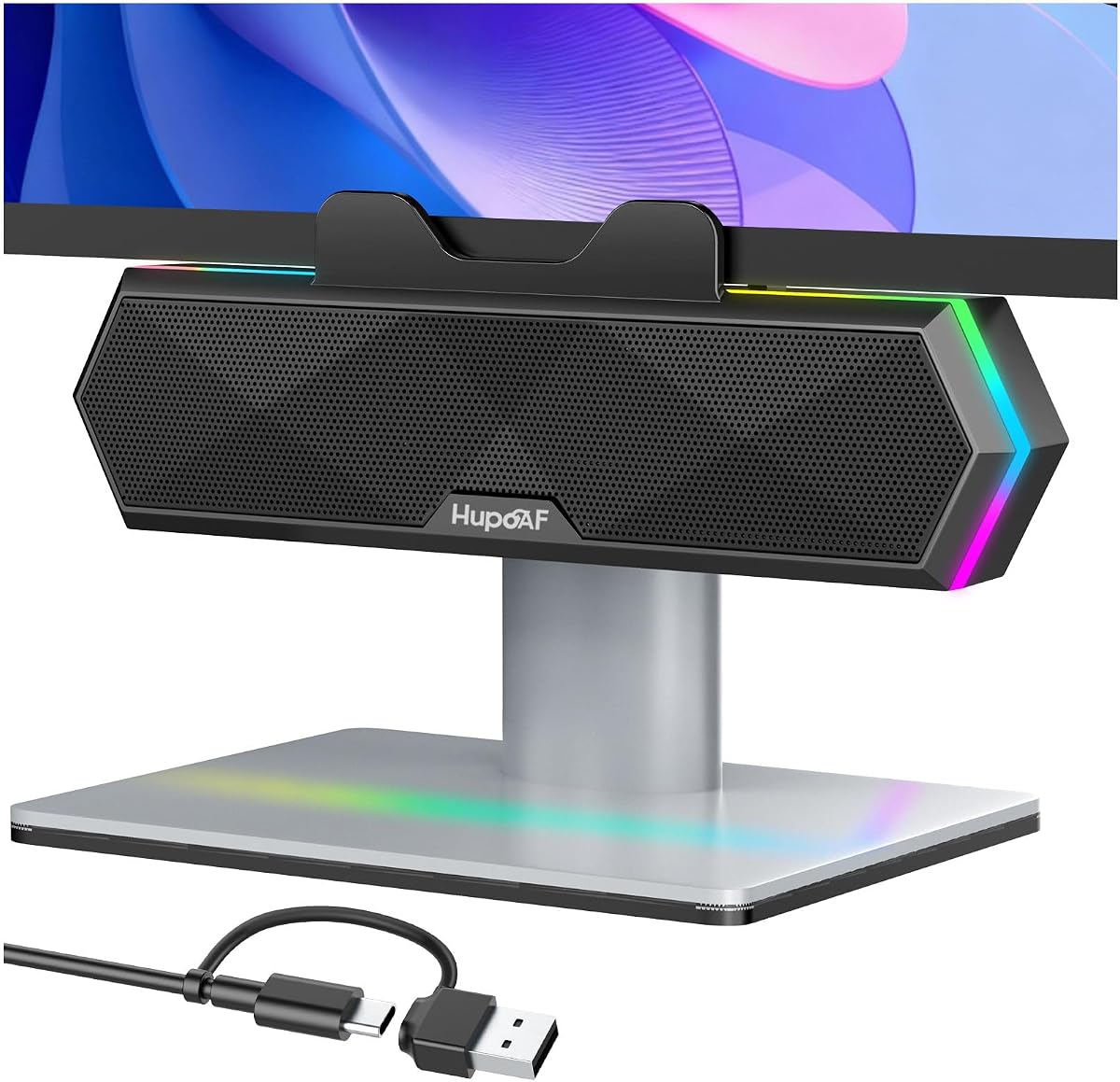
This speaker system stands out for its innovative clip-on design and USB-C adapter inclusion. It delivers loud sound with deep bass despite its small size, making it ideal for MacBooks.
We may earn a commission when you buy through this link, at no additional cost to you.
The adaptive channel switching ensures audio balance whether mounted on top or bottom of a monitor. Touch controls allow quick muting and volume adjustments without reaching for your keyboard.
While the volume range is decent, it may not fill a large room. The clip mechanism is sturdy but requires a monitor edge within specific thickness limits.
Choose this if you want a budget-friendly audio upgrade that saves desk space. It works seamlessly with MacBooks via the included USB-C adapter.
The patented clamp allows smooth placement on your desk or clamping to monitor edges to save valuable workspace.
Includes a built-in USB-C to USB adapter for compatibility with latest MacBooks and other USB-C only devices.
We may earn a commission when you buy through this link, at no additional cost to you.
Amazon Basics offers a straightforward stereo pair with USB power and volume control. It provides clear audio amplification for laptops and desktops with a focus on simplicity.
We may earn a commission when you buy through this link, at no additional cost to you.
The inline volume control allows easy access without digging into system settings. A bottom radiator enhances bass response, giving a springy sound quality for the price.
Setup involves connecting USB for power and 3.5mm for audio if not using USB audio. Cables might add clutter to clean desk setups compared to single-cable models.
This is a practical choice for users needing basic external audio. It pairs well with MacBooks using USB hubs or standard ports.
In-line volume control provides easy access to adjust sound levels without touching the computer directly.
USB-powered from USB port of PC or laptop ensures stable power without external adapters.
We may earn a commission when you buy through this link, at no additional cost to you.
These speakers offer versatile setup options with Bluetooth wireless or 3.5mm cable connections. The Easy-Switch technology simplifies moving audio between devices seamlessly.
We may earn a commission when you buy through this link, at no additional cost to you.
Each speaker has a powered driver and a passive radiator for bass extension. On-speaker controls make pairing and adjustments quick without opening software.
While Bluetooth 4.2 works well, newer models might offer better latency. The physical size is larger than compact USB options.
Pick this for multi-device users who value flexibility. It connects easily to MacBooks and mobile devices via Bluetooth pairing.
Lets you seamlessly switch between audio devices by pausing one and playing another.
Works with Bluetooth enabled devices and any device with a 3.5mm input including smartphones.
We may earn a commission when you buy through this link, at no additional cost to you.
The Creative Pebble V3 combines a single USB-C cable with Bluetooth 5.0 for modern flexibility. It delivers rich audio with enhanced bass reproduction and dialog clarity.
We may earn a commission when you buy through this link, at no additional cost to you.
The built-in gain switch amplifies audio significantly when connected to higher wattage USB ports. Its 45-degree elevated drivers direct sound straight to your ears.
Users needing more volume might find the gain switch essential. The AUX cable is separate if you prefer wired connections over Bluetooth.
This model is ideal for MacBook users seeking a clean desk setup. The plug-and-play USB-C design reduces clutter while maintaining excellent sound.
Delivers clear and intelligible spoken dialogs without affecting audio effects happening in background.
When used with latest USB-C ports, draws power more efficiently for louder USB audio.
We may earn a commission when you buy through this link, at no additional cost to you.
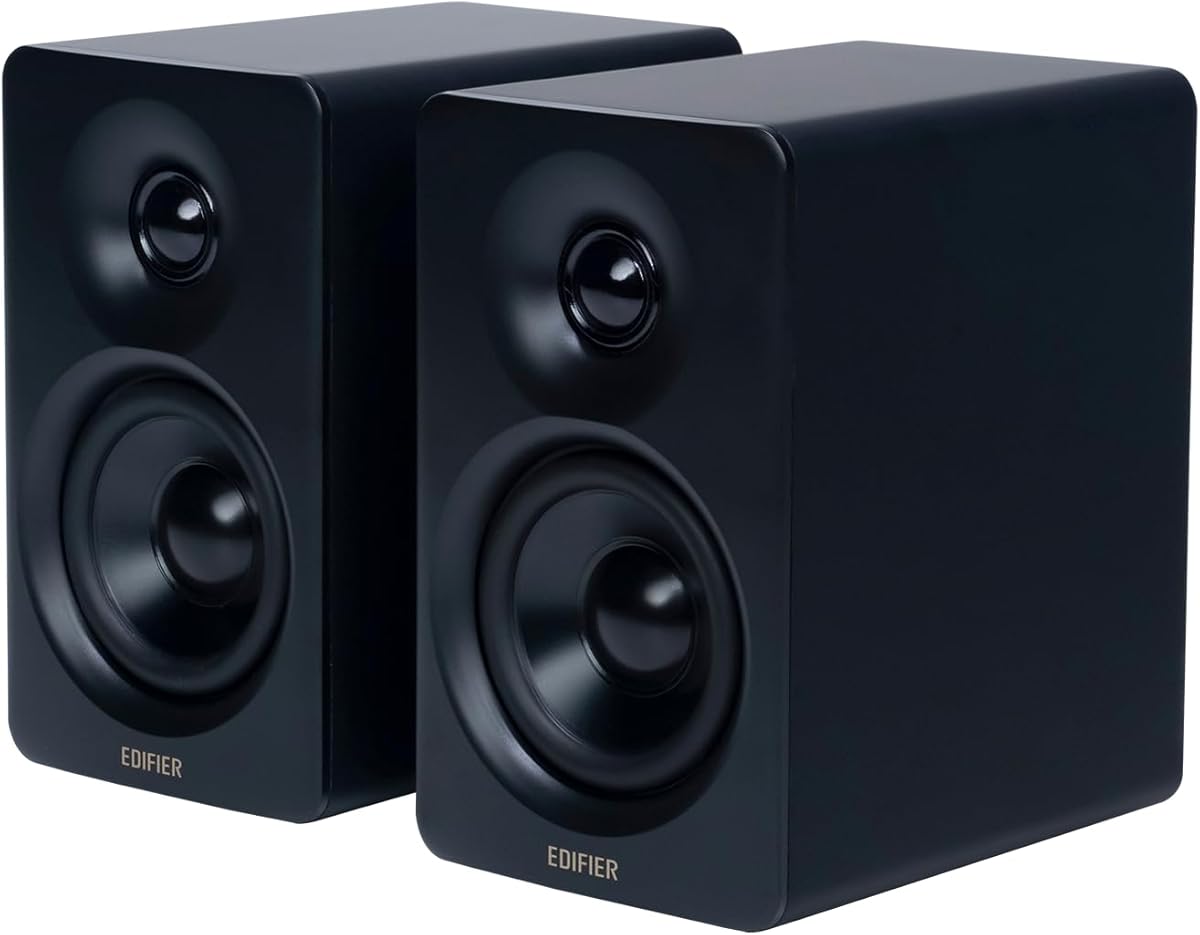
Edifier M60 offers powerful 66W RMS output with Hi-Res Audio certification for both wired and wireless transmission. It features silk dome tweeters and aluminum drivers.
We may earn a commission when you buy through this link, at no additional cost to you.
Bluetooth 5.3 supports LDAC codec for high-resolution streaming up to 24-bit/96kHz. Aluminum stands angle the speakers at 15 degrees for ear-level audio.
The touch panel with automatic backlight adds a premium feel. However, the size and cost are significant compared to budget options.
Select this for audiophiles needing accurate sound. It connects via USB-C or Bluetooth and suits professional or high-end setups.
Features Hi-Res Audio certification for wired and wireless transmission with precise crossover control.
Bluetooth 5.3 receiver supports LDAC for maximum transmission bitrate up to 990 kbps.
We may earn a commission when you buy through this link, at no additional cost to you.
The MR3 is Hi-Res Audio certified, delivering a flat response from 52Hz to 40kHz. It suits music creation or precise monitoring needs.
We may earn a commission when you buy through this link, at no additional cost to you.
Balanced TRS, RCA, and AUX inputs allow multiple connections simultaneously. The EDIFIER ConneX app offers deep adjustments and personalized EQ control.
While powerful, the 18W output is lower than the M60. It prioritizes sound accuracy over raw volume for home studios.
Use this for video editing or guitar playing where sound clarity is key. It connects via Bluetooth or multiple wired inputs for MacBooks.
Balanced TRS, RCA, and AUX inputs enable simultaneous connection with more audio devices.
Fine-tune your sound precisely through the EDIFIER ConneX app with personalized EQ.
We may earn a commission when you buy through this link, at no additional cost to you.
These speakers work via Plug-n-Play USB connectivity without needing driver updates. Built-in dual drivers and passive radiators provide louder sound than typical internal laptop speakers.
We may earn a commission when you buy through this link, at no additional cost to you.
The single USB cable feeds both audio and power, reducing wire mess. Setup involves selecting the USB device in your playback settings.
Sound quality is decent for the price but lacks deep bass refinement. The build is functional but not premium compared to other models.
Opt for this if you need an immediate, simple audio boost. It is compatible with macOS systems for basic media consumption.
Plug into USB port and select USB2.0 device in taskbar settings to start working.
Single USB cable feeds both audio and electrical power to avoid messy cables.
We may earn a commission when you buy through this link, at no additional cost to you.
The FUNLOGY speaker delivers impressive 14W output with a compact 30-degree tilt to direct sound to ears. It features noise-reducing audio design components.
We may earn a commission when you buy through this link, at no additional cost to you.
It requires included USB and 3.5mm cables for setup. A volume dial control on the device simplifies adjusting levels during use.
The build quality reflects Japanese standards with a matte finish. However, lack of wireless connectivity limits flexibility for mobile devices.
Choose this if desk space is limited and sound direction matters. It supports macOS laptops and desktops with standard ports.
Smart 30 degree upward-facing speaker layout optimizes sound delivery directly to your ears.
Premium components and gold-plated AUX input minimize signal noise during startup.
We may earn a commission when you buy through this link, at no additional cost to you.
Designed for business, this device offers full duplex audio with AI noise cancellation so multiple people can speak. It has LED lights for call status.
We may earn a commission when you buy through this link, at no additional cost to you.
Enhanced connectivity via USB-A or USB-C allows seamless integration with laptops. The Teams button provides quick access to meetings and notifications.
While great for conferencing, it lacks the deep bass or volume for casual music. The price reflects its professional features.
Use this if your MacBook is used primarily for meetings. It supports macOS and ensures clear communication.
With AI noise cancellation, numerous people can speak at the same time clearly.
Connect to monitors or desktops through USB-A or USB-C port easily.
We may earn a commission when you buy through this link, at no additional cost to you.
These speakers feature 6 RGB dynamic lighting modes to match your gaming rig or mood. The non-slip spring clamp mounts firmly to monitor edges.
We may earn a commission when you buy through this link, at no additional cost to you.
Multifunction controls on top allow volume and mute adjustments. The design works seamlessly across Windows, macOS, and Linux systems.
The RGB lights can be turned off for distraction-free work. Ensure your monitor edge is within the maximum thickness limit.
Pick this for a fun gaming setup on a MacBook. It saves desk space and adds visual flair while providing rich audio.
Upgraded non-slip spring clamp mounts to top, bottom, or side edges without scratching.
6 vibrant lighting modes easily cycle with button press to match gaming rig.
We may earn a commission when you buy through this link, at no additional cost to you.
Selecting the right speakers involves understanding your connectivity needs, sound preferences, and available desk space.
MacBooks often rely on USB-C or wireless Bluetooth for audio. Ensure the speakers support these protocols directly or via adapters.
Look for models that offer both wired and wireless options for maximum flexibility with your device.
Some speakers draw power directly from the USB port, while others need wall adapters. USB-powered units reduce cable clutter significantly.
Verify that your MacBook port can supply enough wattage if the speakers rely on USB power.
Prioritize drivers and bass radiators that match your audio tastes. High-resolution audio support is beneficial for critical listening.
Check reviews for clear dialogue processing if you use speakers primarily for video or calls.
Compact clip-on designs save desk space compared to standalone units. Evaluate the physical footprint before purchasing.
Consider aesthetic elements like RGB lighting or metal finishes to match your workspace vibe.
Physical controls like knobs or touch panels allow quick adjustments without opening system preferences.
Some models offer mobile apps for EQ tuning, which is useful for advanced customization.
Ensure the speakers are compatible with macOS operating systems to avoid driver issues.
Cross-platform compatibility with Windows or ChromeOS adds future-proofing value.
Entry-level models offer basic sound improvements while premium units provide studio-grade fidelity.
Determine how much you value sound accuracy versus cost when making your final choice.
If you need a microphone for calls, check if speakers have a built-in mic or headset jack.
Business-oriented models often include dedicated mics and call buttons.
Connect your speakers to the MacBook via USB-C, USB-A with adapter, or Bluetooth. Ensure the correct audio output device is selected in System Settings.
Place speakers at ear level for optimal sound quality. Use stands or angled mounts to direct sound towards you.
Keep the speakers clean by wiping with a soft cloth. Avoid exposing them to liquids or direct sunlight to prolong durability.
Many modern speakers include USB-C adapters or native USB-C ports. Check the product details to confirm if an adapter is included.
Yes, any Bluetooth-enabled speaker can pair with macOS. Go to System Settings and add the device via the Bluetooth menu.
Open System Settings and select Sound. Choose the external speakers from the list of available output devices.
Most USB-C or Bluetooth speakers are compatible with iPad Pro. Verify the connector type matches your device.
Yes, quality clip-on models use spring clamps designed for monitor thickness limits. Ensure your monitor is within range.
Using Bluetooth or a USB hub, you can connect multiple devices. However, macOS may limit simultaneous output to one default device.
Use a dry soft cloth or a soft brush to remove dust. Avoid liquid cleaners that might damage internal components.
We reviewed ten options ranging from budget-friendly clip-on models to premium studio monitors. Each offers unique connectivity features tailored to different needs.
Prioritize compatibility with USB-C and sound clarity for multimedia use. Balance space-saving design with audio quality for the best experience.
Always check current stock availability before purchasing as models may vary. Verify your MacBook port type to ensure seamless integration.