
Heavy Duty 3D Printer Stand with Filament Storage
4.8Editor score
Wobble-free thick steel tubing base
Dual-tier 32 spool storage capacity
Quick 20-minute assembly process
Finding the right workspace for your 3D printer is crucial for successful projects. A dedicated table stand with filament storage helps keep your materials organized while providing a stable surface for your machine to operate without vibrations.
We have analyzed the top models available this month to bring you a curated list of the best options. Our comparison focuses on stability, storage capacity, ease of assembly, and overall build quality to help you make an informed decision.
Each pick in this guide highlights specific strengths tailored to different user needs and workshop sizes. Please note that product availability and configurations may change over time so checking the latest details is always recommended before purchasing.
4.8Editor score

4.4Editor score

4.6Editor score
As an Amazon Associate we earn from qualifying purchases.
This side-by-side comparison highlights the key specifications and features of the top ten models to help you quickly identify which stand fits your specific workshop requirements and printer setup.

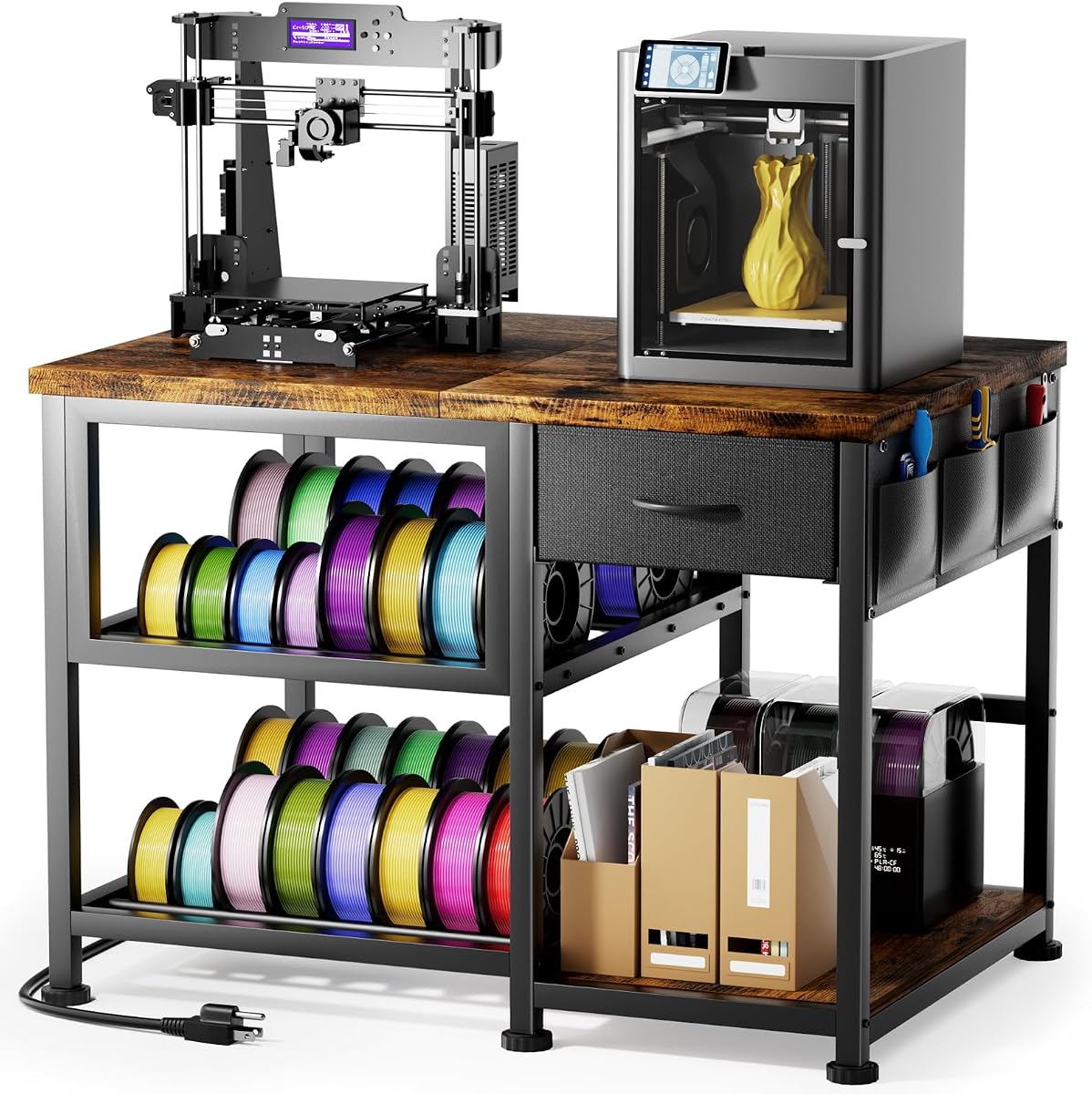


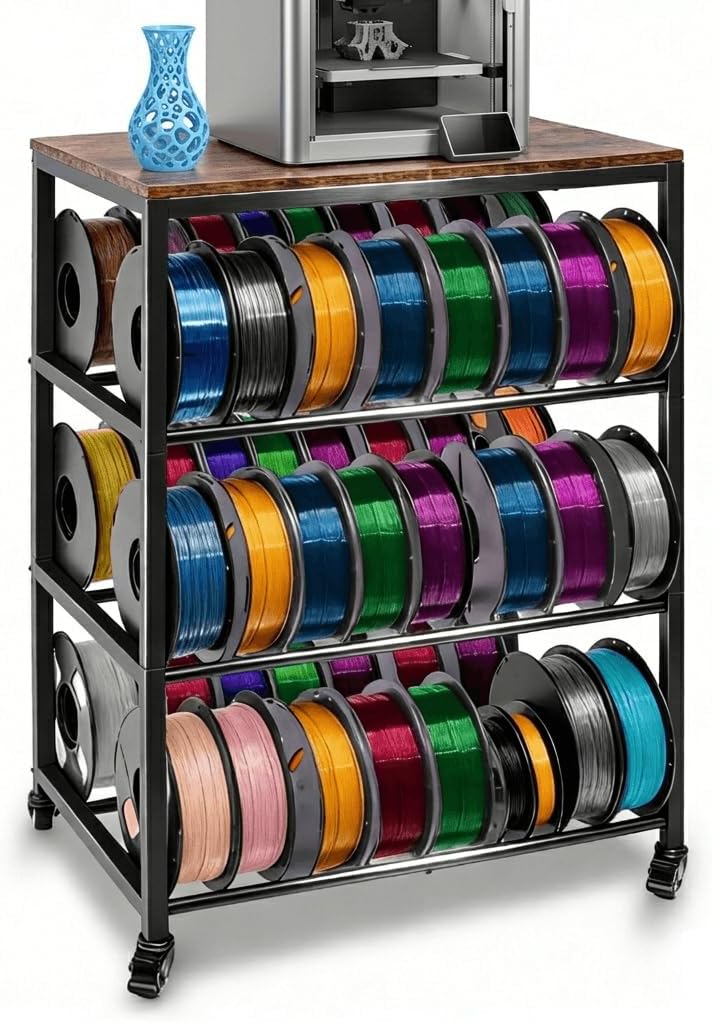
This model stands out as a comprehensive workstation that combines printing stability with organized storage. It boasts a high user rating and is designed to be a complete hub for your 3D printing needs.
We may earn a commission when you buy through this link, at no additional cost to you.
The built-in power hub is a significant advantage, allowing you to power your printer and laptop simultaneously without extra strips. The X-bracket design ensures minimal wobble for cleaner prints.
While highly stable and spacious, the unit is quite heavy which might make moving it difficult after assembly. However, the durability it offers is worth the effort during setup.
Ideal for serious hobbyists who need a dedicated spot for their printer and materials, this stand provides the reliability and organization required for consistent work in any studio.
The dual AC outlets and USB ports keep your workspace tidy by consolidating power needs into one unit.
The reinforced X-bracket structure reduces vibration to ensure precise layers even on large format prints.
We may earn a commission when you buy through this link, at no additional cost to you.
This stand is an excellent choice for those seeking reliability without a high cost. It holds a very strong rating and is built with thick steel to prevent movement.
We may earn a commission when you buy through this link, at no additional cost to you.
The base is engineered to be wobble-free which is essential for quality prints. The dual tier shelves allow you to store a good number of spools vertically.
It does not feature built-in drawers which means you may need separate containers for small tools. However the open design makes it easy to access your materials quickly.
Best for small workshops or home setups where budget is a priority this stand offers solid construction and sufficient storage for most users.
You get a robust steel frame and MDF top that holds heavy printers securely at a very competitive price.
The compact dimensions free up floor space while still providing vertical storage for your filament rolls.
We may earn a commission when you buy through this link, at no additional cost to you.
This unit is designed for those who want maximum protection for their materials and equipment. It combines a cart style design with a cabinet to keep dust away from sensitive items.
We may earn a commission when you buy through this link, at no additional cost to you.
The locking wheels allow you to move the entire station easily while the solid frame ensures stability during printing. The enclosed cabinet is perfect for storing spools in humid environments.
The price is higher than basic stands and the assembly can be a bit tricky due to the cabinet parts. Yet the protection and mobility it offers are unmatched.
If you need a portable yet stable station that keeps your filaments safe from dust and moisture this premium stand is an outstanding investment.
The sealed lower compartment helps maintain optimal humidity levels to prevent filament degradation.
Lockable swivel casters let you reposition the stand easily and lock it firmly during operation.
We may earn a commission when you buy through this link, at no additional cost to you.
This workstation is ideal for users with extensive filament collections who need maximum organization. It features a unique metal drawer specifically designed for hardware and tools.
We may earn a commission when you buy through this link, at no additional cost to you.
The open shelves can hold up to 56 spools which is a massive amount for any home setup. The heavy duty construction supports over 230 pounds ensuring your printer stays secure.
The size is quite large so it may not fit in very tight spaces. Additionally you will need to plan for separate power access as it lacks built-in outlets.
For professional makers or those with large libraries of spools this desk provides the storage capacity and sturdiness needed to manage a busy workflow.
The dedicated metal drawer keeps essential hardware like nozzles and scrapers organized and within reach.
With space for 56 spools you can keep all your materials ready without cluttering other surfaces.
We may earn a commission when you buy through this link, at no additional cost to you.
This stand blends functionality with a modern aesthetic that fits well in home offices or studios. The combination of wood and metal gives it a premium look.
We may earn a commission when you buy through this link, at no additional cost to you.
It includes a power outlet which is convenient for connecting your printer directly. The side pockets provide quick access to frequently used tools like flush cutters.
The wood elements may not be as rugged as all steel units and the weight capacity is moderate. However for light to medium use it is a great choice.
If you value design and want a unit that looks like a piece of furniture rather than just a stand this option is highly recommended.
The natural wood finish paired with metal accents enhances the visual appeal of any workspace.
Side pockets allow you to keep tools handy without taking up drawer space.
We may earn a commission when you buy through this link, at no additional cost to you.
This workstation is unique in its ability to host two full size 3D printers side by side with separate working zones. It is perfect for users running multiple machines.
We may earn a commission when you buy through this link, at no additional cost to you.
The dual independent frames ensure that vibration from one printer does not affect the other. This separation allows for simultaneous printing without interference.
The footprint is large so you need sufficient room in your workshop. The assembly is also more complex due to the dual frame structure.
For power users who operate two printers this stand provides the necessary space and isolation to manage both efficiently.
Each printer has its own frame to prevent vibration transfer between units during operation.
Mesh racks on the sides offer extra space for storing filament and tools by station.
We may earn a commission when you buy through this link, at no additional cost to you.
This stand offers a practical balance between storage and stability at an affordable price. The fabric drawers are great for organizing smaller items without the cost of solid wood.
We may earn a commission when you buy through this link, at no additional cost to you.
It is designed to hold over 50 filament spools which is excellent for a mid-range option. The steel frame ensures that the desk remains solid under load.
The fabric may not be as durable as plastic in wet environments and the design is fairly basic. Still it meets the needs of most casual users.
If you need ample filament storage and some drawer space without spending a lot this stand is a solid choice.
The fabric drawers provide an economical way to keep tools separated and organized.
Side and bottom shelves are engineered to hold standard filament spools securely.
We may earn a commission when you buy through this link, at no additional cost to you.
This model is well suited for home office setups where aesthetics matter. The wood-style desktop blends well with other furniture while offering robust functionality.
We may earn a commission when you buy through this link, at no additional cost to you.
It includes a Type C port which is a useful addition for modern laptops and devices. The 4-tier holder ensures your filaments are visible and accessible.
The drawer is not very deep which limits what you can store inside. Also the load capacity is lower than heavy-duty metal models.
For those who want a clean looking desk with essential power and storage options this table is a versatile option.
USB and Type C ports allow you to charge devices directly from your workstation.
The multi-level rack keeps spools organized and visible for quick selection.
We may earn a commission when you buy through this link, at no additional cost to you.
This table is designed for efficiency in smaller rooms or studios. The embedded power strip keeps cables managed and the compact size fits well in corners.
We may earn a commission when you buy through this link, at no additional cost to you.
It includes fabric drawers for tools and two levels of tube racks for filament organization. The power cord length is generous allowing flexible placement.
The tube racks have fixed spacing which might not fit all spool widths perfectly. It is also less robust for very heavy printers compared to others.
If space is limited and you need power integration this table offers a practical and compact solution for your setup.
The 140 cm power cord ensures you can position the stand without worrying about outlet reach.
The design maximizes vertical space to keep your footprint small while maintaining utility.
We may earn a commission when you buy through this link, at no additional cost to you.
This cart is built for heavy-duty use and portability. It supports an impressive load capacity making it suitable for larger industrial style printers.
We may earn a commission when you buy through this link, at no additional cost to you.
The silent locking casters allow you to move the stand smoothly and lock it in place when needed. The four-tier rack offers ample space for many spools.
The wooden top is smaller than some other models which may limit workspace. It is best for those prioritizing storage and mobility over a large working surface.
For workshops that need a movable and highly stable cart this stand offers robust support and plenty of filament capacity.
The frame supports up to 480 lbs ensuring safety for heavy printers.
Lockable casters provide stability during prints and easy movement for cleaning.
We may earn a commission when you buy through this link, at no additional cost to you.
Selecting the right stand requires considering your printer size, filament needs, and available space.
A stable table is critical for print quality as vibrations can cause layer shifts or ghosting. Look for models with reinforced frames or X-brackets to minimize movement.
Prioritize units with solid tops and sturdy legs to ensure your printer operates smoothly without shaking.
Consider how many filament spools you currently own or plan to buy. Some models offer open shelves while others include drawers or cabinets for better organization.
Ensure the layout allows easy access to your materials without obstructing the printing process.
Metal frames generally offer more durability and weight capacity than wood or particleboard. Check the maximum load rating to ensure it supports your printer's weight.
Durable materials will last longer and protect your investment in printing equipment.
Some stands come with built-in power strips or outlets which can reduce cable clutter. This feature is convenient if you plan to power multiple devices from one spot.
Check if the outlets are easily accessible and whether there are enough ports for your needs.
Measure your available space carefully to ensure the stand fits comfortably in your workshop. A compact design might be necessary for smaller rooms.
Ensure the height and depth accommodate your printer model and allow for proper ventilation.
If you need to move your setup regularly look for models equipped with wheels or casters. Locking wheels are important to stabilize the stand during printing.
Mobility helps in cleaning and reorganizing your workspace without lifting heavy equipment.
Consider the time and effort required to build the stand. Models with clear instructions and pre-drilled holes simplify the process.
Quick assembly means you can start using your new workspace sooner with less frustration.
Your workspace might be visible to others so a design that blends with your room decor can be beneficial. Options with wood finishes or sleek metal look more polished.
Choose a style that matches your personal preference or the theme of your home office.
Place the stand on a level surface and use adjustable feet to ensure it does not rock. This helps in maintaining printer alignment and print quality.
Store filament spools in a way that prevents tangling or moisture exposure. Use sealed bags or containers if your environment is humid.
Regularly check the wheels or feet for stability and clean dust from the shelves to keep your workspace hygienic and functional.
Yes a stable table stand reduces vibrations and wobbles that can cause defects in prints. It ensures the printer remains level and secure during operation.
Most stands are universal and can support office printers or other equipment as long as the weight is within the capacity limits.
Capacity varies by model but many can hold between 30 to 50+ spools using multi-tier designs or side racks.
Most models come with detailed instructions and tools to make assembly straightforward for one person.
Some stands include built-in power strips but others do not so you should check the specifications before purchasing.
Look for stands with enclosed cabinets or drawers to keep filaments covered or store them in protective containers on open shelves.
Some models have wheels for mobility but heavy duty stands can be heavy so always check the design for portability features.
You can adjust the feet on some models or simply use the table for storage and place the printer on top as needed.
We reviewed ten top stands that balance storage capacity with stability for various needs. From budget friendly to premium options each offers unique advantages.
Focus on stability and storage layout when making your choice to ensure a smooth printing experience in your workspace.
Prices and availability can change so verify the latest details on product pages before finalizing your purchase.