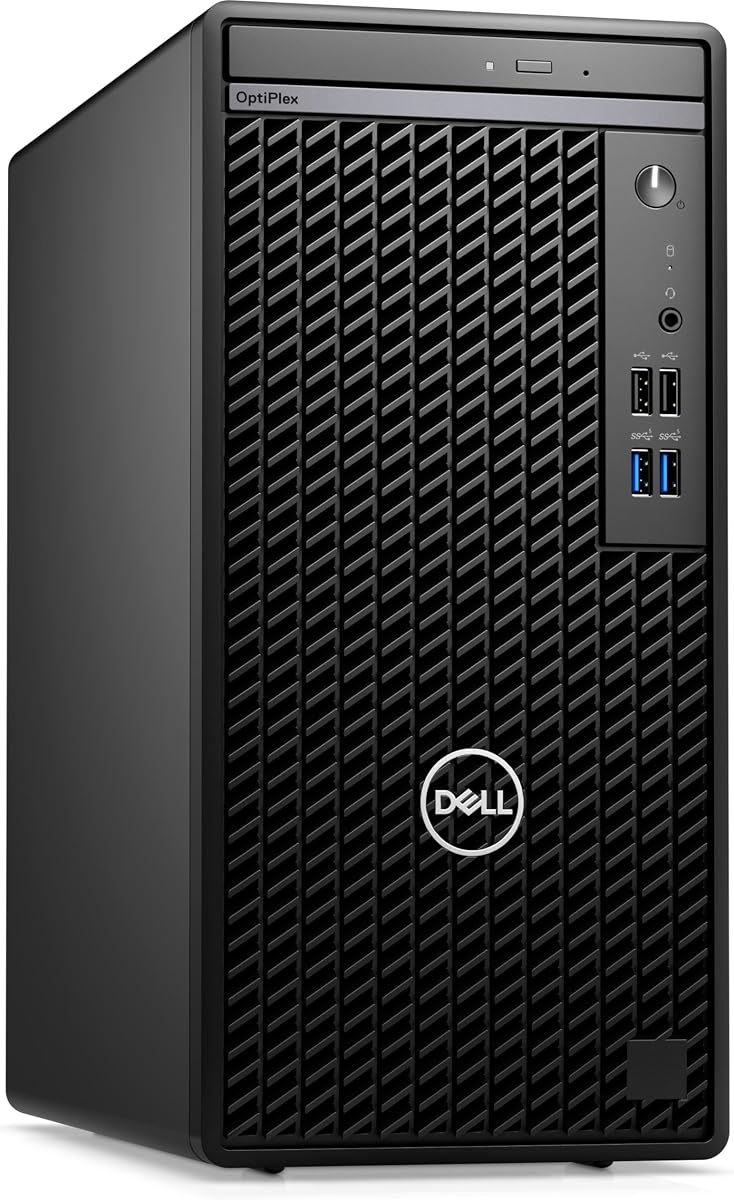
Dell Optiplex 7010 Business Mini Tower Computer
4.5Editor score
13th Gen i5-13500 processor
Ubuntu Linux 22.04 pre-installed
Compact mini tower design
This guide compares the best Desktop PC with Ubuntu Pre Installed options for developers and power users seeking open source flexibility without extra setup.
Finding a Desktop PC with Ubuntu Pre Installed saves time and ensures compatibility for development work. These machines come ready to run open source software immediately upon unboxing.
We evaluated ten desktop systems based on performance, storage capacity, and operating system readiness. Each product offers unique strengths for different workflows and budget levels.
Every selection highlights key specifications and real-world usability. Prices fluctuate frequently so verify current offers before finalizing your purchase decision today.
4.5Editor score

4.0Editor score
5.0Editor score
Below is a detailed side-by-side comparison of all ten desktop computers featured in this guide. Each entry lists critical specifications to help you determine which system fits your specific needs.






The Beelink Mini PC SER9 Pro is a powerful option for users needing AI capabilities alongside Ubuntu. It holds a solid 4.0 rating and stands out for its specialized OpenClaw integration.
We may earn a commission when you buy through this link, at no additional cost to you.
Its Ryzen 7 255 processor provides robust multitasking while the included Ubuntu system ensures immediate open source access. The triple display support allows for extensive workspace setups.
While the price is high and the pre-installed software may take time to master, the raw performance justifies the investment for power users.
Developers seeking AI tools with Ubuntu will find this mini PC ideal. It balances modern hardware with open source readiness effectively.
The built-in OpenClaw system supports 12 application scenarios including LLMs and DevOps tools for streamlined development.
Features Wi-Fi 6 Bluetooth 5.2 and multiple high-speed ports ensuring stable connections for all peripherals.
We may earn a commission when you buy through this link, at no additional cost to you.
The Dell Optiplex 7010 offers a cost-effective entry into the Desktop PC with Ubuntu Pre Installed market. With an i5-13500 processor it delivers modern performance.
We may earn a commission when you buy through this link, at no additional cost to you.
Ubuntu Linux 22.04 is pre-installed which removes the need for manual setup. The mini tower design fits easily on desks while housing capable components.
While 8GB RAM may limit heavy multitasking the system handles standard development tasks efficiently. Users can upgrade storage later if needed.
This model suits budget-conscious buyers needing an official Linux setup. It provides reliable performance without excessive cost.
Ubuntu 22.04 pre-installation guarantees driver support and immediate access to terminal commands and package managers.
The 13th Gen Intel chip includes performance cores for faster compilation and virtual machine operations.
We may earn a commission when you buy through this link, at no additional cost to you.
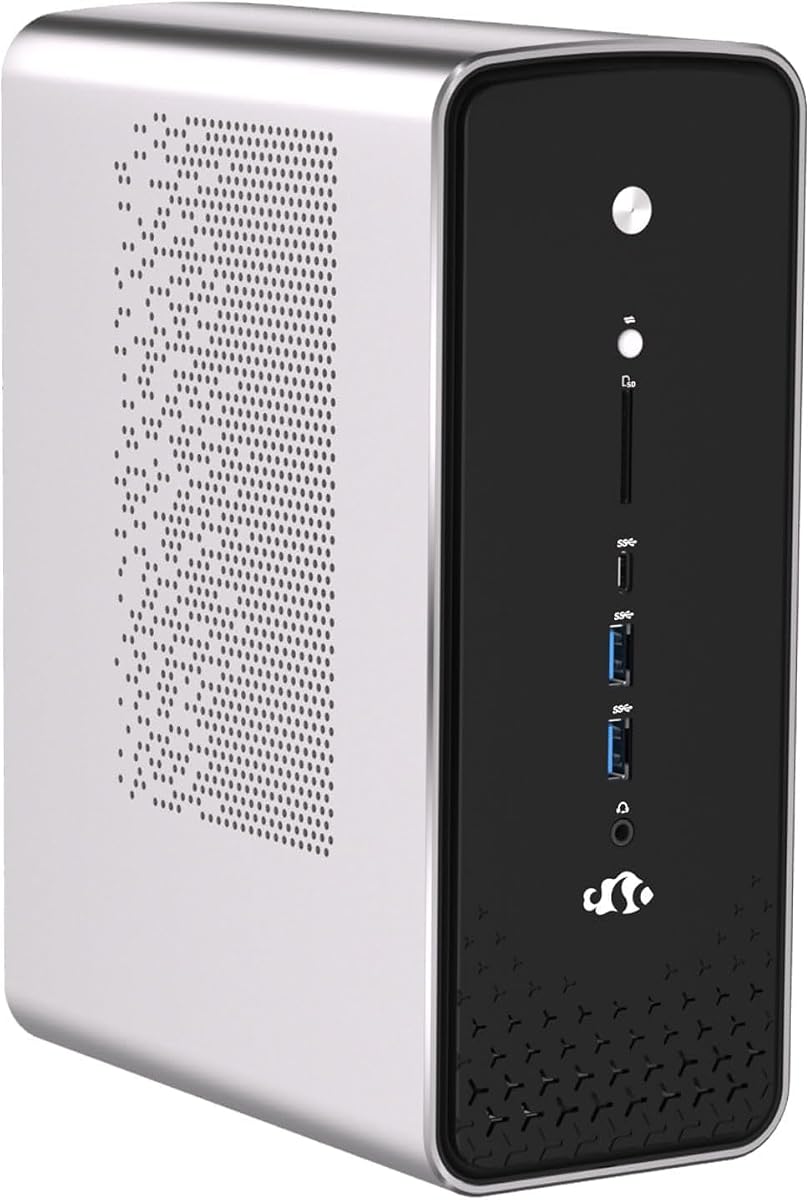
The NIMO Mini PC receives a perfect 5.0 rating for its next-generation AI capabilities and Ubuntu support. It stands alone as the most powerful option reviewed.
We may earn a commission when you buy through this link, at no additional cost to you.
With a Ryzen AI Max+ 395 and dedicated NPU it excels at machine learning tasks. The dual OS allows switching between Windows and Ubuntu seamlessly.
The high cost limits it to enterprise users but the performance is unmatched. It handles 3D rendering and heavy compilation without lag.
Investors in AI development should consider this unit. It combines hardware speed with open source flexibility effectively.
Integrated NPU accelerates local LLM execution and image generation without relying on cloud servers.
Includes USB4 ports and WiFi 7 ensuring compatibility with emerging external devices and high speed networks.
We may earn a commission when you buy through this link, at no additional cost to you.
The Dell OptiPlex 7070 offers excellent multitasking power with 32GB RAM. While it ships with Windows it remains a strong candidate for office work.
We may earn a commission when you buy through this link, at no additional cost to you.
Its 1TB SSD provides ample space for storing large development projects. The renewed condition reduces cost significantly compared to new units.
The older processor may struggle with complex virtualization tasks. Users preferring Ubuntu will need to install it manually.
This model is best for traditional business workflows. It prioritizes stability and storage over cutting edge features.
Built for business environments with robust chassis design and reliable thermal management for daily use.
Offers diverse ports including DisplayPort and HDMI for multi-monitor configurations essential for productivity.
We may earn a commission when you buy through this link, at no additional cost to you.
The Dell Optiplex 7050 provides reliable performance for basic tasks. Its renewed status makes it a low-risk choice for buyers on a tight budget.
We may earn a commission when you buy through this link, at no additional cost to you.
The 32GB RAM ensures smooth operation even with many browser tabs open. It handles office applications efficiently without slowdowns.
However the aging CPU limits modern capabilities like AI processing. Users wanting Ubuntu will need to perform their own installation.
This PC suits users needing a simple secondary workstation. It prioritizes capacity over speed or innovation.
Tested and certified by the seller to ensure functionality before shipping to customers.
Includes HDMI and DisplayPort to connect two screens simultaneously for improved workflow efficiency.
We may earn a commission when you buy through this link, at no additional cost to you.
The DELL Optiplex 7060 offers a balanced mix of speed and storage. Its renewed condition ensures savings while maintaining performance standards.
We may earn a commission when you buy through this link, at no additional cost to you.
The 512GB NVMe SSD accelerates boot times and application loading. Wireless connectivity is ready out of the box for convenience.
Users seeking Ubuntu must install it manually. The processor is adequate for coding but not for heavy rendering.
This desktop fits general office environments well. It delivers reliability without unnecessary complexity.
NVMe technology provides read write speeds that keep workflow fluid during file operations.
Built-in Bluetooth and WiFi allow cable-free connection for mice and other peripherals.
We may earn a commission when you buy through this link, at no additional cost to you.
The Dell Optiplex 5050 is a compact choice for limited desk spaces. It delivers standard business performance at a lower price point.
We may earn a commission when you buy through this link, at no additional cost to you.
Its small form factor allows it to mount behind monitors easily. The 512G NVME SSD provides fast storage access.
Despite its age the unit handles daily tasks well. Ubuntu users will need to install it manually.
This option is ideal for basic administrative roles. It prioritizes space saving over raw power.
The SFF chassis minimizes footprint while maintaining access to essential input output ports.
Professional inspection ensures the machine is fully functional before purchase.
We may earn a commission when you buy through this link, at no additional cost to you.
The Dell Pro Micro QCM1250 brings modern AI architecture to a small form factor. It ships with Ubuntu 18.04 pre-installed for immediate open source use.
We may earn a commission when you buy through this link, at no additional cost to you.
Its Ultra 5 processor supports AI workflows more efficiently than older models. The DDR5 memory offers faster throughput per channel.
Ubuntu 18.04 is an older release so updates may be needed. The 8GB RAM may constrain virtualization heavily.
This system fits users seeking lightweight AI capabilities. It provides Ubuntu out of the box.
Includes Ubuntu Linux 18.04 to enable developers to start coding immediately after setup.
Newer memory standard improves bandwidth for parallel processing tasks and application launches.
We may earn a commission when you buy through this link, at no additional cost to you.
The ASUS NUC 14 Pro comes with Linux Mint pre-installed for an open source experience. It features the latest Intel Core Ultra 7 processor.
We may earn a commission when you buy through this link, at no additional cost to you.
Its 16GB DDR5 RAM and 512GB PCIe SSD provide robust performance. Thunderbolt 4 enables fast external storage connections.
However the reported low rating suggests potential software or driver challenges. Buyers should verify compatibility carefully.
This unit suits Linux enthusiasts needing premium hardware. It combines speed with open source convenience.
Pre-installed Linux Mint offers a user friendly environment for developers needing privacy and control.
Thunderbolt 4 and USB4 allow rapid data transfers and docking station compatibility.
We may earn a commission when you buy through this link, at no additional cost to you.
The ASUS PB64 focuses on ease of access with a toolless chassis. Its latest Intel processor ensures high performance.
We may earn a commission when you buy through this link, at no additional cost to you.
The hardware TPM adds an extra layer of security for sensitive data. DDR5 RAM accelerates memory bandwidth significantly.
Ubuntu is not pre-installed so manual setup is required. The high price reflects its premium build quality.
This system is best for secure corporate environments. It prioritizes maintenance and speed over Linux support.
Quick access panels allow component upgrades without tools reducing downtime for repairs.
Hardware TPM protects personal information and encryption keys from unauthorized access.
We may earn a commission when you buy through this link, at no additional cost to you.
Selecting the right Desktop PC with Ubuntu Pre Installed involves evaluating processor power memory size and operating system readiness.
Ensure the model includes a recent Ubuntu version like 22.04 for compatibility with modern tools. Older releases may lack driver support for new hardware components.
Verify OS version matches application needs.
Look for Intel or AMD chips designed for open source efficiency. Multi core performance matters for compiling code and running virtual machines.
Choose multi core processors.
At least 16GB of RAM ensures smooth multitasking across terminals and browsers. Systems with less RAM may struggle under heavy workloads.
Prioritize at least 16GB RAM.
NVMe SSDs provide faster boot times and file access than older SATA drives. Expandable slots are vital for storing large code repositories.
Select NVMe SSD storage.
Check for USB Type C Thunderbolt and DisplayPort connections. These enable modern peripherals and multi-monitor setups.
Confirm sufficient port options.
Robust chassis designs protect internal components from dust and heat. A durable build extends the device lifespan.
Prioritize durable chassis materials.
Compare offers against performance specs and included accessories. Sometimes paying slightly more for pre-installed software is worth it.
Balance budget with value.
Review warranty periods and return policies before buying. Good support ensures help if setup fails.
Choose sellers with strong support.
Set up your Ubuntu environment by installing essential development tools via the terminal. This ensures all dependencies are correctly loaded for projects.
Regularly update packages to maintain security. Use the Software Center to manage applications without risk.
Keep the device in a well ventilated area to avoid overheating during long sessions. Dust buildup reduces cooling efficiency over time.
A Desktop PC with Ubuntu Pre Installed saves setup time for developers. It ensures all drivers work correctly with Linux.
Yes you can install any version you prefer. Many systems allow dual booting with Windows.
Ubuntu works with many games via Proton. Performance varies depending on your graphics card.
Ubuntu 22.04 LTS is the most stable version for long term use. It offers extended support for business tasks.
Yes most models listed handle complex coding tasks. Ensure you have enough RAM for virtual machines.
No extra hardware is usually required. Just ensure peripherals are USB compatible.
Use the Ubuntu Software Center or command line to find apps. Most tools are free to download.
Yes sellers provide warranty coverage. Check return policies before purchasing to ensure safety.
The Beelink Mini PC SER9 Pro and Dell Optiplex 7010 stand out as top choices. They offer excellent performance and Ubuntu readiness.
Prioritize models with strong RAM and SSD options. These factors determine daily workflow efficiency.
Always check current prices and warranty details before buying. Deals change frequently to online retailers.