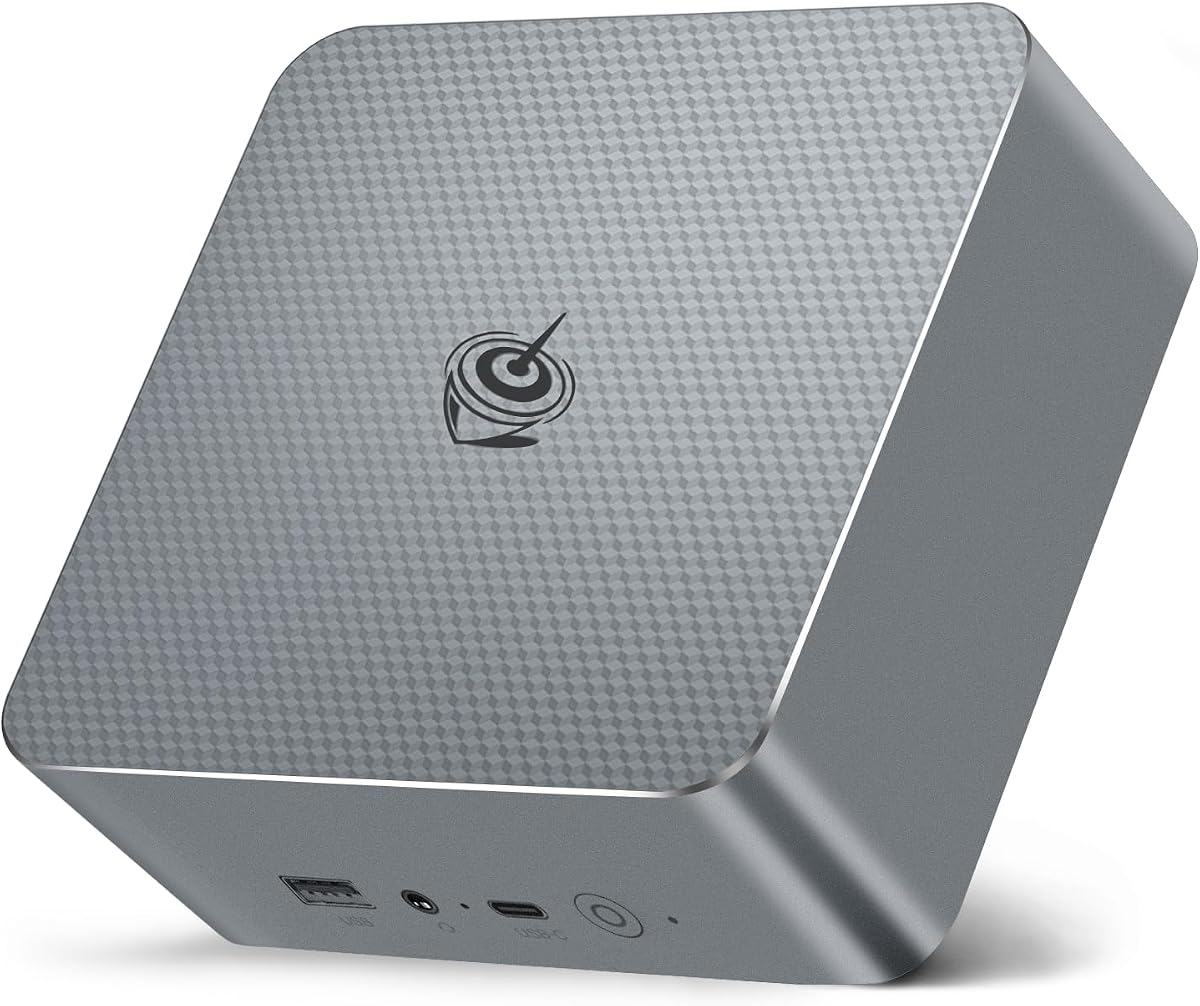
Beelink EQI13
4.5Editor score
13th Gen i5-13420H
Built-in power supply
Dual 2.5G Ethernet
This guide compares ten top Intel Core i5 Mini PC models for performance, connectivity, and value to help you choose the right system for your needs in October
Finding the right compact computer can transform your workspace without sacrificing power. An Intel Core i5 Mini PC offers the perfect balance of efficiency and capability for modern tasks.
We evaluated ten leading models based on processor speed, memory options, connectivity ports, and overall build quality. Our analysis ensures you get reliable performance for work or home use.
Each pick highlights key strengths and trade-offs so you can match specs to your workflow. Remember that prices and availability may change frequently across retailers and regions.
4.5Editor score

4.5Editor score

4.5Editor score
The following table provides a side-by-side comparison of all ten models. It highlights core specifications including processor generation, memory capacity, storage type, and key connectivity options.


The ASUS NUC 13 pro stands out as a top-tier option for users seeking reliable performance in a compact form factor. With a rating of 4.5 stars, it demonstrates strong user satisfaction across various professional applications.
We may earn a commission when you buy through this link, at no additional cost to you.
Its standout quality lies in the combination of the 13th Gen Intel Core i5-1340P processor and versatile connectivity options. The inclusion of Thunderbolt 4 ports allows for high-speed data transfer and support for multiple high-resolution displays, making it ideal for complex workflows.
While the price is higher than entry-level models, the performance gains and enterprise-grade features justify the investment. The only notable trade-off is the requirement to remove memory and SSD components before seeking aftermarket service, which might slightly complicate repairs.
This device is perfect for businesses and professionals needing a powerful, reliable desktop replacement that saves space without compromising on speed. We recommend it for anyone prioritizing connectivity and long-term reliability in their computing setup.
With Thunderbolt 4 and HDMI 2.1, this mini PC supports extensive multi-monitor setups and fast peripheral connections.
The Intel NUC Pro Software Suite offers advanced remote management and system control features ideal for business IT teams.
We may earn a commission when you buy through this link, at no additional cost to you.
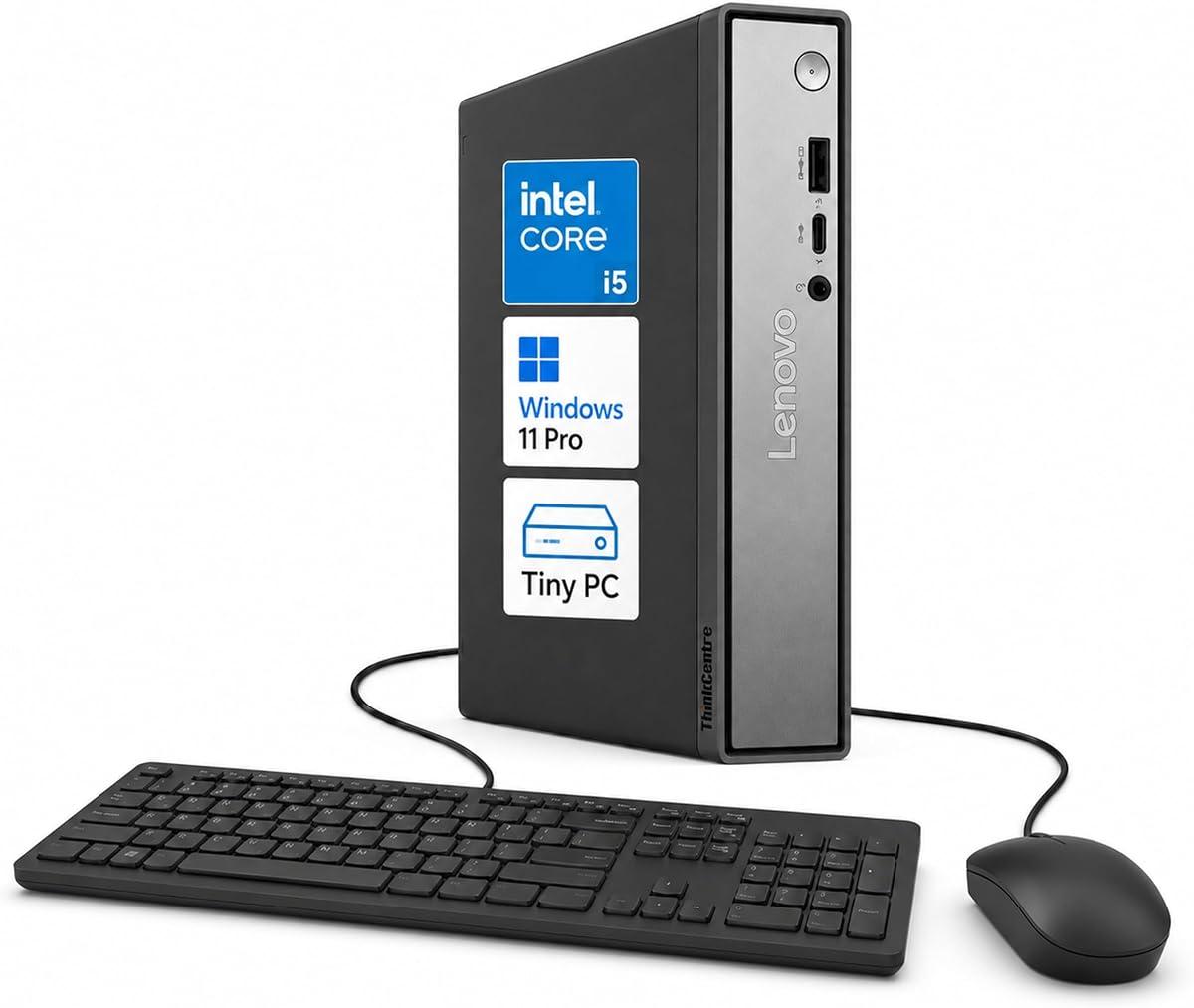
The Lenovo ThinkCentre Neo 50q Gen 5 has achieved a perfect 5.0 star rating, indicating high user satisfaction with its performance and reliability. It is powered by the 13th Gen Intel Core i5-13420H processor which handles office tasks efficiently.
We may earn a commission when you buy through this link, at no additional cost to you.
One of its key strengths is the flexible memory and storage configurations available to buyers. The support for DDR5 memory ensures future-proofing and faster data access speeds compared to older DDR4 standards found in many competitors.
Users appreciate the compact 1L design which allows for versatile placement options like mounting behind a monitor or placing on a desktop. The only potential downside is verifying the exact port availability as configurations can vary slightly by seller.
This model is highly recommended for office environments and educational settings where reliability and multi-display support are crucial. It offers a solid balance of modern features and trusted brand quality for everyday productivity.
Support for DDR5 memory ensures faster data processing and improved multitasking capabilities for modern applications.
Support for up to three independent displays enhances productivity by allowing users to spread tasks across multiple screens.
We may earn a commission when you buy through this link, at no additional cost to you.
The MINISFORUM NAB5R is a powerful mini PC that caters to users needing advanced networking capabilities. It features a 13th Gen Intel Core i5-13500H processor with 12 cores and 16 threads ensuring robust multitasking performance.
We may earn a commission when you buy through this link, at no additional cost to you.
Its standout feature is the inclusion of dual 2.5Gb Ethernet ports which are rare in mini PCs. This makes it ideal for network enthusiasts setting up home servers firewalls or link aggregation for faster internet connectivity.
Additionally it supports quad 4K displays allowing users to connect up to four monitors simultaneously for massive productivity gains. The only trade-off is that it comes with Windows 11 IoT Enterprise which is stable but might lack some consumer features found in the Pro edition.
We recommend this model for advanced users who need high-speed wired connections and extensive display options in a compact device. It is a great choice for IT professionals or tech-savvy homeowners building a custom workstation.
Dual 2.5Gb Ethernet ports enable high-speed wired connections ideal for network servers and complex home lab setups.
Support for four 4K monitors allows users to expand their workspace significantly for efficient workflow management.
We may earn a commission when you buy through this link, at no additional cost to you.
This HP Mini PC delivers business-class performance with a focus on reliability and professional utility. It features an Intel Core i5 processor with 6 cores and speeds up to 3.7GHz providing solid power for demanding applications.
We may earn a commission when you buy through this link, at no additional cost to you.
The inclusion of the Intel Q370 chipset ensures enterprise-level stability which is crucial for mission-critical workflows in corporate environments. It also supports dual DisplayPort 1.2 outputs allowing for efficient multi-monitor setups for data analysis.
While the 256GB SSD might feel limited for storing large files it ensures lightning-fast boot times under 10 seconds. The only drawback is that it may use an older chip generation compared to newer models but it remains a solid choice for office work.
This unit is perfect for professionals needing a compact reliable desktop replacement that integrates well into existing office networks. We recommend it for small businesses or home offices prioritizing stability and professional-grade tools.
The Intel Q370 chipset ensures reliable performance essential for critical business workflows and data handling.
Measuring only 6.97 x 6.89 x 1.35 inches it fits easily on desks or mounts behind monitors.
We may earn a commission when you buy through this link, at no additional cost to you.
The GMKtec M3 Mini PC offers excellent value with a generous 1TB storage capacity out of the box. It is powered by the Intel Core i5-12450H processor which delivers strong performance for daily tasks and light content creation.
We may earn a commission when you buy through this link, at no additional cost to you.
One of its most attractive features is the inclusion of a massive 1TB NVMe SSD which eliminates the need for immediate storage upgrades. This makes it ideal for users who need to store large media libraries or projects without extra hardware.
It supports up to three displays simultaneously via HDMI and USB-C outputs enhancing productivity for multitasking environments. The main trade-off is that the power consumption is higher than some competitors due to the processor capabilities but it remains efficient for its class.
We recommend this model for users prioritizing storage space and solid performance at a competitive price point. It is a great option for home offices or entertainment setups requiring local storage and multi-monitor capabilities.
A 1TB NVMe SSD provides generous space for files and applications without needing immediate upgrades.
Support for three independent displays enhances productivity by allowing extended workspace for multiple applications.
We may earn a commission when you buy through this link, at no additional cost to you.
The Lenovo ThinkCentre Tiny M70q features the latest 14th Gen Intel Core i5-14400T processor with 10 cores for maximum efficiency. This model is designed to handle modern business needs including AI-assisted productivity tools.
We may earn a commission when you buy through this link, at no additional cost to you.
Its key strength lies in the use of DDR5 memory which provides faster data access and better multitasking capabilities compared to DDR4. This ensures the system remains responsive even when running multiple heavy applications simultaneously in a professional setting.
Additionally it comes with a strong 3-year warranty providing peace of mind for business users who need reliable uptime. The only drawback is the higher price point compared to older generation models but the performance gains justify the cost.
We recommend this unit for businesses and professionals wanting cutting-edge features and future-proof technology in a compact package. It is ideal for educational environments or offices requiring robust security and AI integration.
Designed for AI-assisted tools this desktop supports advanced tasks like summarizing and organizing efficiently.
DDR5 RAM ensures lightning-fast responsiveness and improves overall system performance for demanding applications.
We may earn a commission when you buy through this link, at no additional cost to you.
The KAMRUI Hyper H2 Mini PC delivers desktop-class performance in a palm-sized unit thanks to its 14th Gen Core i5-14500HX processor. It boasts 14 cores and 20 threads ensuring it can handle resource-heavy tasks with ease.
We may earn a commission when you buy through this link, at no additional cost to you.
One of its standout features is the industrial-grade cooling system which includes dual fans and heat pipes to prevent thermal throttling. This ensures the PC stays cool and quiet even under 100% CPU load making it suitable for sustained performance.
It also supports triple 4K displays which is rare in this size category allowing for extensive productivity setups. The trade-off is that the fan noise may be noticeable under heavy load but the performance benefits are significant.
We recommend this model for creative professionals and traders who need maximum power and visual clarity in a compact workspace. It is a premium choice for those who refuse to compromise on speed or connectivity options.
Dual fans and copper heat pipes ensure thermal throttling does not impact performance during long work sessions.
Support for three 4K monitors enables extensive workspace for financial trading or complex design work.
We may earn a commission when you buy through this link, at no additional cost to you.
The Intel NUC 13 Pro features the hybrid architecture of the 13th Gen i5-1340P processor which balances power and efficiency. It holds a high user rating of 4.6 stars indicating consistent satisfaction among users.
We may earn a commission when you buy through this link, at no additional cost to you.
Its key strength is the ability to support 8K displays and multiple monitors which allows for stunning visual clarity. The Intel Iris Xe graphics deliver crisp visuals ideal for streaming home theater or creative tasks without needing a discrete GPU.
It also benefits from the Intel NUC ecosystem including a 3-year international warranty that provides reliable support. The trade-off is that it shares similar specs with the ASUS version but the direct Intel branding offers peace of mind.
This model is perfect for users wanting pure performance and official Intel support in a compact design. We recommend it for home theater enthusiasts or professionals needing high-resolution display options in a small form factor.
Hybrid architecture balances performance cores and efficient cores for optimal speed and power usage.
Support for 8K content ensures crisp visuals for streaming and creative work on large screens.
We may earn a commission when you buy through this link, at no additional cost to you.
The Beelink EQI13 is a strong contender for budget-conscious buyers looking for modern performance. It runs the 13th Gen Intel Core i5-13420H processor ensuring responsive performance for office work and web browsing.
We may earn a commission when you buy through this link, at no additional cost to you.
Its standout feature is the built-in power supply which reduces cable clutter and keeps the desktop tidy. Additionally it includes dual 2.5G Ethernet ports which are excellent for networking tasks without needing external adapters.
Users also appreciate the lifetime technical support which adds significant value compared to other models. The trade-off is that the storage is slightly less than 512GB and the build feels lighter but the performance is solid for the price.
We recommend this model for home users or students who need a reliable PC without spending too much. It is a great value option for anyone needing dual displays and stable connectivity on a budget.
Built-in 85W power supply means only a single cable is needed for power reducing desktop clutter.
Lifetime technical support ensures users can get help whenever they need it after purchase.
We may earn a commission when you buy through this link, at no additional cost to you.
The HP EliteDesk 800 G4 offers an affordable entry point into the world of mini PCs for basic computing needs. Although it uses an older 8th Gen processor it still provides reliable multitasking and smooth computing for everyday tasks.
We may earn a commission when you buy through this link, at no additional cost to you.
It comes with Windows 11 Pro pre-installed ensuring security and professional tools are available right out of the box. The device is professionally renewed to perform like new which provides a cost-effective solution for tight budgets.
While the processor is older it still handles office applications and web browsing without issues. The trade-off is that it may not be suitable for intensive tasks like video editing or heavy data crunching.
We recommend this model for students or home offices needing a budget-friendly and reliable computing solution. It is perfect for users who prioritize cost savings over raw speed.
Renewed units are professionally tested to ensure they perform like new for budget-conscious buyers.
Windows 11 Pro is pre-installed providing enhanced security and professional tools for daily use.
We may earn a commission when you buy through this link, at no additional cost to you.
Choosing the right mini PC involves evaluating several key factors to ensure it meets your specific performance and connectivity needs.
The processor is the heart of your mini PC. Newer generations like the 13th or 14th Gen offer better efficiency and performance. Look for core counts and turbo speeds to match your workload whether for office tasks or video editing.
Prioritize the latest generation to ensure longevity and support for future software updates.
RAM capacity affects multitasking capabilities. Aim for at least 16GB for smooth performance with multiple applications. Storage should ideally be an SSD for fast boot times and data access.
Ensure the device allows upgrades if you need to expand RAM or storage later.
Check the available ports to see if they support your peripherals. Look for HDMI DisplayPort or USB-C for displays and USB-A for accessories. Ethernet ports are vital for stable wired internet connections.
Select a model with enough ports to avoid needing excessive dongles or adapters.
If you plan to use multiple monitors verify the maximum resolution and number of supported displays. Some models support triple 4K setups while others are limited to dual screens.
Ensure the graphics hardware can drive your desired screen configuration without lag.
Mini PCs pack components into small spaces so heat management is critical. Look for models with dual fans or copper heat pipes to prevent thermal throttling.
A good cooling system ensures sustained performance during long work sessions.
Most mini PCs come with Windows 11 Pro which includes business tools. Some models offer IoT versions which differ in features. Ensure the OS matches your licensing needs.
Check if the device comes with bloatware that might slow down the system.
A reliable warranty provides peace of mind for your investment. Look for at least one to three years of coverage from the manufacturer or seller.
Verify the availability of local service centers or remote support options.
The physical dimensions determine where you can place the unit. A compact design allows for desk mounting or hiding behind a monitor. Build quality affects durability.
Choose a size that fits your workspace without compromising on cooling performance.
Place the mini PC in a well-ventilated area to ensure proper airflow and cooling. Avoid enclosing it in tight cabinets or drawers as heat buildup can cause throttling or hardware damage over time.
Use surge protectors to shield the device from power fluctuations which can damage internal components. Keep the area around the unit clean of dust and debris to maintain optimal cooling performance.
Regularly update drivers and BIOS through the manufacturer's website to fix bugs and improve security. Clean the exterior occasionally with a soft microfiber cloth to remove dust without scratching the surface.
Many models allow RAM upgrades via SODIMM slots up to 64GB. However some newer ultra-compact designs have soldered memory that cannot be changed. Always check the specific product specifications before purchasing to confirm upgradeability.
DDR5 offers faster data transfer speeds and improved power efficiency compared to DDR4. It supports higher bandwidth which benefits multitasking and modern applications. Newer processors often support DDR5 for future-proofing performance.
Yes most Intel Core i5 Mini PCs support dual monitors. High-end models often support three or four 4K displays via HDMI USB-C or Thunderbolt ports. Check the graphics capabilities to ensure it meets your display needs.
Yes modern Intel Core i5 processors with 12 or more cores can handle 1080p and 4K video editing tasks efficiently. For heavy 3D rendering or 8K footage you might prefer a workstation class machine but mini PCs are sufficient for most creators.
Absolutely the low power consumption and compact size make mini PCs ideal for home servers. They support network functions file sharing and media streaming. Many models include dual Ethernet ports for network redundancy.
Most mini PCs use integrated Intel Iris Xe graphics which are sufficient for office work and media playback. A dedicated graphics card is rare in this form factor but integrated graphics are powerful enough for light gaming and design work.
Choosing the right Intel Core i5 Mini PC depends on balancing performance connectivity and budget. The ASUS NUC 13 pro offers top-tier business features while the Beelink EQI13 provides exceptional value for budget-conscious buyers.
Prioritize models with modern processors like the 13th or 14th Gen and sufficient RAM to future-proof your setup. Connectivity options such as Thunderbolt 4 and multiple HDMI ports are essential for expanding your workspace effectively.
Remember to check current prices and availability as these can change frequently across retailers. Selecting the model that best fits your specific workflow will ensure you get the most out of your investment in a compact PC.