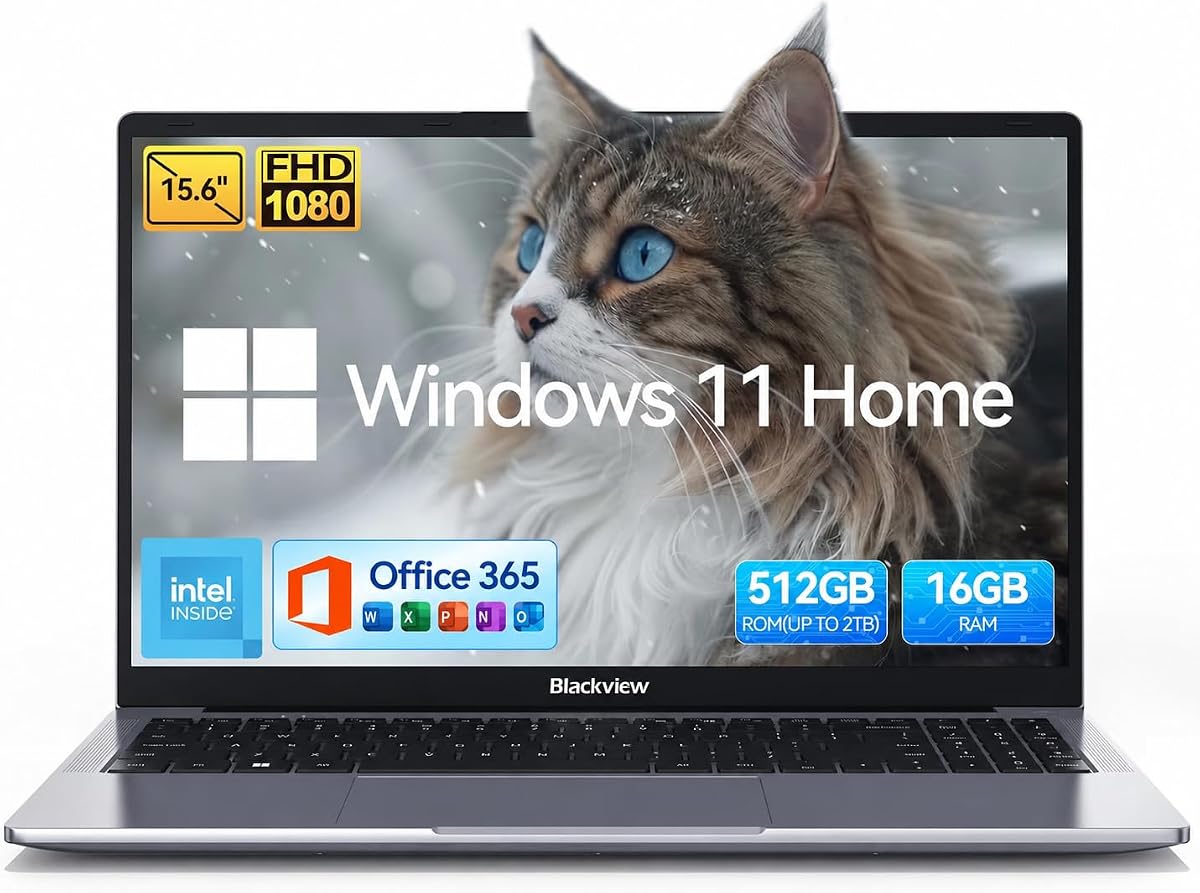
15.6 Student Laptop
4.6Editor score
Triple-Display Productivity
16GB RAM and 512GB SSD
Budget Friendly Option
Finding a laptop with 2 HDMI ports can be challenging for professionals needing multiple external displays. This guide explores models that support versatile connectivity for work and entertainment.
We compared ten real products based on performance, port selection, and display quality. Each entry highlights how well it handles multitasking and external monitor setups for users.
Each pick shows key specs and features to help you decide quickly. Please note that prices change frequently so check current listings before purchasing your next device.
4.6Editor score

4.4Editor score

4.2Editor score
As an Amazon Associate we earn from qualifying purchases.
This side-by-side comparison lists all ten products with their key specifications. Review the table to see how each model matches your needs for ports and performance.


The Dell Inspiron 16 Plus ranks highly with a 4.4 rating for its robust build and display quality. It offers a spacious 16:10 aspect ratio ideal for multiple projects.
We may earn a commission when you buy through this link, at no additional cost to you.
Its Intel Core i7 processor handles heavy tasks smoothly. The 16GB DDR5 RAM ensures multitasking remains fluid even with several applications open simultaneously.
While it does not explicitly list two HDMI ports in the summary, its range of connection options supports versatile setups. The military-grade testing adds reliability for daily use.
This device suits professionals seeking a reliable screen with premium features. Check current listings for exact port availability before finalizing your purchase decision.
The 2.5K resolution and optional 120Hz refresh rate provide sharp visuals and smooth motion for content creation and entertainment.
Dell ComfortView Plus technology reduces harmful blue light emissions while preserving color accuracy for extended viewing sessions.
We may earn a commission when you buy through this link, at no additional cost to you.
This HP 17 Laptop stands out with a 4.2 rating and massive storage capabilities. It includes a large 17.3 inch touchscreen display for immersive viewing.
We may earn a commission when you buy through this link, at no additional cost to you.
The 64GB RAM allows running multiple browser tabs and apps without stuttering. The 2TB SSD ensures quick access to all your files and media.
Though it lists HDMI as a port, verify if two are available. The Wi-Fi 6 connectivity supports stable wireless performance for remote work tasks.
Ideal for users needing extensive memory and storage. Ensure the port configuration matches your multi-monitor requirements before buying this powerful machine.
The Intel Core i7 processor combined with 64GB RAM delivers elite performance for multitasking and content creation workloads.
Includes SuperSpeed USB Type-C and Type-A ports alongside HDMI for flexible connection options to various peripherals.
We may earn a commission when you buy through this link, at no additional cost to you.
Rated 4.6 stars, this HP 15.6in laptop handles daily tasks efficiently. It features an AMD Ryzen 5 processor and 32GB RAM for smooth operation.
We may earn a commission when you buy through this link, at no additional cost to you.
The FHD IPS touchscreen offers precise interactions. A dedicated numpad makes it suitable for financial tasks and detailed data entry work.
While it supports heavy multitasking, check the specific ports for dual HDMI connections. The Wi-Fi 6 ensures stable networking in busy environments.
Best for students and professionals needing reliable performance. Review the tech specs to confirm external display connectivity options before purchase.
Built-in Copilot AI optimizes daily workflows and simplifies complex operation steps for enhanced productivity.
A full-size backlit keyboard and numeric keypad allow comfortable typing in dim light or night conditions.
We may earn a commission when you buy through this link, at no additional cost to you.
This BlackView Acebook 6 scores 4.6 for its value and triple-display productivity. It connects two external monitors via USB-C and HDMI.
We may earn a commission when you buy through this link, at no additional cost to you.
The Intel N150 processor handles daily tasks like browsing and streaming. 16GB RAM ensures smooth multitasking for students and basic office work.
It comes with essential software pre-installed for immediate productivity. The lightweight design makes it easy to carry around campus or offices.
Perfect for budget-conscious buyers needing multiple screens. Verify the exact port layout to confirm dual HDMI or USB-C video output capability.
Connect up to two external monitors for a three-screen workspace perfect for research and presentations.
Affordable pricing with 2-year after-sales support makes this a smart choice for everyday productivity needs.
We may earn a commission when you buy through this link, at no additional cost to you.
Rated 4.1 stars, this Inspiron model targets business needs with Windows 11 Pro. It offers 32GB RAM and 2TB SSD for ample data storage.
We may earn a commission when you buy through this link, at no additional cost to you.
The 15.6 FHD touchscreen provides interactive control. Connectivity includes HDMI and USB ports for standard peripheral connections.
While powerful for internal tasks, check if two HDMI ports exist or if docks are needed. The SD reader adds convenience for media transfer.
Best for enterprise users requiring security features. Ensure external display requirements are met by verifying specific port counts on the model.
Windows 11 Pro includes mobile device management and enterprise state roaming for secure corporate environments.
The 2TB PCIe NVMe drive ensures fast boot up and efficient data transfer for large file handling.
We may earn a commission when you buy through this link, at no additional cost to you.
This HP laptop earns a 5.0 rating for its balanced design and modern features. It uses a 10-core Intel Core i7 for elite performance.
We may earn a commission when you buy through this link, at no additional cost to you.
With 16GB RAM and 1TB SSD, it handles business and academic tasks smoothly. The micro-edge bezel gives an immersive viewing experience.
Check connectivity ports carefully as HDMI is listed but quantity varies. Privacy features like the camera shutter ensure security during meetings.
Ideal for professionals valuing portability. Confirm the exact HDMI port count to meet dual display needs before finalizing this purchase.
Includes HDMI and USB-C for versatile connection options alongside Wi-Fi 6 and Bluetooth 5.3.
Built-in camera shutter and mic mute key keep you secure during online meetings and calls.
We may earn a commission when you buy through this link, at no additional cost to you.
Rated 4.5 stars, this Dell Pro model offers a smooth 120Hz display for everyday viewing. It features a 15.6 FHD IPS anti-glare screen.
We may earn a commission when you buy through this link, at no additional cost to you.
The Intel Core 3 processor handles daily productivity efficiently. Connectivity includes USB-C and HDMI alongside an SD card slot.
While the display is fluid, ensure the HDMI ports match your dual monitor plan. The DDR5 RAM keeps multitasking fluid across apps.
Suitable for everyday users seeking smooth visuals. Verify the port configuration for two HDMI connections or use USB-C for extra displays.
The 120Hz refresh rate provides fluid everyday viewing with 250 nits brightness and WVA angles.
USB 3.2 Gen 1 Type-C and HDMI offer flexible options for peripherals and storage expansion.
We may earn a commission when you buy through this link, at no additional cost to you.
This Lenovo model ranks 4.4 for its security features and business focus. It includes Windows 11 Pro and TPM 2.0 for data protection.
We may earn a commission when you buy through this link, at no additional cost to you.
The AMD Ryzen 3 processor is suitable for web browsing and office apps. Wi-Fi 6 ensures fast wireless connections for productivity.
Connectivity includes HDMI 1.4b and USB-C. Confirm if dual HDMI ports exist or if Ethernet is required for wired setups.
Best for users prioritizing privacy and reliability. Check the full port list to ensure external monitor support matches your requirements.
Windows 11 Pro security enhancements and TPM encryption keep critical information like passwords safe.
Complete port selection includes Ethernet RJ-45 and USB-C for faster connectivity and stable network.
We may earn a commission when you buy through this link, at no additional cost to you.
Rated 4.4 stars, this Lenovo laptop offers high bandwidth RAM for multitasking. It uses an AMD Ryzen 7 processor for efficient daily tasks.
We may earn a commission when you buy through this link, at no additional cost to you.
With 40GB RAM and 2TB SSD, it runs many apps without stuttering. The numeric keypad supports data statistics and spreadsheet work.
HDMI is listed but verify if two ports are available for dual monitors. Wi-Fi and Bluetooth ensure stable wireless connectivity everywhere.
Ideal for users needing significant memory. Confirm exact external display connectivity to ensure it meets your multiple screen needs.
The 2TB NVMe SSD allows fast bootup and data transfer for massive office files and software.
Windows 11 Pro organizes open apps with pre-configured layouts to optimize productivity and collaboration.
We may earn a commission when you buy through this link, at no additional cost to you.
This Lenovo Essential model scores 4.1 for everyday computing needs. It features a 15.6 FHD display with privacy features for security.
We may earn a commission when you buy through this link, at no additional cost to you.
The Intel N150 processor and 8GB DDR5 RAM provide smooth web browsing and streaming. HDMI 1.4 is included for standard display connections.
Verify if two HDMI ports are present or use USB-C for extra monitors. MIL-STD testing ensures reliability in varied environments.
Best for basic users needing simple connectivity. Ensure external display support matches your needs by checking the detailed port list first.
Pre-installed Windows 11 Home includes Microsoft 365 Personal for productivity right out of the box.
Multiple ports including USB-A and USB-C with Power Delivery and DisplayPort offer versatile connectivity.
We may earn a commission when you buy through this link, at no additional cost to you.
Selecting a laptop with multiple HDMI ports requires checking specifications carefully. This section breaks down key factors to ensure you find the right model.
Verify if the laptop lists two HDMI ports or supports dual video output via USB-C. Some models only include one HDMI plus a USB-C for extra displays.
Check product images or tech specs before purchasing to confirm the exact port count matches your dual monitor needs.
Look for FHD or 2.5K resolution screens that complement external monitors. Higher resolution ensures clarity when multitasking across multiple screens.
A high-quality built-in display enhances productivity when external screens are not connected or used.
Choose an Intel Core i7 or AMD Ryzen 7 for handling multiple video streams. Powerful processors prevent lag during extended display usage.
Ensure the CPU supports modern video codecs to decode high-resolution content smoothly across all screens.
Select models with 16GB or 32GB RAM for smooth multitasking. More memory allows apps to run without slowing down when screens are extended.
Consider 64GB if you work with large datasets or heavy creative software across multiple displays.
Opt for NVMe SSD storage to boot quickly and access files fast. Solid state drives improve overall system responsiveness.
At least 512GB storage is recommended to hold files needed for work on multiple screens.
Check for USB-C with DisplayPort support as a backup for second HDMI connections. Versatile ports increase the laptop's adaptability.
Ensure Bluetooth and Wi-Fi are up to date to connect peripherals easily.
Windows 11 Pro offers better multi-monitor functionality and management features. It helps organize apps across screens efficiently.
Ensure the OS version supports your preferred software for dual screen workflows.
Lightweight designs make it easier to carry for setups on the go. Heavier units might be less convenient for travel.
Consider the weight if you often move between home and office for work.
Connect your external monitors directly to the HDMI ports on the laptop. Ensure cables are secure and supported by the graphics driver.
Use Windows display settings to arrange and extend your screens properly. This allows you to drag windows freely between different displays.
Keep ports clean by avoiding dust buildup and unplugging gently when not in use. Proper care ensures longevity for all connection points.
Not all laptops support two external monitors via HDMI. Some require USB-C with DisplayPort support for a second display. Check the specific model specs to confirm.
Yes if your laptop supports USB-C video output or docking. Using docks can extend connectivity beyond the physical HDMI ports available.
Standard HDMI cables are used for both ports. Ensure they match the resolution capabilities of your laptop and monitors for best quality.
One HDMI plus one USB-C often suffices. Using multiple display ports ensures you can connect two screens without needing adapters.
Many modern laptops support 4K via HDMI 2.0 or higher. Check the port version to confirm maximum resolution support before buying.
Go to Windows settings and choose Extend Display. This spreads your workspace across screens for better multitasking efficiency.
We have reviewed ten laptops offering varied performance and port options. The top picks highlight excellent balance of cost and capability for most users.
Prioritize RAM and storage capacity to ensure smooth operation with multiple external screens. Verify port details carefully to avoid compatibility issues.
Please check current listings for the most up-to-date pricing and availability. This ensures you get the best deal for your specific requirements today.