
ASUS ExpertBook B9 OLED
5.0Editor score
Lightest 14 inch OLED
Intel Core 7 Processor
Sustainable Product Lifecycle
Choosing the right professional computer requires careful evaluation of performance, security, and portability. Modern business users need reliable machines that handle multitasking without compromising on battery life or build quality for daily operations.
We have analyzed ten distinct models from ASUS to determine which offer the best value and capabilities. Our comparison focuses on processor speed, memory capacity, display clarity, and enterprise-grade security features essential for secure workflows.
Each pick highlights specific strengths and trade-offs to help you find the ideal match for your role. Keep in mind that availability and configurations may change, so verify current details before making your final decision today.
5.0Editor score

4.1Editor score
4.6Editor score
As an Amazon Associate we earn from qualifying purchases.
The following table provides a side-by-side comparison of all ten models. We highlight core specifications like processors, memory, storage, and display types to help you identify the best fit for your workflow.




The ASUS Vivobook Laptop Business Computer stands out as a reliable choice for professionals needing robust specs without a premium price tag. It combines a powerful Intel i5 processor with an impressive 24GB of RAM to ensure smooth performance across multiple applications.
We may earn a commission when you buy through this link, at no additional cost to you.
This model excels in providing ample storage for business data with a 512GB NVMe SSD paired with a 500GB external drive. The inclusion of Windows 11 Pro and lifetime Microsoft Office adds significant value for small business owners and freelancers.
While it lacks some premium materials found in higher-end models, the performance-to-cost ratio is exceptional. The bundled accessories like the docking station and wireless mouse make it ready for immediate use in various work settings.
You should buy this if you need a workstation that can handle heavy multitasking and large file storage without breaking the bank. It is an ideal solution for teams needing standardized hardware with essential productivity software pre-installed.
The 24GB RAM allows you to keep dozens of browser tabs, communication apps, and editing software open simultaneously without slowing down.
Windows 11 Pro provides hardware-based isolation and encryption to keep your business data secure against modern malware threats.
We may earn a commission when you buy through this link, at no additional cost to you.
The ASUS ExpertBook B3 is engineered for enterprise users who require advanced AI capabilities and extensive local storage. Its Intel Core Ultra processor includes an NPU designed to handle AI workloads efficiently for future-proofed performance.
We may earn a commission when you buy through this link, at no additional cost to you.
Security is a priority here with TPM 2.0 firmware and a power-key integrated fingerprint reader to protect sensitive corporate data. The spill-resistant keyboard and military-grade build ensure it survives the rigors of daily travel and workplace use.
While it is slightly heavier than the ultralight B9 series, the larger 16-inch screen provides more workspace for complex spreadsheets and documents. The Thunderbolt 4 ports ensure fast data transfer and multi-monitor support for advanced setups.
This laptop is best for corporate environments deploying devices that need to handle AI tasks and secure data access. It offers a balance of high specs and durability that fits well into managed IT fleets.
The Intel AI Boost NPU accelerates specific AI applications to optimize conference calls and content creation tasks without taxing the CPU.
Windows Secured-core PC support and fingerprint authentication prevent unauthorized access to your corporate files and network resources.
We may earn a commission when you buy through this link, at no additional cost to you.
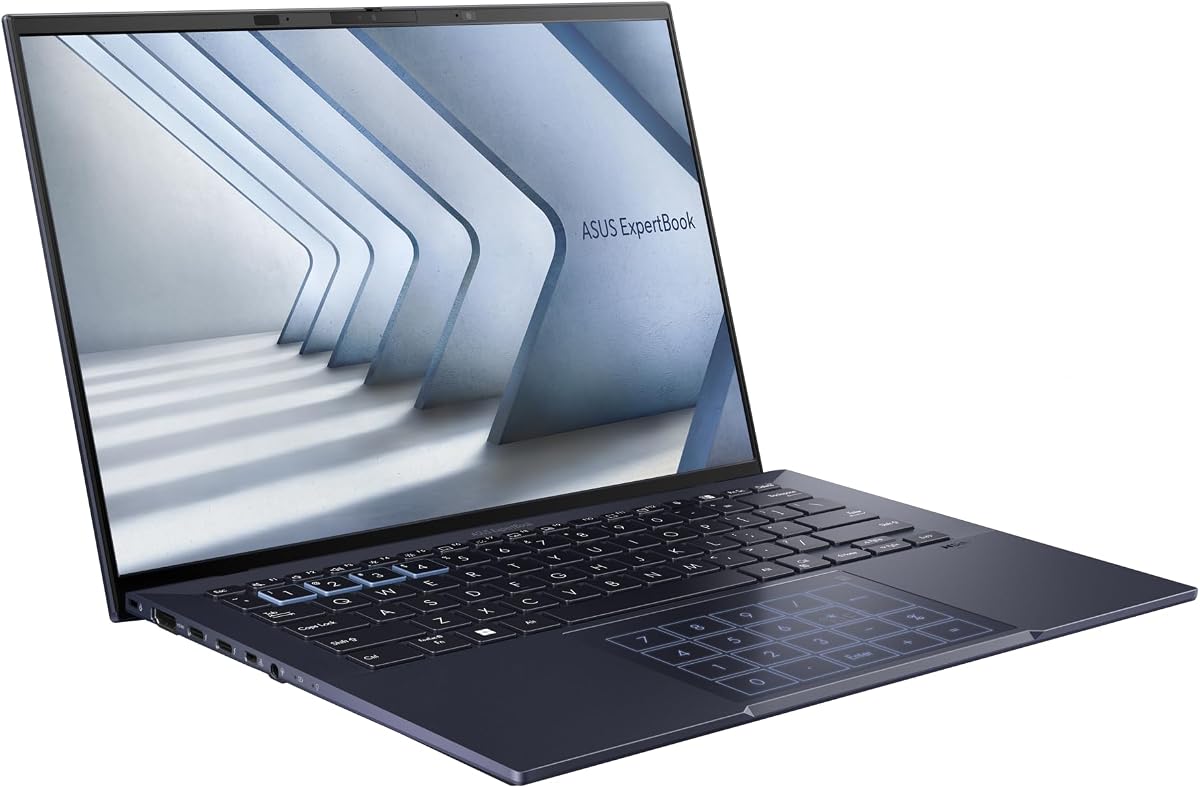
The ASUS ExpertBook B9 OLED redefines portability for executives who travel frequently and demand top-tier visuals. Weighing a mere 2.18 pounds it offers the world's lightest 14-inch OLED business laptop experience without sacrificing power.
We may earn a commission when you buy through this link, at no additional cost to you.
Its OLED screen provides deep blacks and vibrant colors that make presentations and media consumption look stunning. The dedicated Copilot key integrates AI directly into your workflow for quick assistance with summaries and creative tasks.
The trade-off for this extreme portability is a smaller storage capacity compared to some competitors but cloud integration compensates for this. It is built with sustainability in mind using recycled materials without compromising performance.
Buy this if you are a frequent traveler who values weight and screen quality above all else. It is the ultimate tool for mobile professionals who need to present flawlessly and work efficiently from any location.
At 2.18 pounds this laptop fits easily into any bag allowing you to work comfortably on planes or in airports for hours.
The OLED panel ensures your client presentations look crisp and accurate with true-to-life colors that standard screens cannot match.
We may earn a commission when you buy through this link, at no additional cost to you.
The ExpertBook B1 delivers a balanced experience for teams needing reliable performance and a comfortable screen size. Its 32GB RAM configuration ensures that heavy database applications or virtual machines run smoothly without bottlenecks.
We may earn a commission when you buy through this link, at no additional cost to you.
Thermal management is handled by the ExpertCool system which keeps the machine stable during prolonged work sessions. The inclusion of diverse ports like Ethernet and HDMI reduces the need for dongles during meetings.
While it lacks a fingerprint reader it maintains high security standards with TPM chips and password protection. The military-grade certification ensures it can withstand the rigors of daily office or field use.
This laptop is ideal for departments needing robust hardware that handles memory-intensive tasks. The larger screen and ample RAM make it a great choice for data analysts or accountants working with complex spreadsheets.
The ExpertCool system prevents overheating during long rendering or calculation tasks ensuring consistent performance throughout the day.
Full I/O ports allow you to connect legacy projectors and wired networks directly without extra adapters.
We may earn a commission when you buy through this link, at no additional cost to you.
This model combines the visual appeal of OLED with the performance of a Core i7 processor. The 2.8K display offers exceptional clarity and color accuracy which is vital for professionals in design or media industries.
We may earn a commission when you buy through this link, at no additional cost to you.
The magnesium-lithium alloy chassis keeps the device light yet durable enough for daily transport. With 1TB of storage you have plenty of space for large project files and archival data locally.
The lack of touch functionality is a trade-off for battery life and precision in text editing. However the 180-degree hinge allows for flexible positioning during collaborative reviews or presentations.
Choose this laptop if screen quality is your top priority for visual work. It serves well as a mobile workstation for creatives who need color accuracy and portability in equal measure.
The OLED panel delivers 100% DCI-P3 color coverage ensuring your content looks consistent across different viewing devices.
The magnesium-lithium alloy construction provides a lightweight build that resists dents and scratches during travel.
We may earn a commission when you buy through this link, at no additional cost to you.
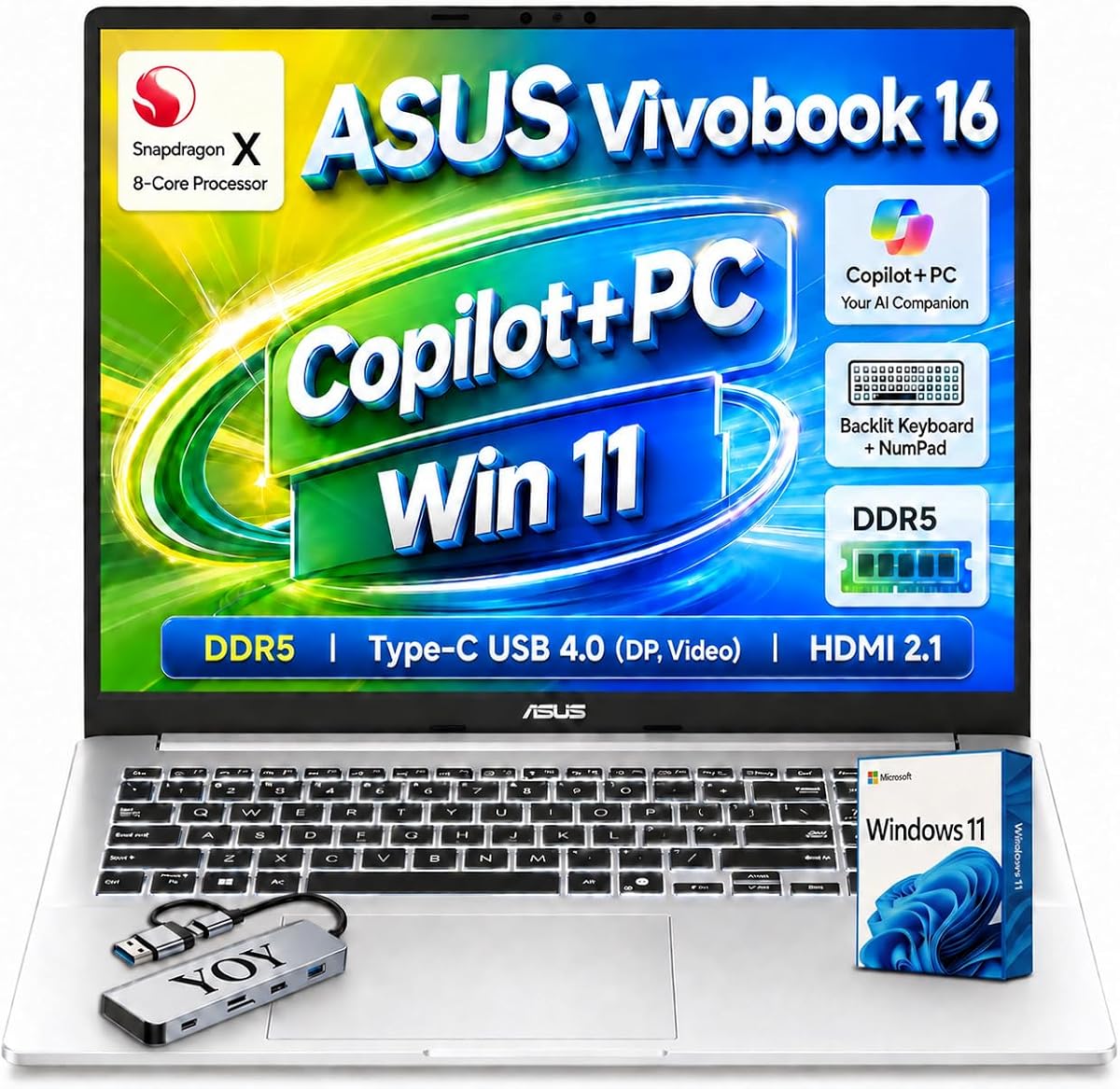
The ASUS Vivobook 16 with Snapdragon X represents a shift towards AI-first computing in the business sector. It supports Copilot+ PC features which unlock next-generation AI tools for summarization and content creation.
We may earn a commission when you buy through this link, at no additional cost to you.
The Snapdragon processor offers impressive efficiency which can translate to longer battery life and lower heat output. The 16-inch WUXGA display provides a spacious workspace for managing multiple windows and tools.
Compatibility with older x86 applications may require emulation so check your specific software list before purchasing. The USB4 ports support high-speed data transfer and fast charging capabilities for modern peripherals.
This is a great option for forward-looking professionals ready to embrace new AI tools and better battery efficiency. It is ideal for users whose workflows rely heavily on cloud apps and modern web-based productivity suites.
The Hexagon NPU supports up to 45 TOPS to handle complex AI tasks locally for better privacy and speed.
The Snapdragon architecture optimizes power consumption to keep you working all day without needing a power outlet.
We may earn a commission when you buy through this link, at no additional cost to you.
This 2026 model leverages the reliable 13th Gen Intel i7 to offer strong multi-core performance. The 10-core architecture ensures that video editing and data processing tasks remain responsive even under load.
We may earn a commission when you buy through this link, at no additional cost to you.
The 16-inch screen with a 16:10 aspect ratio adds vertical space for viewing long documents and spreadsheets. Bundled accessories like the USB-C dock and mouse make it ready for immediate office deployment.
While it shares similar specs with other models the inclusion of Windows 11 Pro and specific audio tuning adds value. It is a solid choice for small business setups needing standardized yet powerful devices.
Consider this if you need a versatile machine that handles general business tasks and light media work well. The combination of screen size and processor power makes it a strong contender in the mid-range market.
SonicMaster tuned speakers provide clear sound for conference calls and media playback without external hardware.
The 10-core processor ensures that multiple apps run simultaneously without lag during busy work periods.
We may earn a commission when you buy through this link, at no additional cost to you.
This model offers a strong performance proposition with the AMD Ryzen 7 7730U processor. The octa-core architecture delivers efficient multitasking capabilities that are well-suited for modern business applications and development tasks.
We may earn a commission when you buy through this link, at no additional cost to you.
A fingerprint reader is included for quick secure login which is a key feature for shared or corporate environments. The backlit keyboard ensures comfortable typing in low-light meetings or during travel.
Note that this unit may have been professionally upgraded by a third party which can affect warranty terms. Always verify the specific upgrade details to ensure the hardware meets your reliability needs.
Choose this if you prefer AMD performance and need a fingerprint reader for security. It is an effective option for users who value raw processing power and security features over proprietary brand support.
The fingerprint reader allows for fast biometric access to your system reducing the need for complex passwords.
The Ryzen 7 processor handles parallel tasks efficiently making it suitable for complex software testing or coding.
We may earn a commission when you buy through this link, at no additional cost to you.
This version of the Vivobook 16 offers similar AMD Ryzen power at a competitive price point. It features the same 7730U processor that delivers efficient performance for daily business tasks and light content creation.
We may earn a commission when you buy through this link, at no additional cost to you.
The 16GB RAM ensures smooth operation across multiple apps while the fingerprint reader adds a layer of security. The 16-inch IPS display provides a clear view for document work and web browsing.
It runs Windows 11 Home which may lack some management features of the Pro version. Always check the seal details to ensure the hardware upgrades are stable and reliable for your needs.
This is a strong choice for cost-conscious buyers who still want high-end processor performance. It fits well for startups or individuals needing capable hardware without a premium price tag.
Get high-end Ryzen 7 performance at a lower entry price compared to similarly specced Intel models.
The fingerprint scanner provides quick access to your work environment without needing to type a password every time.
We may earn a commission when you buy through this link, at no additional cost to you.
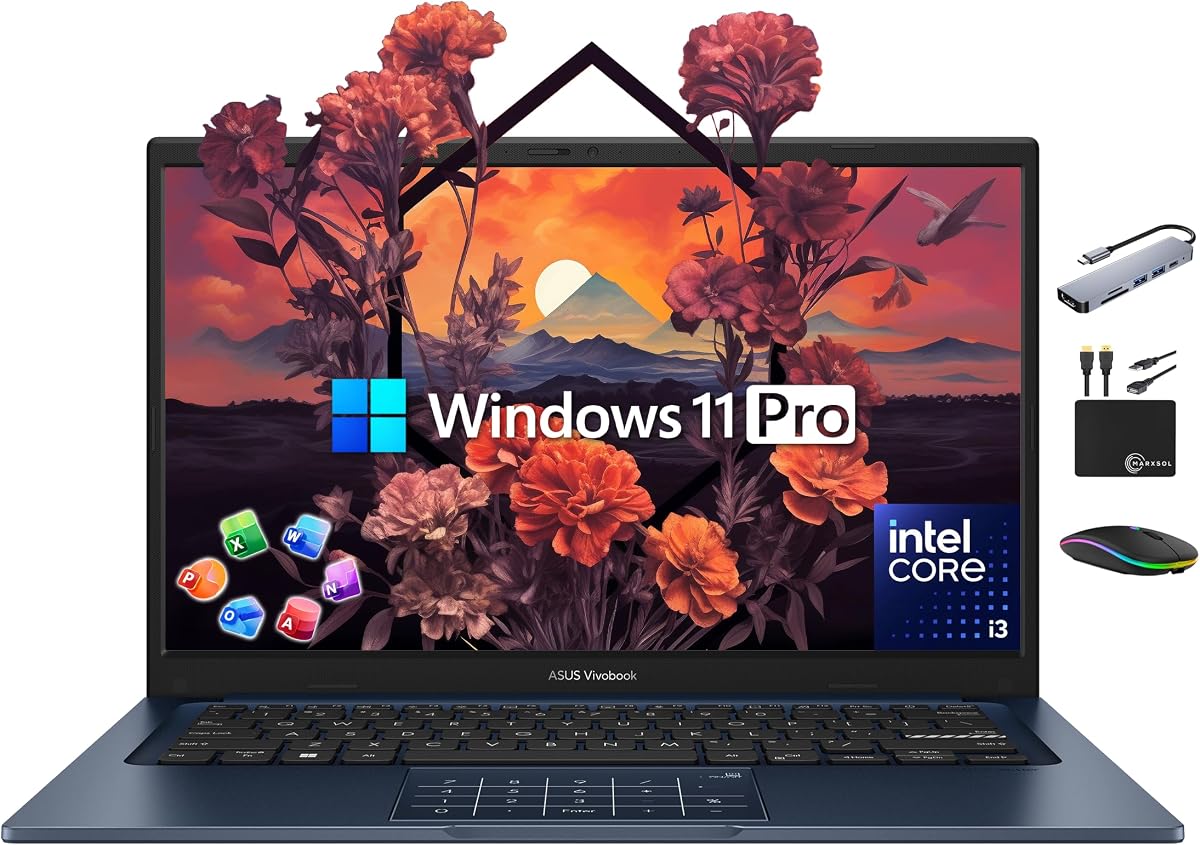
This 2025 model balances portability with high memory capacity for a budget-friendly entry into business computing. The 24GB RAM is unusual for this class allowing for substantial multitasking despite the smaller processor.
We may earn a commission when you buy through this link, at no additional cost to you.
The 14-inch NanoEdge display keeps the footprint small making it easy to carry in small bags or use in tight spaces. It includes lifetime Microsoft Office which removes ongoing subscription costs for individual users.
While the i3 processor is capable of general tasks it may struggle with heavy engineering or video work. The bundled accessories like the hub and mouse make it a complete package out of the box.
Buy this if you need a highly portable machine for basic business tasks and light media. It is ideal for students or entrepreneurs who need a reliable device without investing in premium specs.
The 24GB RAM allows you to run multiple browser tabs and apps without slowdowns despite the lightweight chassis.
The inclusion of lifetime Office and docking accessories adds significant value for small business startup costs.
We may earn a commission when you buy through this link, at no additional cost to you.
Selecting the right business laptop involves balancing performance needs with portability and security requirements. This guide breaks down the key factors to consider before making your decision.
The processor determines how fast your system can run complex applications. For business use look for Intel Core i5 or i7 processors with at least 10 cores to handle multitasking effectively.
Prioritize models with higher clock speeds and newer architectures for better future-proofing and AI capabilities.
RAM is critical for running multiple applications simultaneously. Aim for at least 16GB of RAM for smooth performance and consider 32GB if you work with large datasets.
Models with higher RAM configurations reduce lag and improve productivity during busy work sessions.
Fast storage speeds up boot times and file access. Look for NVMe SSDs starting at 512GB to ensure you have enough space for business files.
Total storage should include both local drives and external options for comprehensive data management.
A good display reduces eye strain during long work hours. Look for Full HD or higher resolutions with anti-glare coatings for comfortable viewing.
OLED panels offer better color accuracy which is important for design and presentation work.
For frequent travelers a lighter laptop is essential. Models under 3 pounds are easy to carry and fit into most carry-on bags.
Balance screen size with weight to ensure the device is comfortable to use on the go.
Business data protection is vital. Look for TPM 2.0 chips and fingerprint readers to secure access to your system and network.
Windows 11 Pro provides better security and management features than Home editions for corporate use.
Ensure the laptop has enough ports for your peripherals. USB-C, HDMI, and Ethernet ports reduce the need for dongles.
Thunderbolt 4 support is useful for high-speed data transfer and fast charging capabilities.
Long battery life allows you to work unplugged for hours. Look for models that promise a full day of use or include fast charging.
Efficient processors like Snapdragon or Core Ultra often provide longer battery life than older models.
To maximize the lifespan of your device avoid exposing it to extreme temperatures and humidity. Keep the laptop on a flat surface to ensure proper airflow to the vents and cooling fans.
Clean the screen and keyboard regularly with a microfiber cloth and appropriate cleaning solution. Avoid using harsh chemicals that could damage the screen coating or plastic components.
Update your software and drivers regularly to ensure security patches and performance improvements are installed. Use power settings to balance performance and battery life based on your current task.
Most business-focused ASUS models come with Windows 11 Pro pre-installed. This version offers enhanced security features and management tools that are essential for enterprise use and small business operations.
Many ASUS Business laptops allow RAM upgrades but some ultra-thin models have soldered memory. Check the specific model specs to see if slots are available before purchase to plan for future needs.
Higher-end models with i7 or Ryzen 7 processors and 16GB+ RAM are capable of basic video editing. For professional 4K work consider models with dedicated graphics cards or higher core counts.
Standard warranty usually covers hardware defects for one year. Business models may include options for extended warranty or onsite support services to minimize downtime for critical operations.
Yes most models support dual external monitors via USB-C or HDMI ports. Check the specific graphics capabilities to ensure smooth performance when driving multiple high-resolution displays simultaneously.
Many ASUS ExpertBook models pass military-grade durability tests. They are built to withstand drops and bumps making them suitable for daily travel and rugged work environments.
We highlighted ten exceptional ASUS Business laptops ranging from budget-friendly options to premium OLED models. Each selection offers unique strengths in performance, security, and portability to fit diverse professional needs.
Prioritize your key requirements such as screen quality or processing power to narrow down the best choice. Investing in the right hardware ensures you can work efficiently and securely for years to come.
Always check current availability and configurations as specifications may change. Select the model that best aligns with your workflow and budget for a reliable computing experience.