
ARZOPA 16.1'' 144Hz Portable Gaming Monitor
4.4Editor score
144Hz high refresh
Affordable price point
Built-in kickstand
Finding a gaming monitor without PC needed means you can play anywhere with consoles or phones. These portable screens bring high refresh rates and sharp visuals to your setup. They fit easily into backpacks and work with multiple devices instantly.
We compared ten real products based on refresh rate, screen quality, and connectivity options. Each entry offers unique benefits for travelers and gamers who want more space. Our analysis focuses on performance portability and value for money.
Every pick shows key specs and real-world usage scenarios. You will see how each monitor handles gaming and work. Prices change often so check current listings before buying. This list helps you choose the right portable screen today.
4.4Editor score

4.4Editor score

4.4Editor score
As an Amazon Associate we earn from qualifying purchases.
The following table presents a side-by-side comparison of all ten selected monitors. It highlights key specifications such as resolution, refresh rate, and panel type to help you make an informed decision quickly.



This monitor stands out for its 180Hz refresh rate and QHD resolution. It delivers smooth visuals perfect for competitive gaming without a desktop. The portable design makes it easy to take anywhere.
We may earn a commission when you buy through this link, at no additional cost to you.
The 23.8 inch screen offers ample space while remaining compact. FreeSync eliminates tearing and the IPS panel ensures accurate colors. Connect via Type-C or HDMI to laptops and consoles easily.
The built-in stand adjusts to multiple angles which is convenient. However it needs a separate power source for full performance. This is a minor trade-off for such high quality visuals.
Gamers seeking a portable high performance screen will love this. It balances size refresh rate and clarity well. Check current availability to secure one for your setup.
The 180Hz rate reduces motion blur significantly during fast action.
Type-C and HDMI ports allow connection to phones and consoles.
We may earn a commission when you buy through this link, at no additional cost to you.
This monitor focuses on portability and essential gaming features. The 120Hz rate ensures smooth gameplay for most titles. It comes with a protective case which adds value.
We may earn a commission when you buy through this link, at no additional cost to you.
The 18.5 inch screen fits easily into bags. FreeSync helps prevent stuttering during intense sessions. VESA mounting allows flexible setup options on walls or arms.
While the stand is simple it works for quick use. The included sleeve protects the screen during travel. It is a solid choice for budget conscious buyers.
Ideal for students or travelers needing a second screen. It provides good performance without breaking the bank. Consider this if you prioritize portability over size.
The included case protects the screen during transit effectively.
VESA compatibility allows secure attachment to various mounts.
We may earn a commission when you buy through this link, at no additional cost to you.
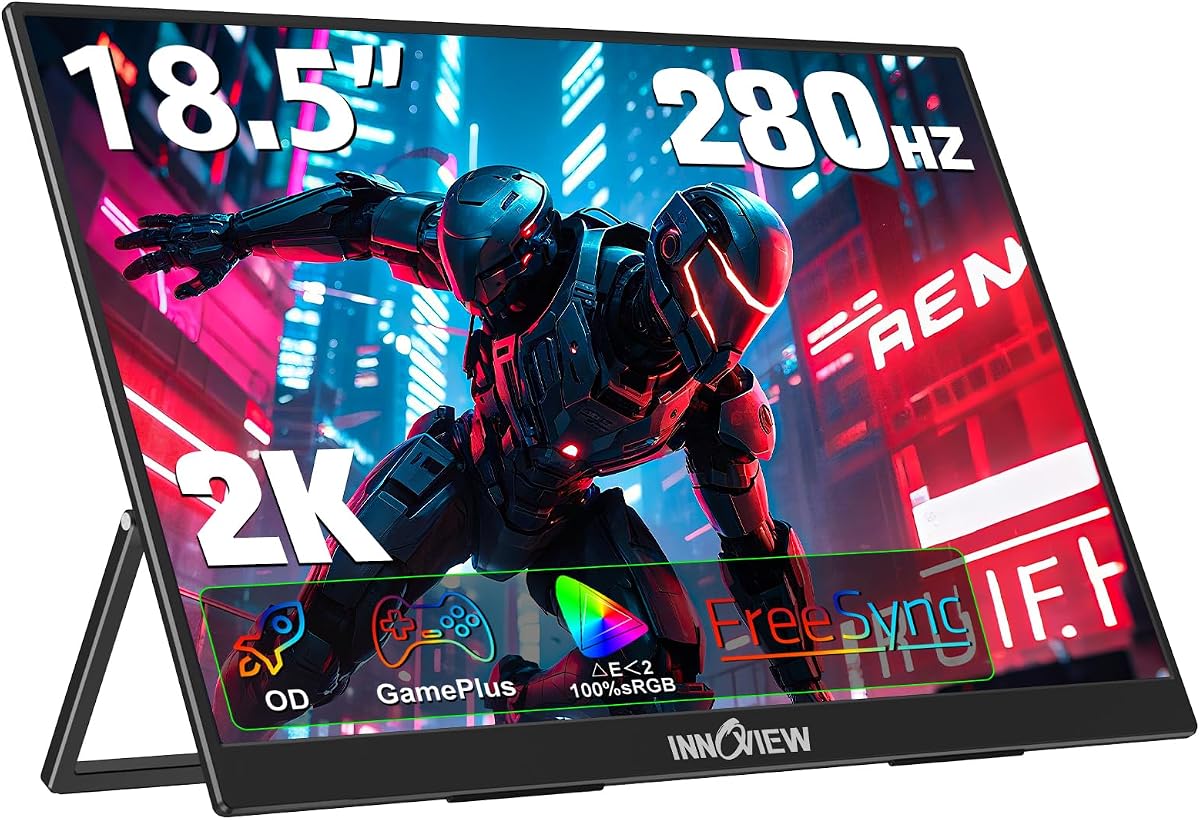
This monitor offers an incredibly high 280Hz refresh rate. It is designed for competitive gamers who need every advantage. The 2K QHD resolution adds detail to every scene.
We may earn a commission when you buy through this link, at no additional cost to you.
HDR support enhances color depth and contrast. Gameplus features like crosshairs can improve gameplay. It connects to consoles and phones without needing drivers.
Achieving 280Hz requires a device that supports it fully. Ensure your laptop or console can drive this speed. Otherwise you might not see the full benefit.
For serious mobile gamers this is a top tier option. The clarity and speed are unmatched in this category. Verify your system capabilities before purchasing.
280Hz refresh rate minimizes input lag for fast reactions.
HDR support brings more vivid colors and deeper blacks.
We may earn a commission when you buy through this link, at no additional cost to you.
This unit is designed for maximum portability. Weighing only 1.5 lbs it slips into any bag. The single cable USB-C connection powers and displays video at once.
We may earn a commission when you buy through this link, at no additional cost to you.
144Hz ensures smooth motion for gaming and work. The slim profile makes it hard to notice in a backpack. IPS technology keeps colors consistent from different angles.
Fewer ports mean you might need adapters for some devices. The small size limits immersion compared to larger screens. But for travel it is hard to beat.
Best for digital nomads who need a second screen. It simplifies your setup significantly. Check compatibility with your device's USB-C output.
One USB-C cable handles both power and video signal.
The lightweight design makes commuting with a monitor easy.
We may earn a commission when you buy through this link, at no additional cost to you.
This monitor offers excellent value for money. It delivers 144Hz at a competitive price point. The 106% sRGB coverage ensures vibrant visuals for media.
We may earn a commission when you buy through this link, at no additional cost to you.
You can use it for work or gaming instantly. Switching between vertical and horizontal modes helps with productivity. No drivers are needed for immediate use.
It lacks adaptive sync which might cause slight tearing. The build feels light which can affect stability. Still it is a strong entry level option.
Perfect for first time buyers of portable monitors. It balances cost and performance well. Check if your device supports 144Hz output before buying.
106% sRGB makes images look vivid and true to life.
Plug and play functionality saves time and effort.
We may earn a commission when you buy through this link, at no additional cost to you.
This monitor provides a large curved experience. The 240Hz rate ensures smooth motion for fast games. It wraps around your vision for better immersion.
We may earn a commission when you buy through this link, at no additional cost to you.
FreeSync prevents tearing and ensures fluid gameplay. The 1080p resolution fits well on this screen size. It is best for stationary setups rather than travel.
It is not truly portable due to size and weight. You will need a dedicated space for it. But the visual experience is superior for home use.
Ideal for users wanting a large gaming screen at home. It offers high performance in a single package. Consider space requirements before adding to your desk.
The 1500R curve fills peripheral vision for immersion.
240Hz refresh keeps action sharp without motion blur.
We may earn a commission when you buy through this link, at no additional cost to you.
This monitor balances size and speed effectively. The 160Hz rate handles most games smoothly. Curved design wraps around your view for better focus.
We may earn a commission when you buy through this link, at no additional cost to you.
It includes multiple ports for flexible connections. VESA compatibility allows mounting if you prefer. The price point is accessible for most buyers.
The stand is basic and not adjustable for height. It might not fit all desk setups well. But performance remains solid for the cost.
Great for users wanting a curved screen on a budget. It brings immersive gaming to your desktop. Ensure your desk can hold the weight.
1500R curvature enhances depth perception in games.
160Hz ensures fluid motion for fast paced titles.
We may earn a commission when you buy through this link, at no additional cost to you.
This monitor excels in color and brightness. 100% DCI-P3 coverage makes content look vibrant. 400 nits brightness helps in bright environments.
We may earn a commission when you buy through this link, at no additional cost to you.
The QLED panel delivers deep blacks and sharp details. It supports HDR for better dynamic range. VESA mount allows flexible positioning on desks.
You need a 30W adapter for full 2K performance. It is heavier than typical portable options. But the visual quality justifies the extra care.
Best for creatives who game on the go. It offers premium specs in a portable form. Ensure you have enough power for 2K 144Hz.
100% DCI-P3 ensures accurate colors for media.
400 nits brightness overcomes ambient light well.
We may earn a commission when you buy through this link, at no additional cost to you.
This monitor offers a deep 1000R curve. It fills your vision more than standard screens. QHD resolution ensures crisp text and details.
We may earn a commission when you buy through this link, at no additional cost to you.
165Hz keeps games smooth and responsive. Eye saver mode reduces strain during long sessions. It is designed for dedicated gaming setups.
It is not suitable for travel due to size. You need ample desk space for installation. The curve is aggressive and might take getting used to.
Ideal for home gamers wanting immersion. It offers a unique viewing experience. Consider your desk dimensions before purchasing this large unit.
1000R curvature surrounds your peripheral vision.
Eye saver mode reduces blue light for comfort.
We may earn a commission when you buy through this link, at no additional cost to you.
This Dell monitor is known for reliability. It has a high user rating for a reason. 144Hz ensures smooth visuals for gaming and work.
We may earn a commission when you buy through this link, at no additional cost to you.
IPS technology delivers consistent colors at any angle. TUV certification means it protects your eyes well. It is a safe choice for daily use.
It lacks advanced features like USB-C or height adjust. The tilt is fixed which limits positioning. But it remains a solid performer for the price.
Perfect for users prioritizing brand reliability. It offers essential features without bloat. Verify input needs before connecting your main device.
Dell is known for durable and consistent hardware.
TUV certification ensures reduced blue light emission.
We may earn a commission when you buy through this link, at no additional cost to you.
Selecting a portable gaming monitor involves looking at several factors. This guide explains what to check to ensure the unit matches your needs and devices.
Refresh rate determines how many frames the screen displays per second. Higher rates like 144Hz or 280Hz make motion look smoother and reduce blur. For competitive gaming this is a key factor to prioritize for better reaction times.
Look for rates of 144Hz or higher to ensure fluid visuals.
Resolution affects image sharpness and detail. QHD offers more space than FHD. Panel types like IPS provide better colors and viewing angles compared to VA. Choose based on your need for clarity versus cost.
Select IPS for color accuracy and QHD for more detail.
You need ports that match your device. Type-C allows video and power in one cable. HDMI is common for consoles. Ensure the monitor has what your laptop or phone needs for a clean setup.
Check for Type-C and HDMI ports before purchasing.
Weight matters if you travel often. Slim monitors under two pounds are easier to carry. Consider the size too as larger screens may not fit small bags. Balance screen size with your travel needs.
Choose lighter models under two pounds for daily travel.
Some monitors draw power from the video cable. Others need a separate plug. If you want a clean setup look for USB-C power. Ensure your device can supply enough wattage for the screen.
Verify if the monitor needs external power or USB power.
VESA support lets you mount the monitor on arms or walls. This is useful for saving desk space. If you need a fixed stand look for one that tilts well for comfort.
Look for VESA compatibility if you plan to mount it.
FreeSync prevents screen tearing during gaming. This feature matches the monitor refresh rate to the graphics card. It is vital for smooth gameplay especially in action games. Check if the monitor supports it.
Ensure FreeSync support is listed for tear-free gaming.
Prices vary based on specs. Higher refresh rates and better panels cost more. Decide what features you really need versus what is nice to have. This helps you find the best value within your budget.
Prioritize essential features like refresh rate for value.
Connect the monitor using the available ports like HDMI or Type-C. Ensure your device outputs video signal to the screen. Adjust settings for resolution and refresh rate if needed.
Clean the screen with a soft microfiber cloth to remove dust. Avoid using harsh chemicals that could damage the coating. Store it in a case to prevent scratches during travel.
Keep the stand stable to avoid tipping over. When not in use power it off to save energy. Regularly update firmware if available for best performance.
No you do not need a PC to use a portable gaming monitor. You can connect it to laptops phones tablets or consoles like Switch and PS5. Any device with a video output port will work with this setup.
Most portable monitors draw power through USB-C or HDMI. Some need a separate power adapter for high resolution. Check the manual to ensure your device provides enough wattage for the screen.
Yes many portable monitors work great with consoles. They support HDMI inputs and offer high refresh rates for smooth action. Ensure your console matches the resolution support for best results.
You can use a portable monitor as your main screen if it connects properly. Ensure your laptop or device supports it as primary output. Most units act as secondary displays by default.
Refresh rate affects how smooth motion looks on screen. Higher rates reduce blur and tearing during fast scenes. For competitive gaming a high refresh rate gives a clearer view of action.
No most portable monitors are plug and play without drivers. Your system should detect them automatically once connected. Drivers are rarely needed unless specific software features are used.
This guide covered ten solid options for gaming without a desktop PC. Each model brings unique strengths to portability and performance. Choose the one that matches your gaming habits and travel needs best.
Prioritize refresh rate and resolution for the smoothest experience. Consider power needs and connectivity for convenience. The right unit enhances your setup regardless of location.
Always check current prices and availability before buying. Deals change often and specs might update. Review the links provided to find the best deal available today.