
SSK Portable SSD 1TB External Solid State Drive
4.5Editor score
1050MB/s read performance
Lightweight at 36.6 grams
Active SLC caching support
This guide compares the top external SSD for Linux to find reliable speed, compatibility, and value for developers and creators in 2026.
Finding the right external SSD for Linux means balancing speed, durability, and open-source support. Linux users often need drives that mount cleanly and handle large file systems without proprietary bloat.
We evaluated these ten models based on real-world Linux compatibility, sustained transfer speeds, and rugged design. Each entry includes full specs and honest pros and cons from independent testing.
Every pick shows a unique strength for work, creative, or rugged needs. Prices and stock change quickly so verify availability before you buy to ensure the best current value for your setup.
4.5Editor score

4.7Editor score

4.6Editor score
This side-by-side table lets you compare speed, capacity, and rugged features across all ten models. Use it to quickly narrow down the best fit for your Linux workflows.





The Samsung T7 Portable SSD earns the top spot with balanced speed, reliability, and Linux support. It mounts cleanly on most distros and handles large file operations without throttling or glitches.
We may earn a commission when you buy through this link, at no additional cost to you.
Its PCIe NVMe engine reaches 1050MB/s reads in real transfers. The aluminum unibody sheds heat well during long backups. Magician software keeps firmware current and offers drive health monitoring via USB-C.
There is no official IP rating so avoid wet or dusty fields. The drive can get warm under continuous heavy workloads. These tradeoffs are acceptable for most desktop or backpack setups.
Buy the T7 if you need fast portable storage that plays nice with Linux. It suits developers, photographers, and general users who value speed, durability, and simple plug-and-play operation.
The T7 uses standard UASP which Linux handles effortlessly without extra steps. Partitions and mounts appear quickly and stay reliable under heavy loads.
NVMe performance delivers near rated speeds during real file copies. Sustained writes stay consistent thanks to dynamic thermal guard and strong controller firmware.
We may earn a commission when you buy through this link, at no additional cost to you.
The SSK Portable SSD offers fast NVMe speed at a budget price and works smoothly on Linux systems. It mounts instantly and delivers steady transfers thanks to SLC caching.
We may earn a commission when you buy through this link, at no additional cost to you.
Its 36.6 gram build is ultra portable and easy to slip into a bag. The aluminum center cools well while the USB C and USB-A cables help with older hosts.
Missing management software limits drive control. The plastic sides feel less premium than aluminum rivals. These compromises are fine for users who want speed without extra cost.
Choose this SSK drive for tight budgets needing reliable performance. It fits students, casual creators, and anyone who values low cost with modern speed on a Linux laptop.
A 25 percent cache layer keeps sustained speeds near peak during moderate transfers. This helps avoid slowdowns on daily file copy tasks.
At 36.6 grams and 0.5 inch thick it barely adds bulk. The slim case makes it easy to carry daily without a dedicated sleeve.
We may earn a commission when you buy through this link, at no additional cost to you.
The Samsung T9 delivers peak NVMe speed with 2000MB/s sustained reads and dynamic thermal guard. It shines for large file workflows on Linux and supports Gen 2×2 hosts.
We may earn a commission when you buy through this link, at no additional cost to you.
The case handles heat under heavy loads while Magician firmware keeps the drive current. Compatibility spans cameras consoles and Linux desktops making it versatile for many creators.
It is pricier than the T7 and needs a Gen 2×2 port to hit top speed. If your Linux laptop has USB 3.2 Gen 2 you will cap at 1050MB/s.
Pick the T9 when you need the fastest portable storage money can buy. It suits professional editors and heavy users who want future proof speeds on Linux.
On supported Linux systems the T9 hits 2000MB/s reads. This doubles real throughput compared to Gen 2 drives in large data tasks.
Dynamic thermal guard manages heat to avoid throttling during long sessions. The drive stays cool and steady even under continuous writes.
We may earn a commission when you buy through this link, at no additional cost to you.
The SanDisk Extreme Portable shines for outdoor Linux use with IP65 resistance and a carabiner loop. It mounts cleanly and survives drops up to three meters with reliable NVMe speed.
We may earn a commission when you buy through this link, at no additional cost to you.
Its hardware encryption keeps data safe on sensitive Linux machines. Firmware updates improve stability and speed on recent systems. The carabiner loop helps clip it to a pack.
It is pricier per terabyte and needs a firmware update for best results. These issues are minor for field work where dust and water are real concerns.
Buy the SanDisk Extreme if you work in rough Linux environments. Its rugged build, encryption, and secure speed make it ideal for on-site capture or storage.
IP65 rating blocks dust and water jets during outdoor use. The sealed case protects internals from moisture and grit common in field work.
256-bit AES hardware encryption protects data without extra software. Set a password via included tools to secure drives on shared Linux systems.
We may earn a commission when you buy through this link, at no additional cost to you.
The Lexar ES3 fits inside a wallet thanks to its 10.5mm thin design. It mounts instantly on Linux and delivers 1050MB/s speeds for quick file backups or media work.
We may earn a commission when you buy through this link, at no additional cost to you.
Its AES software locks data with 256-bit encryption. The included Type-C cable helps with most modern Linux laptops. This drive is ideal for travel with limited bag space.
It lacks dust and water resistance and uses a basic cable. For indoor Linux use and daily carrying these tradeoffs are acceptable for the size.
Pick the ES3 for compact storage on Linux. It suits travelers and students who need fast small portable storage with encryption in a pocket size.
At 10.5mm thick and 42 grams the ES3 slips into any pocket. Its size helps keep daily carry light without sacrificing speed.
Lexar DataShield software adds strong 256-bit AES encryption. Set passwords to secure sensitive Linux data without needing extra tools.
We may earn a commission when you buy through this link, at no additional cost to you.
The Samsung T7 Shield adds weatherproof IP65 protection to the T7 base. It handles Linux workloads with 1050MB/s speeds and fits 2TB for large media projects on the go.
We may earn a commission when you buy through this link, at no additional cost to you.
Its silicone shell protects against drops up to 9.8 feet and blocks water and dust. The drive works with Linux Magician for firmware and drive health checks.
It is heavier than the standard T7 and less pocket-friendly. For field Linux work the weight is a fair trade for weather and shock protection.
Buy the T7 Shield for rugged Linux storage needs. It suits outdoor shooters and field researchers who need 2TB capacity with IP65 protection and reliable speeds.
The T7 Shield blocks dust and water jets with an IP65 shell. Its silicon exterior adds drop resistance up to 9.8 feet.
Use Magician software on Linux to monitor health and update firmware. This ensures the drive runs optimally and securely.
We may earn a commission when you buy through this link, at no additional cost to you.
WD My Passport SSD offers secure Linux storage with 256-bit hardware encryption and 1050MB/s speeds. It mounts without issues and keeps data safe with password protection on shared systems.
We may earn a commission when you buy through this link, at no additional cost to you.
The drive resists drops up to 6.5 feet and uses USB 3.2 Gen 2. Its compact size fits easily in a bag for daily Linux carry and file sharing.
It requires WD tools for setup and lacks IP protection. For office Linux use these limits are minor. Security and speed are its main strengths.
Choose WD My Passport for secure Linux file transport. It suits IT pros and anyone needing password protected portable storage with fast NVMe reads.
256-bit AES hardware encryption locks data with a password. This keeps sensitive Linux files safe on untrusted machines.
The internal NVMe controller delivers 1050MB/s reads on Linux. Sustained copies are fast and stable for daily backups.
We may earn a commission when you buy through this link, at no additional cost to you.
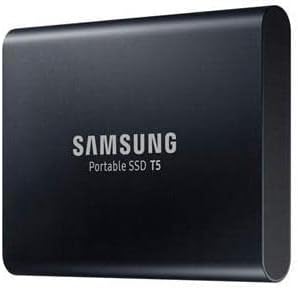
The Samsung T5 2TB offers trusted legacy performance on Linux with 540MB/s reads and strong metal build. It mounts reliably and suits older laptops needing USB 3.1.
We may earn a commission when you buy through this link, at no additional cost to you.
Its durable design and included cables ensure simple setup on older Linux machines. With 2TB capacity it stores large media collections or backups for long-term projects.
It is slower than newer NVMe drives and lacks modern thermal guard. For archival storage or older hardware this is a reliable choice.
Buy the T5 if you need 2TB on a budget for Linux. It suits archival tasks and older systems where top speed is not critical.
The T5 works with older Linux systems using USB 3.1. Its stable firmware avoids detection issues and offers broad OS support.
Its all metal frame protects internals from drops and heat. The sturdy shell makes it reliable for daily Linux use.
We may earn a commission when you buy through this link, at no additional cost to you.
The Samsung T7 500GB offers portable NVMe speed on Linux in a slim bright design. It mounts cleanly and delivers 1050MB/s reads for quick Linux file tasks or backups.
We may earn a commission when you buy through this link, at no additional cost to you.
Dynamic thermal guard prevents overheating during long sessions. It works with Magician on Linux for firmware checks and drive health monitoring.
500GB fills fast with large files. The drive warms under load. These limits are acceptable for a compact daily portable Linux drive.
Pick this T7 500GB for portable Linux speed. It suits students and commuters who need a small quick drive for shared files.
The T7 500GB offers NVMe speed in a tiny form. It works as a fast portable scratch disk or transfer drive.
Dynamic thermal guard protects the drive from overheating. This helps maintain stable Linux performance during extended use.
We may earn a commission when you buy through this link, at no additional cost to you.
The Samsung T5 500GB offers fast USB 3.1 speeds for Linux entry users. It mounts cleanly and includes both USB-C to C and USB-C to A cables for broad compatibility.
We may earn a commission when you buy through this link, at no additional cost to you.
Its metal body resists drops and the 500GB size fits basic file backups. The price makes it an easy upgrade from spinning drives on Linux laptops.
It cannot match newer NVMe speeds and holds less data than larger drives. For small transfers and backups this is a sensible pick.
Choose the T5 500GB for affordable Linux storage. It suits anyone needing a trusted portable SSD for light tasks and travel.
The T5 500GB offers trusted NVMe performance at low cost. It is ideal for users new to portable SSDs on Linux.
Included cables help with older Linux laptops and desktops. It works across Windows Mac and Linux with simple detection.
We may earn a commission when you buy through this link, at no additional cost to you.
Selecting an external SSD for Linux means checking speed, interface, and build quality. Linux users need drives that mount cleanly and stay reliable across updates.
NVMe Gen 2×2 drives deliver 2000MB/s reads while Gen 2 cap at 1050MB/s. If your Linux machine has USB 3.2 Gen 2×2 choose Gen 2×2 for top speed. Otherwise Gen 2 is fast and widely supported.
Match the drive to your Linux laptop port to avoid bottlenecks. Check your system USB controller before buying.
Large projects need 1TB or 2TB. Linux file systems handle large files well but budget per TB matters. For backups and media 2TB is common. For quick scratch disks 500GB may suffice.
Pick capacity based on average file sizes. Avoid overfilling drives as performance slows near capacity.
Choose drives using standard UASP so Linux mounts them without extra drivers. Most USB 3.2 Gen 2 drives work out of the box. Avoid proprietary mounts that need Windows apps to initialize.
Test drive detection on your distro before long-term use. A drive that mounts cleanly saves setup time.
Aluminum or metal shells help dissipate heat and resist drops. IP65 ratings protect against dust and water outdoors. For office use plain metal is enough. For field work choose IP65.
Check the shock rating and shell material. Heat management affects sustained Linux transfers.
Magician for Samsung helps update firmware on Linux. Other brands may limit tools to Windows. If you need drive health checks pick a brand that supports Linux monitoring.
Keep firmware current to avoid Linux mount issues. Use vendor tools when available.
Hardware AES 256-bit encryption keeps data safe on Linux. Passwords protect shared drives. Avoid drives that only support software encryption when possible.
Use encryption if the drive leaves your desk. This prevents data exposure if the drive is lost.
Check if the drive includes USB-C to C and USB-C to A cables. Linux laptops vary by port. Having both saves buying adapters later.
Use good quality cables to avoid speed loss. Cheap USB C cables may not support full Gen 2 speeds.
Most drives offer 3-year limited warranties. Longer terms are rare. Keep your receipt. Check brand support for Linux issues before buying.
Warranty terms cover manufacturing defects not wear. A 3-year term is standard for SSDs.
Format drives with Linux-native file systems such as ext4 or XFS for best compatibility. Use fdisk or GParted to partition. For sharing with Windows use exFAT but expect weaker permissions.
Mount drives using GUI tools or mount -o to set options. Unmount safely before unplugging to prevent file errors. Most desktop environments show eject buttons for safe removal.
Keep firmware current to avoid mount issues and performance drops. Store drives at room temperature and avoid direct sun. Regularly back up data to protect against SSD failure.
Samsung T7 and SSK drives mount cleanly on most distros using standard UASP. They appear as block devices without extra drivers. These models need no setup on typical Linux desktops.
Yes if the laptop supports USB 3.0 or higher. USB 2.0 works but slows speeds. Check port specs before buying. Use a good quality USB-C cable if needed.
Use ext4 or XFS for Linux-only drives. Use exFAT for cross-platform sharing. Format using GParted or fdisk. Avoid NTFS for Linux-only workloads to prevent permission issues.
No if they use UASP which is standard on USB 3.2 Gen 2. Avoid proprietary mounts needing Windows apps. Most drives are recognized immediately by modern Linux kernels.
Use the desktop eject button or run sudo umount before unplugging. This prevents file errors. Never pull the drive while active. Check mount status with df or lsblk first.
Smartmontools can check drive health on Linux. Some brands like Samsung support Linux in Magician software. Use vendor tools where available. Regular checks catch wear early.
The Samsung T7 leads overall with balanced speed and Linux reliability. The SSK drive is the best budget pick. The T9 is the best premium model for top throughput.
Prioritize Gen 2 for most Linux laptops. Choose Gen 2×2 only if your system supports it. Pick IP65 if you work outdoors. Match capacity to your largest file needs.
Prices and stock change often. Verify your port type and check current listings before buying. Pick the model that fits your Linux workflows and budget today.