
acer SB240Y G0bi
4.6Editor score
Full HD IPS panel
120Hz Adaptive-Sync
Zero-frame edge design
Edge to edge monitors redefine modern workspaces by eliminating bezels and maximizing screen real estate. These displays offer seamless visuals that enhance productivity and immersion for both professional and entertainment use cases today.
We evaluated ten leading models based on resolution, refresh rates, panel technology, and connectivity options. Our analysis focuses on how each screen delivers clarity, color accuracy, and ergonomic flexibility for diverse user needs in 2026.
Each pick highlights specific strengths like ultrawide immersion, portable versatility, or high refresh gaming performance. Note that availability and configurations may vary over time, so verify current details before purchasing your ideal display setup.
4.6Editor score

4.4Editor score

4.3Editor score
As an Amazon Associate we earn from qualifying purchases.
This side-by-side comparison highlights key specifications across all ten selected models. Use this table to quickly identify the best fit for your specific workspace requirements and performance goals.





The Dell 34 Monitor S3425DW stands out as a top choice for professionals seeking immersive visuals without compromising on comfort. It combines a smooth 120Hz refresh rate with vibrant color reproduction making it ideal for multimedia and work tasks alike.
We may earn a commission when you buy through this link, at no additional cost to you.
Its WQHD VA panel delivers stunning depth with a 3000:1 contrast ratio while maintaining eye health through reduced blue light emissions. The re-engineered sound system adds value by reducing cable clutter through robust USB-C connectivity.
While VA panels typically have narrower viewing angles than IPS, the color consistency here remains strong for central focus tasks. The stand lacks height adjustment but provides sufficient tilt and swivel for most desk setups.
This monitor is perfect for users needing a single large screen for productivity and casual gaming. Its balance of performance comfort and connectivity makes it a reliable upgrade for modern workstations.
ComfortView Plus reduces harmful blue light by over 65 percent ensuring comfortable long hours of screen time without sacrificing color accuracy or visual fidelity during critical work.
Single cable USB-C delivers up to 65W power plus data transfer simplifying your desk by connecting your laptop and peripheral devices through one streamlined channel.
We may earn a commission when you buy through this link, at no additional cost to you.
This 49-inch ultrawide monitor redefines multitasking by offering a dual QHD resolution that effectively replaces two standard monitors. The 32:9 aspect ratio provides a seamless canvas for coding editing and content creation workflows.
We may earn a commission when you buy through this link, at no additional cost to you.
With a 165Hz refresh rate and 1ms response time it delivers smooth visuals for both work and gaming. The built-in KVM switch lets you control two devices with one keyboard and mouse enhancing efficiency significantly.
The curved design enhances immersion but may cause minor distortion at edges for precise pixel work. Picture-in-Picture modes add flexibility though managing window positions requires an initial learning curve.
Ideal for power users needing expansive screen real estate this model supports complex workflows efficiently. Its feature set bridges the gap between professional utility and high performance gaming needs perfectly.
Split screen modes like PIP and PBP allow simultaneous display from multiple inputs turning a single screen into a command center for diverse tasks.
Built-in tools like crosshair and shadow balance optimize visibility and aim accuracy for competitive gameplay ensuring you stay ahead during intense sessions.
We may earn a commission when you buy through this link, at no additional cost to you.
The Dell UltraSharp U4924DW offers a robust solution for enterprise and creative environments needing expansive screen space. Its edge WLED backlight ensures consistent clarity across the massive 49-inch curved display.
We may earn a commission when you buy through this link, at no additional cost to you.
With dual quad HD resolution it supports sharp text and detailed imagery crucial for professional work. The USB-C connection facilitates efficient data transfer and power delivery keeping desk setups clean and organized.
While response times are modest compared to gaming focused models the display excels at static content and video playback. VESA mount compatibility allows flexible integration into ergonomic setups tailored to user preferences.
Best suited for professionals prioritizing reliability and clarity this monitor supports demanding workflows. Its design balances performance with practical features making it a staple for high productivity offices.
Edge WLED technology provides smooth and clear visuals ensuring consistent picture quality across the entire wide screen for accurate color and detail work.
VESA compatibility enables flexible mounting solutions whether wall mounted or on adjustable arms allowing precise positioning to reduce neck strain during long use.
We may earn a commission when you buy through this link, at no additional cost to you.
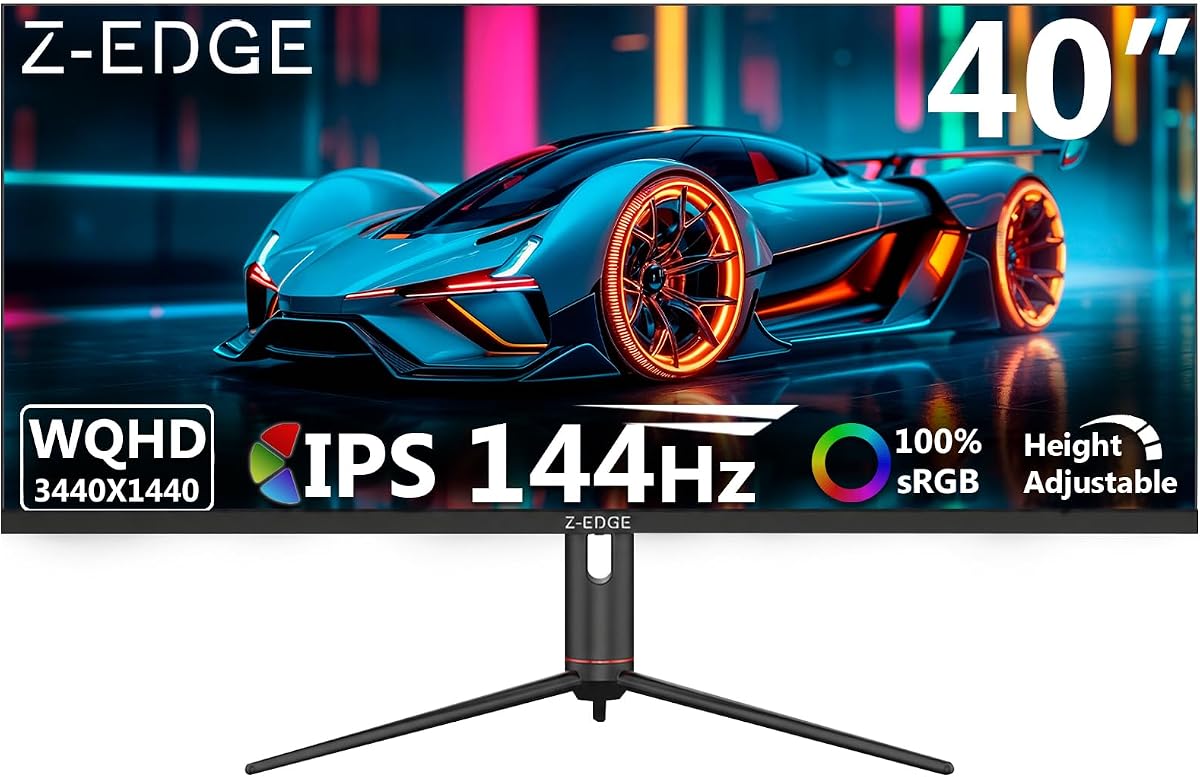
This 40-inch ultrawide monitor combines IPS panel benefits with a generous screen size for immersive work and play. The 144Hz refresh rate ensures fluid motion which is vital for fast-paced gaming and dynamic content.
We may earn a commission when you buy through this link, at no additional cost to you.
IPS technology delivers 178-degree viewing angles ensuring colors remain accurate from almost any angle. USB-C ports simplify connectivity while PIP and PBP modes enhance multitasking capabilities without extra hardware.
The stand supports tilt and height adjustments but lacks pivot or swivel which limits vertical screen positioning. Built-in speakers provide basic audio though external headphones are preferred for deep sound experiences.
Perfect for gamers and creators seeking a middle ground between size and performance this model offers solid value. Its color consistency and responsiveness make it a versatile addition to any modern setup.
IPS panels ensure wide color gamut and stable brightness from all angles making it suitable for design work and collaborative viewing scenarios easily.
Features like hawk-eye vision and refresh rate display give players strategic advantages by improving visibility and real-time performance tracking during matches.
We may earn a commission when you buy through this link, at no additional cost to you.
The Corsair XENEON Edge is a unique portable display designed to showcase system metrics or play games internally within a PC case. It adds a dynamic visual layer to builds that usually hide the hardware behind solid panels.
We may earn a commission when you buy through this link, at no additional cost to you.
Its 14.5-inch touchscreen supports widgets and chat apps directly on the case exterior. Mounting options include magnets and screws fitting standard fan positions making it adaptable to various chassis designs.
While the resolution is not high enough for primary work it excels as an auxiliary display for stats monitoring or quick notifications. The wide viewing angles ensure visibility even when viewed from the side.
Ideal for enthusiasts wanting to customize their PC aesthetics and functionality this screen offers novelty and utility. It transforms system diagnostics into an interactive experience without cluttering the main desk space.
The flexible mounting options allow easy installation inside or outside the case turning your PC into a showcase of real-time system stats and interactivity.
Multi-touch capability enables direct interaction with widgets apps and games on the display making it more than just a passive information screen for users.
We may earn a commission when you buy through this link, at no additional cost to you.
This 34-inch gaming monitor prioritizes speed with a 240Hz refresh rate that minimizes blur during fast action. The curved screen wraps around your field of view creating an immersive environment for competitive titles.
We may earn a commission when you buy through this link, at no additional cost to you.
With 100% sRGB coverage it delivers accurate colors for creative tasks alongside high performance. Blue-light shift technology helps reduce eye strain making it more comfortable for extended sessions than standard models.
The stand offers basic tilt but lacks height adjustment which may require a separate arm for full ergonomics. Built-in speakers are convenient though their quality is average compared to dedicated audio gear.
Great for budget-conscious gamers needing high refresh performance this model delivers speed and color fidelity. Its straightforward design and multiple ports ensure easy integration into existing gaming rigs.
240Hz refresh rate ensures buttery smooth visuals essential for competitive FPS gaming where split-second reactions determine the outcome of matches regularly.
Blue-light shift tech filters harmful emissions to alleviate eye strain during long gaming or work sessions promoting healthier habits without compromising image quality.
We may earn a commission when you buy through this link, at no additional cost to you.
The LG 45GX950A-B sets a new benchmark with the world's first 5K2K OLED gaming monitor. Its stunning clarity and deep blacks deliver unmatched immersion for both cinematic adventures and competitive gaming sessions.
We may earn a commission when you buy through this link, at no additional cost to you.
Dual mode technology lets you switch between stunning 5K visuals at 165Hz and ultra responsive WFHD at 330Hz for different game genres. The 800R curve enhances depth and pulls you deeper into the action.
Text clarity is improved via an updated subpixel layout reducing color fringe issues common in previous OLED displays. DisplayPort 2.1 ensures future proof connectivity capable of handling maximum bandwidth requirements effortlessly.
Best for enthusiasts seeking the absolute pinnacle of display quality this monitor is a masterpiece. Its combination of speed color and sharpness redefines what a premium gaming screen should achieve.
True blacks and vibrant colors from OLED technology create incredible depth and realism making every frame pop with life and intensity without blooming artifacts.
Dual Mode hotkey switching adapts the screen for story driven games or fast paced shooters giving you flexibility without changing settings or hardware.
We may earn a commission when you buy through this link, at no additional cost to you.
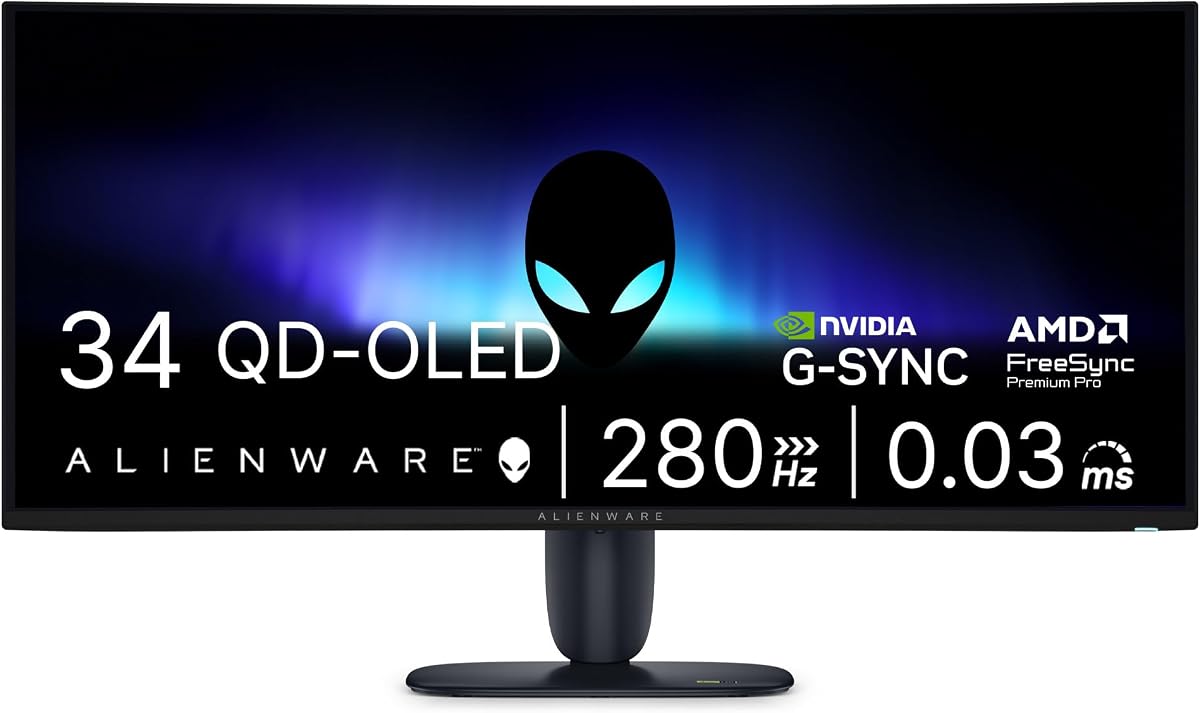
Alienware delivers elite gaming with this 34-inch QD-OLED monitor. It combines the brightness of quantum dots with OLED contrast for vivid visuals that stand out in any lighting environment.
We may earn a commission when you buy through this link, at no additional cost to you.
The 280Hz refresh rate ensures near instant response times crucial for competitive gaming. G-SYNC support eliminates tearing while maintaining frame stability for smooth immersive gameplay throughout any title.
While the stand is sleek and sturdy it lacks height adjustability which limits ergonomic customization without an external arm. The bezel design remains minimal ensuring focus stays on the content.
Perfect for high-end gaming setups this model balances speed and quality effortlessly. Its advanced panel tech and smooth sync options make it a top choice for serious esports enthusiasts.
Quantum dot technology enhances brightness and color volume beyond standard OLED providing brighter HDR highlights without compromising deep black levels.
G-SYNC compatibility guarantees tear free visuals by synchronizing the monitor refresh rate with the GPU output for seamless and responsive gaming action.
We may earn a commission when you buy through this link, at no additional cost to you.
This 23.8-inch monitor delivers exceptional value with its zero-frame edge to edge design offering maximum visibility. Its IPS panel ensures wide viewing angles while 120Hz refresh keeps motion smooth for both work and play.
We may earn a commission when you buy through this link, at no additional cost to you.
Fast response times minimize ghosting and smearing making it suitable for gaming. Adaptive-sync support reduces screen tearing effectively ensuring consistent visuals across different gaming scenarios and content playback.
While Full HD resolution may feel less sharp than QHD on larger panels it remains crisp on this size. The stand is basic with only tilt adjustment but the slim profile saves valuable desk space.
Ideal for budget-conscious users needing reliable performance this model proves affordability does not mean compromise. Its sleek design and responsive features make it a great starter or secondary display.
Zero-frame design maximizes screen real estate by minimizing bezels allowing for seamless multi-monitor setups and uninterrupted visual focus during tasks.
120Hz refresh combined with 1ms response delivers fluid motion essential for fast-paced gaming and smooth scrolling during daily productivity workflows efficiently.
We may earn a commission when you buy through this link, at no additional cost to you.
The Samsung 57-inch Odyssey Neo G9 offers the widest available dual 4K resolution for unparalleled immersion. Its 1000R curve wraps tightly around your vision mimicking the human field of view for truly realistic gaming experiences.
We may earn a commission when you buy through this link, at no additional cost to you.
Quantum Matrix technology with Mini LEDs controls brightness and contrast precisely enabling deep blacks and bright highlights. The 240Hz refresh rate ensures lag free action even in demanding titles requiring rapid response.
This monitor demands significant desk space and a powerful PC to drive the massive resolution. PBP modes allow multitasking but the sheer size may require physical head movement to view all corners effectively.
Best for users wanting the ultimate ultrawide experience this screen redefines immersion. Its advanced tech and extreme curvature deliver a visual intensity unmatched by standard flat or mildly curved displays.
1000R curve matches natural eye curvature wrapping your peripheral vision to create a truly lifelike gaming environment that feels more like reality.
HDR1000 and 1000 nit peak brightness reveal hidden details in dark corners enhancing visibility and adding depth to high contrast scenes consistently.
We may earn a commission when you buy through this link, at no additional cost to you.
Selecting the right edge to edge monitor requires understanding how resolution, panel type, and refresh rate impact your specific workflow and entertainment needs.
Resolution determines pixel density and sharpness. Dual QHD and 5K2K options provide text clarity essential for productivity while Full HD suits smaller screens where pixels are less noticeable.
Higher resolution screens offer more workspace and finer detail but require stronger graphics cards to render images smoothly during gaming or heavy workloads.
IPS panels offer wide viewing angles and accurate colors ideal for creative tasks. VA panels provide higher contrast for deeper blacks while OLED delivers perfect blacks and instant response times.
Choose IPS for color accuracy VA for contrast or OLED for gaming performance depending on your primary use case and budget constraints.
Refresh rate measures how many times the screen updates per second. Higher rates like 120Hz or 240Hz create smoother motion reducing blur during fast action games or videos.
Gamers benefit most from high refresh rates while standard office work typically requires 60Hz to 120Hz depending on comfort needs.
Response time indicates how quickly pixels change color. Fast response times below 5ms minimize ghosting artifacts ensuring clean motion during rapid screen transitions.
Lower response times are critical for competitive gaming where split-second movements determine outcomes.
Curved screens enhance immersion by wrapping around your field of view. Aspect ratios like 21:9 and 32:9 provide wider horizontal space ideal for multitasking or cinematic media.
Select curvature based on desired immersion depth while considering desk space for wider ratios.
Modern monitors include HDMI DisplayPort and USB-C. USB-C allows power delivery plus data reducing cable clutter while HDMI 2.1 supports high refresh gaming.
Ensure your chosen monitor matches your laptop or PC outputs to avoid using adapters unnecessarily.
Adjustable stands with tilt height and swivel reduce neck strain during long work sessions. Some models require VESA mounts for flexible arm setups.
Prioritize ergonomic features if you use the monitor for hours daily to maintain comfort and posture.
Built-in speakers can simplify setups but rarely match external audio quality. Consider if you need sound directly from the screen or prefer separate headphones.
Monitors with audio out jacks offer flexibility to connect better speakers without extra cables.
Clean the screen regularly with a microfiber cloth to remove dust without scratching the panel. Avoid using household cleaners that may damage coatings or leave streaks.
Adjust brightness and color settings to match your room lighting for eye comfort. Use night mode features to reduce blue light exposure during evening hours.
Position the monitor at arm's length and center it at eye level to maintain healthy posture. Use adjustable arms or stands to achieve the best ergonomic position.
An edge to edge monitor features minimal bezels allowing the screen to extend close to the physical frame. This design maximizes usable display area and supports seamless multi-monitor setups for wider views.
Ultrawide monitors offer more horizontal space which enhances multitasking and immersion in gaming. They eliminate gaps between multiple screens but require sufficient desk space and powerful hardware.
Curved screens wrap around your field of view reducing eye strain and increasing immersion. The curve mimics natural vision making it easier to view edges without turning your head.
Many premium models support HDR standards like HDR1000 or HDR True Black which deliver vibrant colors and contrast. Entry level models might not include full HDR capabilities.
Yes many edge to edge monitors support USB-C with power delivery. This allows a single cable to charge laptops and transfer video data simplifying your desk setup.
120Hz is a good baseline for casual gaming while competitive gamers benefit from 144Hz or higher. Match your refresh rate with your graphics card performance for best results.
Most monitors include VESA mounting holes compatible with wall arms or stands. Check the specific pattern such as 100x100mm before purchasing mounting accessories to ensure compatibility.
OLED monitors offer superior contrast and faster response times than LCDs. They are ideal for gaming and media consumption but come at a higher price point.
Our top picks span budget to premium categories with standout models like the Dell S3425DW and LG 45GX950A-B offering balance and performance respectively.
Prioritize refresh rate and panel type based on your primary tasks. Gamers should focus on speed while professionals need resolution and color accuracy for efficient work.
Remember to verify current availability and features before purchasing as updates occur frequently. Investing in the right monitor significantly enhances your daily visual experience and productivity.