
Duyasurs 3Pack Upgraded USB C to USB Adapter
4.6Editor score
Compact and lightweight design
Plug-and-play functionality
Supports high-speed data transfer
This guide compares the top ten female USB adapters for reliable data transfer and charging across laptops, phones, and tablets in October 2026.
Modern devices rely heavily on USB C ports for connectivity, yet many peripherals still use traditional USB A connectors. Finding the right female USB adapter ensures your legacy devices remain compatible with new hardware without hassle.
We evaluated ten highly rated adapters based on build quality, data transfer speeds, and device compatibility. Our analysis focuses on real-world performance, durability, and ease of use for everyday tasks.
Each pick highlights specific strengths for different needs, from budget options to premium builds. Note that availability and pricing fluctuate frequently, so verify current details before purchasing to ensure the best value.
4.6Editor score

4.7Editor score

4.8Editor score
The following table provides a side-by-side overview of key specifications for each adapter to help you quickly identify the best fit for your specific device requirements.




The JSAUX adapter offers a reliable solution for connecting legacy USB devices to modern Type-C ports. With a high rating and robust construction, it stands out as a top choice for daily use.
We may earn a commission when you buy through this link, at no additional cost to you.
This adapter supports full USB 3.0 super speed data transfer up to 5Gbps, making file transfers significantly faster than older standards. The nylon braided design adds durability while preventing tangles during storage or transport.
Although it does not support video output, it handles peripheral connections like keyboards, mice, and flash drives efficiently. Users appreciate the sturdy aluminum body which resists wear and tear over time.
For anyone needing a dependable adapter for data transfer and peripheral connectivity, this product delivers consistent performance. Its compatibility with a wide range of devices makes it a versatile addition to any tech setup.
Experience lightning-fast file transfers with USB 3.0 support that significantly outperforms older USB 2.0 standards for efficiency.
The aluminum alloy body and nylon braided cable ensure long-lasting performance even with frequent plugging and unplugging.
We may earn a commission when you buy through this link, at no additional cost to you.
Anker is a trusted name in accessories, and this adapter reflects their commitment to quality and reliability. The space gray finish matches well with many modern laptops and tablets.
We may earn a commission when you buy through this link, at no additional cost to you.
The ultra-slim form factor is a standout feature, allowing two adapters to fit side by side on a single port without obstruction. Connectors are designed for over 10,000 plug cycles ensuring long-term durability.
While the price is slightly higher than generic brands, the build quality and brand reputation justify the investment. The scratch-resistant aluminum finish maintains a professional look even after extensive use.
Users seeking a premium adapter with exceptional build quality and design will find this product excellent. It is ideal for professionals who need reliable connectivity without compromising on aesthetics.
The slim profile ensures adjacent ports remain accessible, allowing multiple devices to connect simultaneously without crowding.
Engineered connectors withstand thousands of connections, making this adapter a reliable long-term investment for heavy users.
We may earn a commission when you buy through this link, at no additional cost to you.
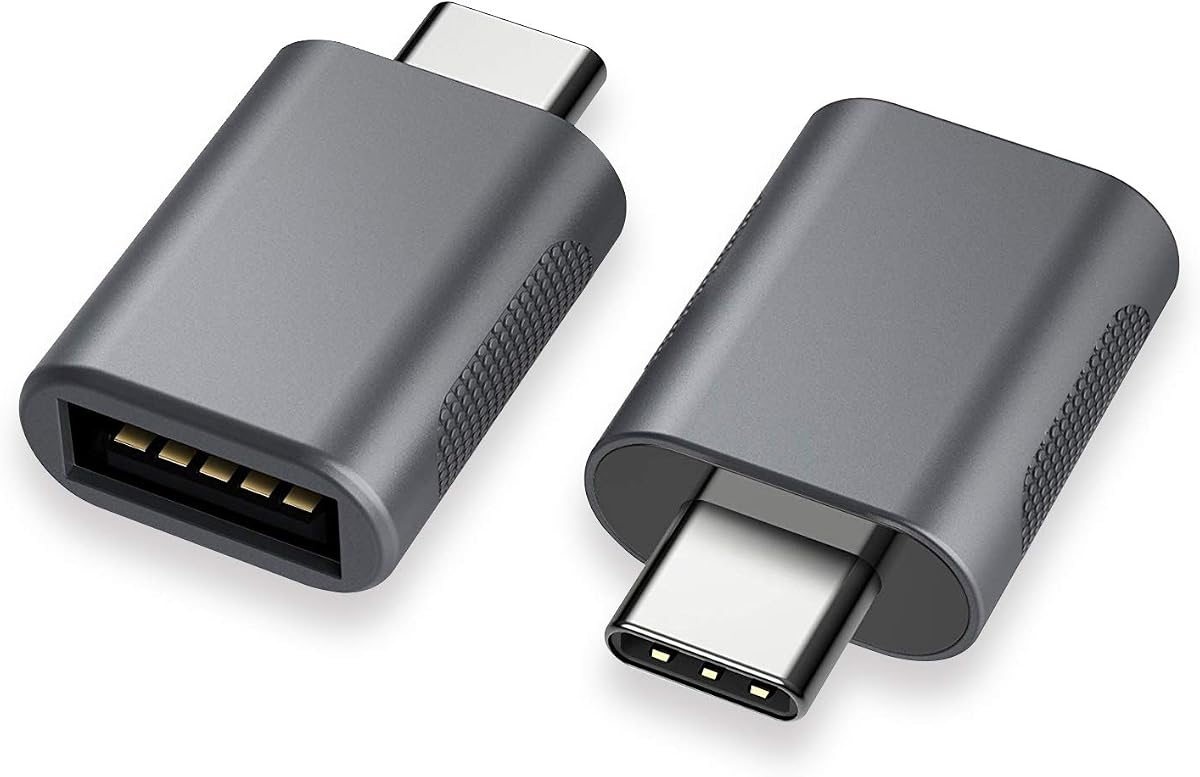
This three-pack offers excellent value for those needing multiple adapters for different locations. The upgraded design supports high-speed data transfer making file handling quick and efficient.
We may earn a commission when you buy through this link, at no additional cost to you.
LED indicators provide visual confirmation of successful connections which reduces uncertainty during use. The compact design ensures portability while the aluminum material adds a touch of durability.
While it does not support audio or video functions, it excels at data transfer and charging. The plug-and-play nature means no drivers are needed, simplifying setup immediately.
For budget-conscious buyers needing reliable connectivity for data transfer, this option is highly recommended. Having multiple adapters ensures you always have a spare available when needed.
Mini LED indicators light up to show successful connections providing immediate feedback for ease of use.
Receiving three adapters allows you to keep them at home, work, or in travel bags for maximum convenience.
We may earn a commission when you buy through this link, at no additional cost to you.
UGREEN provides a robust four-pack solution for extensive connectivity needs. The promise of 10Gbps transfer speeds makes this ideal for users dealing with large files regularly.
We may earn a commission when you buy through this link, at no additional cost to you.
The slim design ensures it does not block adjacent ports on laptops like the MacBook Pro. Rigorous testing for over 10,000 plug cycles indicates strong durability under frequent use.
To achieve the highest speeds, both the adapter and host port must support 10Gbps. Otherwise, it falls back to standard speeds ensuring compatibility with older devices.
Users needing multiple adapters for high-speed data transfers will find this pack practical. The aluminum housing and slim profile combine functionality with a professional aesthetic.
Support for up to 10Gbps ensures rapid file transfers when paired with compatible Thunderbolt or USB 3.2 ports.
The slim profile allows two adapters to sit side by side without obstruction preserving full port access.
We may earn a commission when you buy through this link, at no additional cost to you.
This unique adapter features a female-to-female configuration allowing for extension and versatile connections. It supports video signal transmission which many standard adapters lack.
We may earn a commission when you buy through this link, at no additional cost to you.
With support for up to 10Gbps data transfer it caters to high-performance needs. The bare copper conductors provide optimal signal clarity minimizing interference during data exchange.
The ability to extend USB cables makes this useful for hard-to-reach ports. However, ensure your specific setup supports the gender configuration needed for your cables.
Users requiring video support or cable extension capabilities will appreciate this specialized adapter. The four-pack ensures ample supply for various connection scenarios across different devices.
Unlike many adapters this model supports video signal transmission expanding its utility beyond simple data transfer.
The female-to-female design allows you to extend existing USB cables for greater reach and flexibility.
We may earn a commission when you buy through this link, at no additional cost to you.
This adapter is designed to work seamlessly with Thunderbolt 4 and 3 ports ensuring broad compatibility with newer Macs and PCs. The zinc alloy body provides a sturdy construction that resists scratches.
We may earn a commission when you buy through this link, at no additional cost to you.
With USB 3.0 superspeed capabilities file transfers are efficient and quick. The plug-and-play functionality means no additional drivers or software installation is required for basic use.
While it does not support video output it handles data and charging tasks effectively. The premium connector design contributes to reliability over time.
Users with Thunderbolt-compatible devices will find this adapter a practical choice for legacy connectivity. Its durable build ensures it can withstand daily handling in various environments.
Optimized for Thunderbolt 4 and 3 ports this adapter ensures reliable connectivity for modern high-performance systems.
A zinc alloy body prevents scratches and maintains structural integrity during extended use.
We may earn a commission when you buy through this link, at no additional cost to you.
This adapter reverses the standard configuration allowing Type-C devices to accept USB-A plugs for charging. It supports 3A power output ensuring fast charging capabilities for compatible phones and tablets.
We may earn a commission when you buy through this link, at no additional cost to you.
Data transfer is limited to USB 2.0 speeds which is suitable for basic tasks but not large file transfers. The double-sided resistor enhances safety during charging operations.
It is particularly useful for using legacy chargers or power banks with newer devices. The compact design makes it easy to carry for travel or daily use.
Users needing to charge USB-C devices with standard cables will find this adapter practical. The four-pack ensures you have one available wherever you need it.
Allows legacy USB-A chargers and power banks to connect directly to modern USB-C devices seamlessly.
Built-in resistor ensures safe charging by managing power flow and preventing overcurrent issues.
We may earn a commission when you buy through this link, at no additional cost to you.
This three-pack offers adapters in black, grey, and silver to match different devices. The mini design ensures adjacent ports remain accessible during use.
We may earn a commission when you buy through this link, at no additional cost to you.
Supporting USB 3.0 it provides fast data transfer and charging capabilities. The spacecraft-grade aluminum alloy housing enhances durability while looking aesthetically pleasing.
Connectors are designed for 10,000 plug cycles ensuring reliability over time. The variety of colors allows you to assign adapters to specific devices easily.
Users who value style and practicality will appreciate the color options. It is a solid choice for home and office environments requiring multiple connection points.
Three distinct colors allow you to match adapters to different devices or organize them by location.
The housing is designed to minimize interference ensuring stable connections during data transfer.
We may earn a commission when you buy through this link, at no additional cost to you.
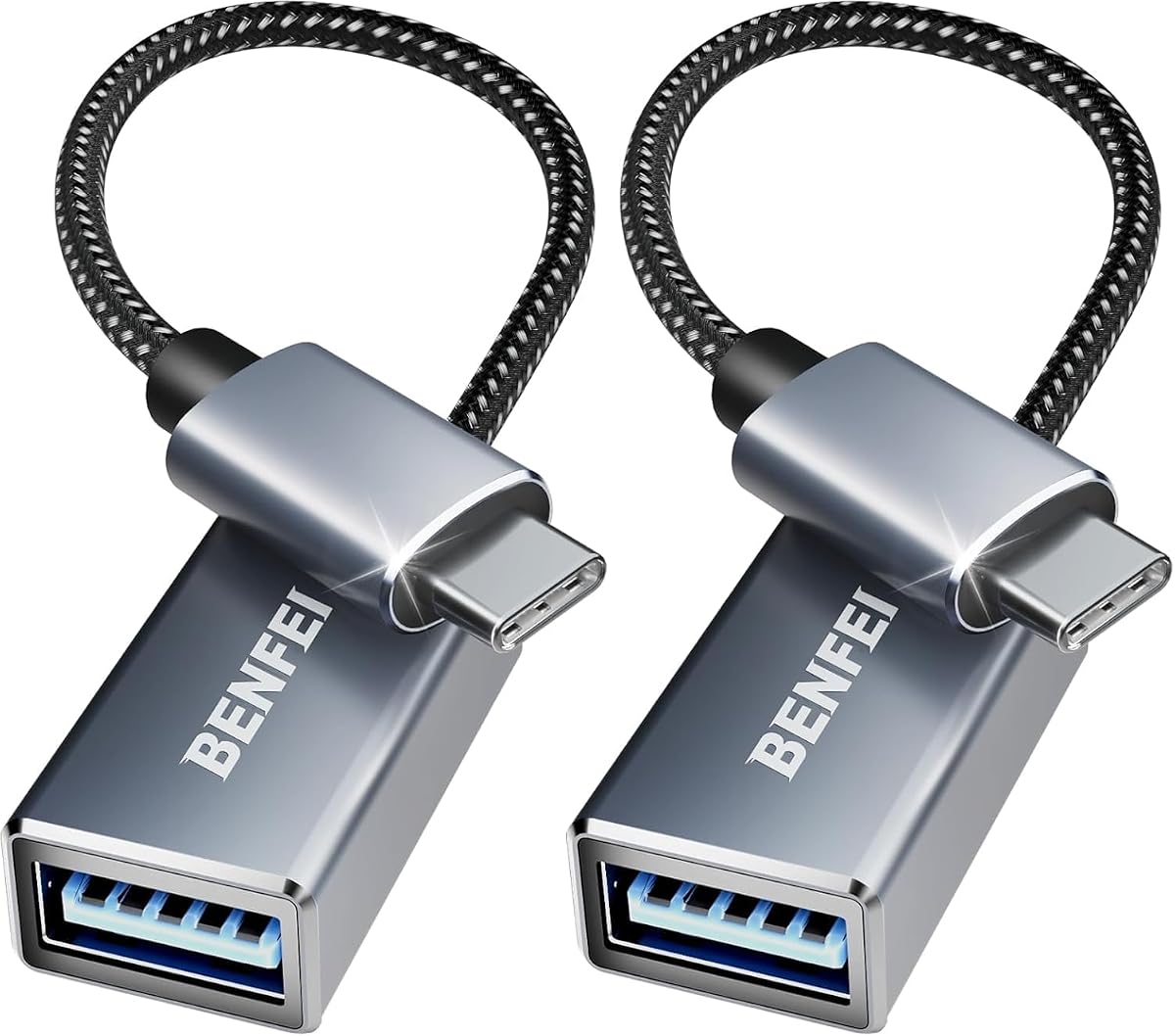
BENFEI focuses on durability with a braided nylon cable that resists tangles and fraying. The nickel-plated connectors resist corrosion improving signal transmission performance over time.
We may earn a commission when you buy through this link, at no additional cost to you.
The compact design allows two adapters to work simultaneously without blocking each other. A non-slip design makes plugging and unplugging easier even in tight spaces.
With a transfer speed of 5Gbps it handles large files efficiently. The aluminum alloy casing provides better heat insulation during heavy usage.
Users prioritizing build quality and ease of use will find this adapter reliable. The included warranty adds to its value proposition for everyday tasks.
Nickel-plated connectors resist corrosion ensuring reliable connectivity even in humid or dusty environments.
Braided nylon cable prevents tangles keeping your workspace organized and making storage easier.
We may earn a commission when you buy through this link, at no additional cost to you.
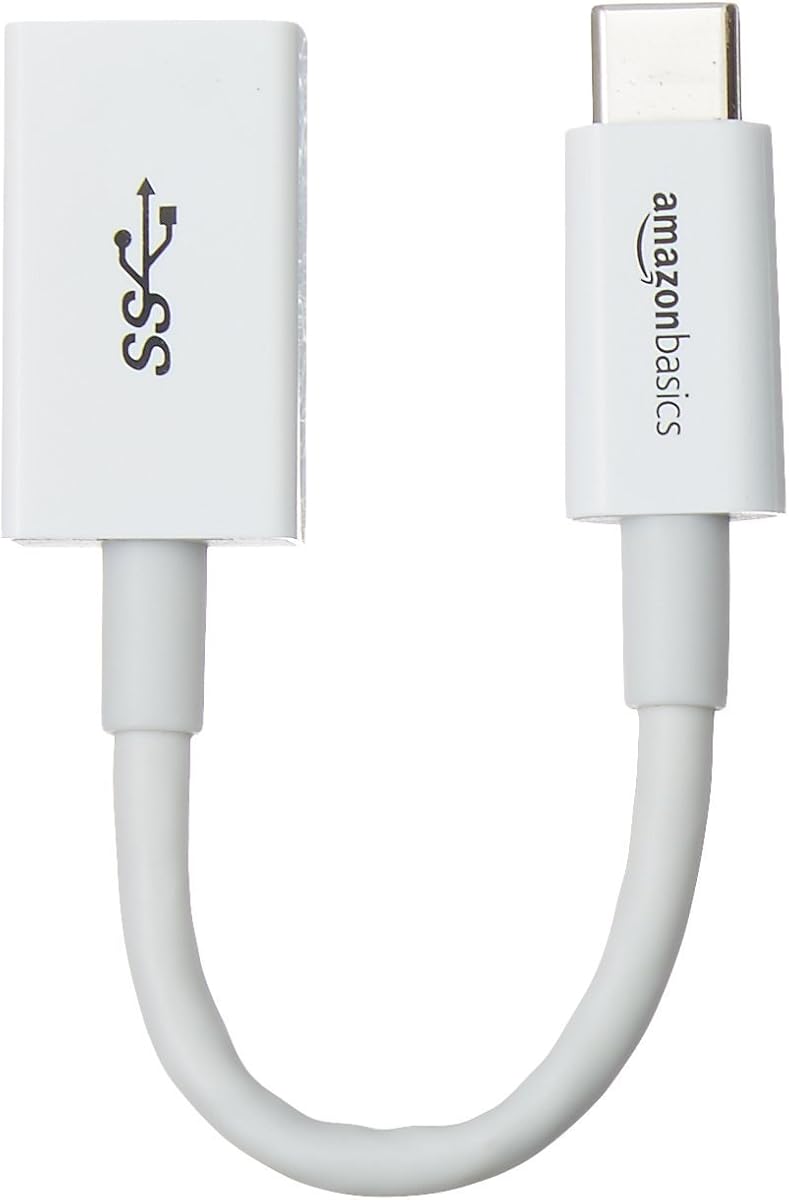
Amazon Basics offers a certified solution ensuring compliance with industry standards. The adapter supports fast charging up to 15W making it suitable for powering many devices.
We may earn a commission when you buy through this link, at no additional cost to you.
Data transfer speeds up to 5Gbps are supported for efficient file handling. The 5.5 inch cable length provides a slight offset from the main port which can be useful.
USB-IF certification provides confidence in compatibility and quality. The white color matches well with Apple devices and other light-colored electronics.
Users looking for a certified reliable adapter from a trusted brand will find this useful. It serves well as a basic solution for daily data and charging needs.
USB-IF certification ensures the adapter meets official standards for safety and compatibility with USB-C devices.
A short cable segment helps position the connector better in tight spaces on laptops or tablets.
We may earn a commission when you buy through this link, at no additional cost to you.
Selecting the right female USB adapter depends on several key factors including data speed, build quality, and specific device compatibility.
Look for adapters supporting USB 3.0 or higher to ensure fast file transfers. Slower USB 2.0 adapters may suffice for basic tasks but hinder large media workflows.
Prioritize 5Gbps or 10Gbps options if speed is critical for your daily usage requirements.
Materials like aluminum alloy and nylon braiding extend the lifespan of the adapter. Check for reinforced connectors to prevent breakage from frequent use.
Choose options with high plug-cycle ratings to ensure long-term reliability in your setup.
Ensure the adapter supports your specific laptop or phone model and any required protocols like Thunderbolt. Some adapters have specific limitations regarding video or audio output.
Verify compatibility with your operating system and peripheral types before purchasing to avoid connectivity issues.
Slim designs are essential if your device has closely spaced ports. Bulky adapters might block adjacent ports making them less practical for laptops with limited space.
Opt for ultra-slim form factors if you plan to use multiple adapters simultaneously.
If you need to charge your device through the adapter, check its power delivery capabilities. Some models support fast charging up to 15W or higher.
Ensure the adapter can handle the required amperage for your device's charging needs.
USB-IF certification indicates the product meets official industry standards for safety and performance. This reduces the risk of compatibility issues or hardware damage.
Look for certification marks on packaging or product details when considering different brands.
Multi-pack options provide better value if you need adapters for multiple locations or devices. Having spares ensures you are never caught without a connection point.
Consider buying two or more packs if you travel frequently or have multiple devices requiring connectivity.
To begin using your adapter simply plug the USB-C male end into your device's port firmly. Ensure the orientation matches your device to avoid damage to the pins.
Once connected plug your USB-A peripheral into the female socket. Most adapters are plug-and-play so you do not need to install extra drivers for standard devices.
To maintain longevity keep the connectors clean and avoid bending the cable sharply. Store the adapter in a cool dry place when not in use to prevent wear and tear.
Most standard USB C to USB A adapters do not support video output as they are designed for data transfer only. For video, you need a specific USB-C to HDMI or DisplayPort adapter. Check product details carefully if video is a required function.
While some adapters support data transfer and basic charging, they often do not provide enough wattage for laptop charging. High-power laptops usually require dedicated USB-C power delivery adapters. Always check the power ratings before connecting power-hungry devices.
Yes, USB 3.0 offers up to 5Gbps transfer speeds compared to 480Mbps for USB 2.0. This makes a huge difference when moving large files like videos or photos. Investing in a USB 3.0 adapter ensures smoother performance.
They work well with MacBooks that have USB-C ports introduced from late 2016 onwards. However, specific ports might have different limitations based on the model year. Always verify with your specific device's documentation.
Slight warmth can occur during data transfer but excessive heat suggests a problem or poor connection. Aluminum bodies help dissipate heat efficiently ensuring safe operation. If an adapter gets very hot stop using it immediately.
A single adapter allows one device connection at a time unless used with a USB hub. To connect multiple peripherals simultaneously, you will need a USB hub compatible with your device. This expands your connectivity options significantly.
Most modern adapters work plug-and-play on Windows without extra drivers. However, some specialized functions might require software. Check the manufacturer notes for any driver requirements specific to advanced features.
If an adapter gets wet disconnect it immediately and let it dry completely before use. Moisture can cause short circuits or corrosion leading to permanent damage. Keep electronics away from liquids to ensure longevity.
Our top picks highlight a range of options from budget-friendly three-packs to premium high-speed adapters. Each selection offers distinct benefits tailored to different user needs and scenarios.
When choosing prioritize build quality and transfer speed to ensure long-term satisfaction. Compatibility with your specific devices is equally important to avoid unexpected connectivity issues.
Remember that prices and availability change frequently so checking current listings is always wise. Investing in a reliable adapter ensures seamless connectivity for your tech ecosystem.