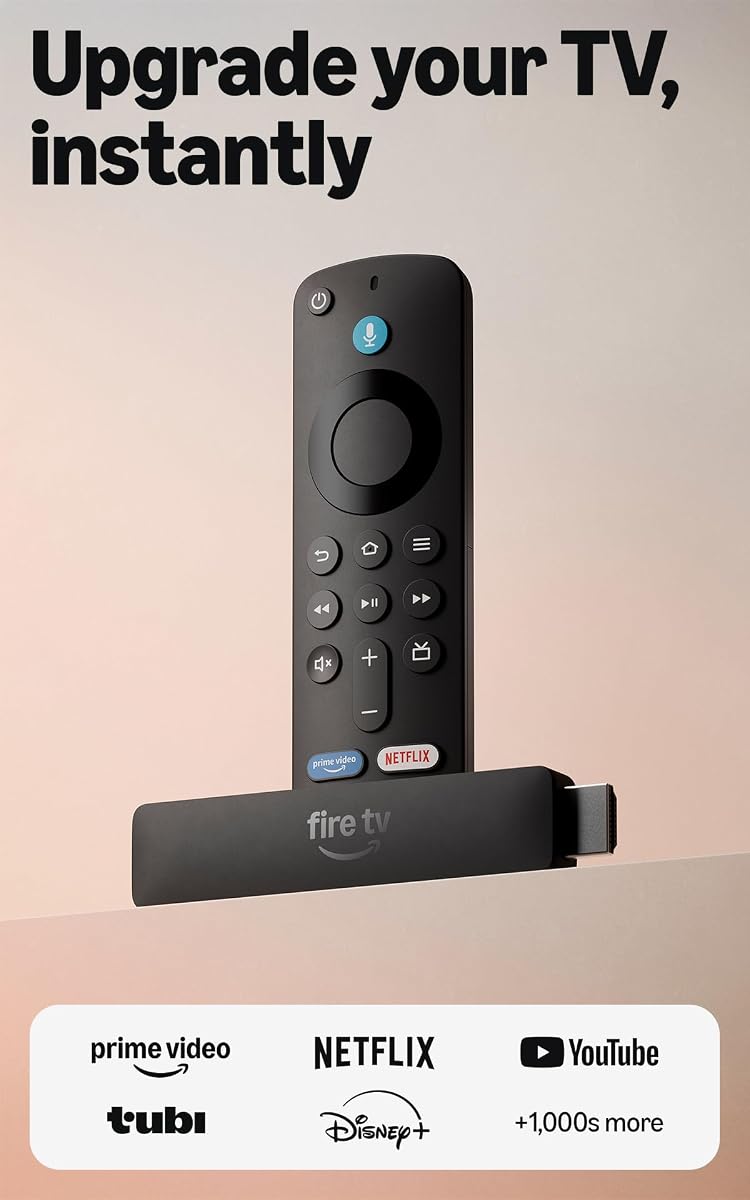
Amazon Fire TV Stick HD
4.1Editor score
Full HD streaming support
Alexa Voice Remote included
Direct power via TV USB
This guide compares the top 10 HDMI streaming devices for October 2026, evaluating performance, video quality, and smart features to help you choose the best
Finding the right HDMI streaming device can transform your television into a smart hub for endless entertainment. Whether you want 4K visuals or budget-friendly options, these devices offer seamless access to your favorite apps and live content.
We evaluated the top models based on speed, picture quality, remote features, and ease of use. Our analysis covers the latest updates from major brands, ensuring you get accurate insights into what each device delivers for modern viewing needs.
Each pick highlights specific strengths and ideal use cases to help you decide quickly. Keep in mind that product availability and pricing can shift frequently, so verify the latest details before making your final purchase decision.
4.1Editor score

4.4Editor score

4.6Editor score
This side-by-side comparison breaks down the core capabilities of each device to help you identify the model that aligns best with your specific entertainment needs and budget constraints.



The Roku Ultra stands out as the premier choice for users seeking top-tier performance and reliability. With a solid 4.4 rating from verified buyers, it delivers a lightning-fast interface that minimizes lag and maximizes uptime for binge sessions.
We may earn a commission when you buy through this link, at no additional cost to you.
Its cinematic capabilities shine through spectacular 4K, HDR10+, and Dolby Vision visuals paired with immersive Dolby Atmos audio. The included rechargeable Voice Remote Pro features backlit buttons for night viewing and hands-free controls via Hey Roku commands.
While it carries a higher price tag, the included Ethernet port ensures rock-solid streaming stability, especially useful for larger homes or bandwidth-heavy scenarios. Users might find the remote requires occasional charging, but the convenience of no batteries outweighs this minor trade-off.
Ideal for home theater enthusiasts or those with 4K TVs wanting the smoothest experience, this device justifies its cost through speed and audio fidelity. If you prioritize performance and connectivity options, this remains the definitive recommendation.
Streaming content feels instantaneous thanks to hardware optimized for rapid app launches and fluid navigation across menus.
Support for Dolby Vision and Atmos ensures your favorite movies and shows look and sound as intended by creators.
We may earn a commission when you buy through this link, at no additional cost to you.
The Amazon Fire TV Stick HD offers a straightforward entry into smart streaming without breaking the bank. Rated 4.1 by users, it focuses on essential performance and ease of use for casual viewers seeking reliable access to free and live content.
We may earn a commission when you buy through this link, at no additional cost to you.
This newest model features a modern design that connects directly via TV USB power, eliminating the need for a wall adapter. Alexa+ helps you discover content faster across apps like Prime Video and Netflix, while Bluetooth listening allows private watching with headphones.
While it lacks 4K support, it delivers crisp Full HD visuals suitable for most standard screens. The only downside is the lack of advanced HDR features, but at this price, it remains an unbeatable value for budget-conscious streamers.
Perfect for secondary rooms or first-time smart TV adopters, this stick provides everything needed for daily entertainment. If you need a simple, portable device for streaming basics, this is the smart and economical choice.
Using the included USB-C cable to power from your TV simplifies the installation process significantly.
Natural language voice commands help you find shows and manage smart home tasks with ease.
We may earn a commission when you buy through this link, at no additional cost to you.
The Amazon Fire TV Stick 4K Max delivers flagship performance in a compact form factor. With a strong 4.6 rating, it balances speed and features effectively, making it a top contender for users who want the latest tech without a bulky box.
We may earn a commission when you buy through this link, at no additional cost to you.
It supports Wi-Fi 6E for faster, more reliable streaming even in crowded networks, alongside 16GB storage for extensive app and game downloads. The lightning-fast processor ensures smooth navigation and renders graphics for cloud gaming impressively.
While it comes at a premium price, the combination of 4K Dolby Vision and immersive Atmos audio makes it worth the upgrade for home setups. Some users might find the remote buttons take adjustment, but the dedicated channel surfers add real utility.
Ideal for gamers and tech-savvy users wanting future-proof connectivity, this stick maximizes your TV potential. If you want the fastest Wi-Fi and storage in a stick, this is the ultimate pick for premium streaming.
Experience minimal buffering and faster downloads with support for the latest wireless standard available.
Download twice as many apps and games thanks to the upgraded 16GB internal memory.
We may earn a commission when you buy through this link, at no additional cost to you.
The Roku Streaming Stick 4K combines high-end visuals with a discreet design ideal for any room. Boasting a 4.7 rating, it is praised for its ability to deliver stunningly sharp 4K HDR and Dolby Vision imagery that pops on modern screens.
We may earn a commission when you buy through this link, at no additional cost to you.
Its long-range Wi-Fi receiver ensures stable connections even when placed far from the router, making it perfect for bedrooms or kitchens. The sleek stick slides behind the TV without blocking other ports, keeping cables neat and organized.
While it focuses more on content streaming than gaming, the interface is straightforward and ad-free. Users might wish for a remote with more programmable buttons, but the included voice remote handles basic navigation and search tasks efficiently.
Best for travelers or those prioritizing picture quality in smaller spaces, this stick offers premium visuals at a mid-range cost. If you want a plug-and-play device that looks hidden, this is a reliable choice for daily use.
The enhanced Wi-Fi receiver maintains stable streaming even in rooms distant from your router.
Take your personalized entertainment setup anywhere without needing to log into shared devices.
We may earn a commission when you buy through this link, at no additional cost to you.
The Roku Ultra LT offers a balanced mix of performance and value for households needing dependable streaming. Rated 4.6 by owners, it focuses on delivering sharp 4K UHD images and steady connections without the cost of the premium Ultra model.
We may earn a commission when you buy through this link, at no additional cost to you.
It features dual-band Wi-Fi to handle busy networks and supports a wide array of streaming apps including Disney+ and Netflix. The included voice remote makes searching easy, and the compact box design fits comfortably behind most TVs.
While it omits the Ethernet port and rechargeable remote found in higher-end models, the performance remains smooth for most content. Users looking for cost-effective 4K might find this device hits the sweet spot for everyday viewing needs.
Perfect for families needing multiple devices or upgrades on a budget, this LT model delivers consistent quality. If you want solid 4K performance without extra features, this is a practical and economical recommendation.
Connect to either 2.4GHz or 5GHz Wi-Fi for optimized speeds based on your home network.
Four times the resolution of HD brings out rich textures and colors in your favorite shows.
We may earn a commission when you buy through this link, at no additional cost to you.
The Amazon Fire TV Stick 4K Plus elevates entertainment with advanced Wi-Fi and gaming capabilities. With a 4.6 rating, it appeals to users who want robust streaming performance and the ability to play select games without a console.
We may earn a commission when you buy through this link, at no additional cost to you.
Optimized for 4K TVs, it delivers vibrant visuals and immersive sound while maintaining stability with Wi-Fi 6. The modern design includes direct power via USB, and Alexa+ helps find content faster across hundreds of thousands of movies and shows.
While cloud gaming adds versatility, it requires compatible subscriptions and controllers. Some might find the remote lacks dedicated gaming buttons, but it effectively handles streaming and smart home tasks seamlessly.
Ideal for casual gamers and households seeking fast 4K streaming, this stick expands your entertainment options. If you want a versatile device that blends movies and games, this is a strong and modern choice.
Stream popular titles without hardware hassles using supported cloud gaming services and controllers.
Natural voice interaction simplifies finding content and controlling connected smart devices easily.
We may earn a commission when you buy through this link, at no additional cost to you.
The Amazon Fire TV Stick 4K Select brings essential 4K features to a lower price tier. Rated 4.1 by users, it offers a simplified path to high-definition streaming with access to popular apps and free ad-supported content.
We may earn a commission when you buy through this link, at no additional cost to you.
It features HDR10+ for better contrast and color, plus AI-powered search to quickly locate titles across platforms. Setup is intuitive, requiring just a plug-in and Wi-Fi connection, and Alexa integration allows voice control for various tasks.
While the remote is standard without advanced keys, it manages basic navigation well. Some users might desire more storage for apps, but for straightforward 4K watching, this device remains functional and affordable.
Perfect for upgrading older TVs to 4K without overspending, this stick delivers solid performance. If you need an entry-level 4K streamer with voice search, this is a practical and convenient recommendation.
Natural language queries help you find shows quickly without navigating endless menus.
Dynamic tone mapping ensures richer contrast and detail in bright and dark scenes.
We may earn a commission when you buy through this link, at no additional cost to you.
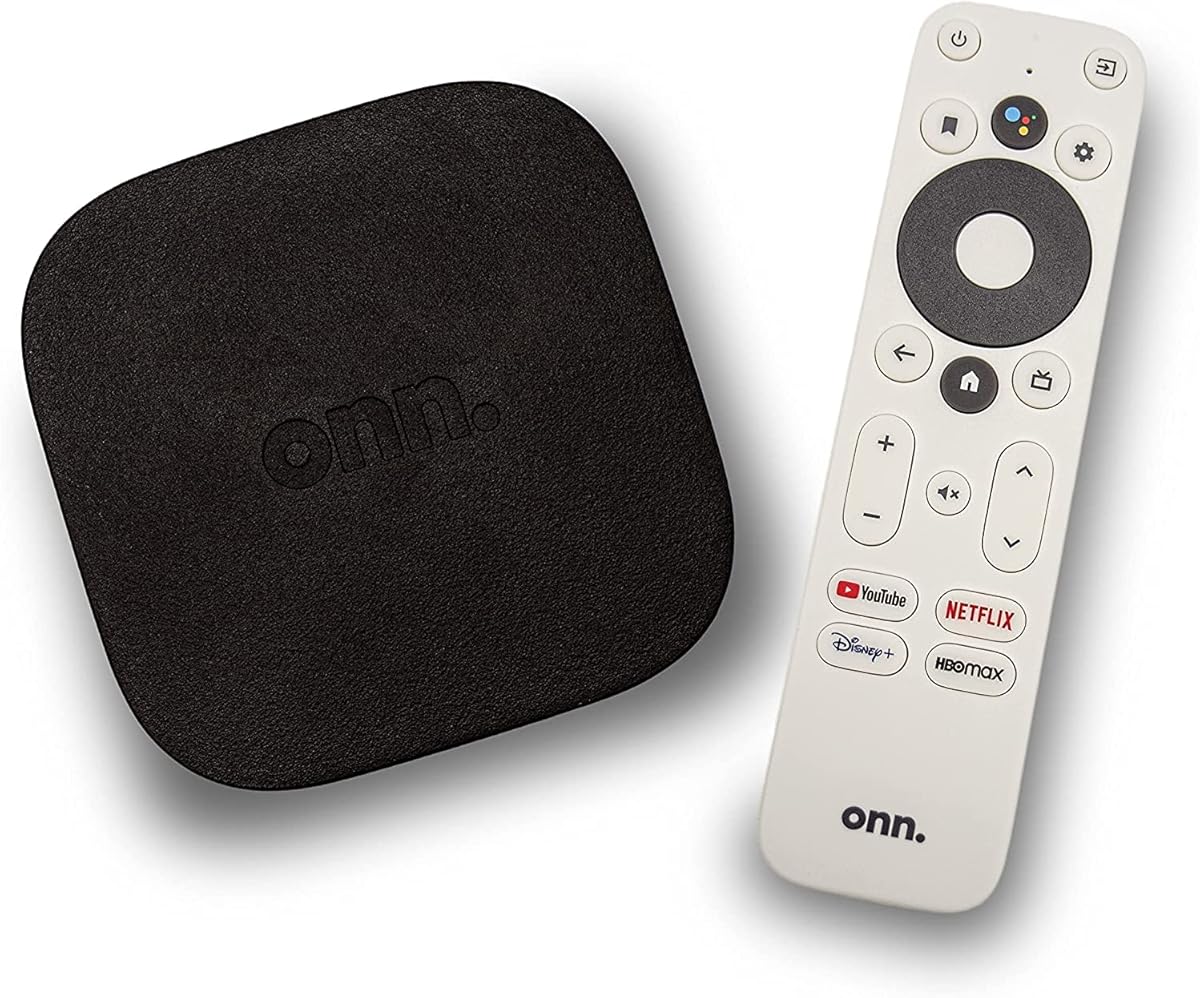
The ONN Android TV 4K UHD device provides robust access to the Google Play Store and Android ecosystem. Rated 4.4 by verified users, it is favored for its flexible content options and easy casting capabilities from mobile devices.
We may earn a commission when you buy through this link, at no additional cost to you.
It features a dedicated Google Assistant voice remote for quick searches and control. The built-in Chromecast simplifies casting movies and photos from phones directly to the TV, while the included HDMI cable ensures immediate high-speed connectivity.
While the interface may be slightly more complex than other OS, it offers broader app diversity. Users might experience occasional lag with updates, but the overall 4K experience is clear and vibrant for most shows.
Ideal for Android users or those needing specific apps, this device delivers value with its included cable. If you want Google integration and flexible casting options, this is a versatile and accessible choice.
Download countless apps from the Play Store to customize your entertainment experience freely.
Effortlessly cast media from your phone or tablet to the big screen with a tap.
We may earn a commission when you buy through this link, at no additional cost to you.
The Roku Ultra LT 2023 emphasizes reliability with an included Ethernet port and quad-core performance. Rated 4.6 by users, it is ideal for environments where Wi-Fi signals are weak, ensuring consistent high-speed streaming.
We may earn a commission when you buy through this link, at no additional cost to you.
It supports private listening directly through the remote's headphone jack, allowing you to watch late without disturbing others. The device also includes necessary accessories like headphones and an HDMI cable for immediate setup out of the box.
While the remote is standard without rechargeable batteries, the functionality remains excellent for daily use. Some might prefer backlit keys for dark rooms, but the core streaming performance and wired options make up for this omission.
Perfect for households needing stable connections or late-night viewing, this LT model delivers peace of mind. If you prioritize connectivity and audio features, this is a solid and thoughtful recommendation.
Plug headphones into the remote to enjoy shows and movies without disturbing others in the room.
Connect directly to your router for the most stable and lag-free streaming possible.
We may earn a commission when you buy through this link, at no additional cost to you.
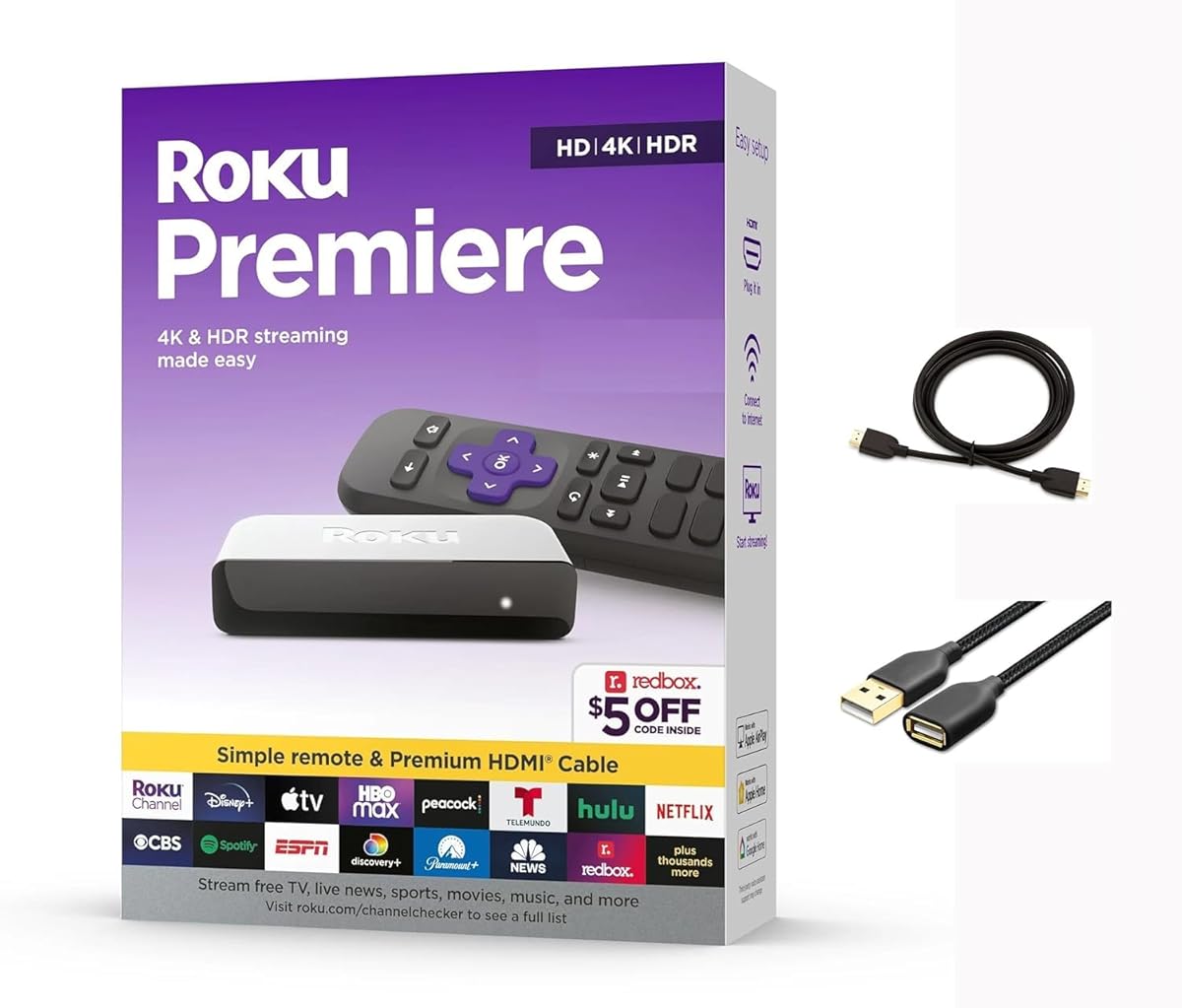
The Roku Premiere offers an affordable gateway to 4K HDR streaming with essential features for daily use. Rated 4.4 by buyers, it is appreciated for its included premium HDMI cable and compatibility with voice assistants like Siri and Google.
We may earn a commission when you buy through this link, at no additional cost to you.
It supports Apple AirPlay, allowing seamless sharing of photos and videos from iOS devices directly to your TV. The included USB extension cord ensures easy power placement, and the simple remote provides all necessary navigation functions.
While it lacks advanced remote features found in higher models, the core performance is smooth and reliable. Users might miss backlit keys, but the device handles major apps and free live channels effortlessly for most households.
Perfect for first-time 4K users or secondary TV setups, this device delivers value with essential accessories. If you want a straightforward streamer with AirPlay support, this is a convenient and smart choice.
Wirelessly send photos and videos from your Apple devices to the big screen instantly.
Get everything needed for immediate setup without needing to buy extra cables.
We may earn a commission when you buy through this link, at no additional cost to you.
Selecting the right device involves balancing resolution, connectivity, and smart features against your budget and existing setup.
Modern TVs rely on 4K and HDR formats like Dolby Vision or HDR10+ for crisp detail and vivid colors. Ensure the device supports your TV's native resolution to avoid upscaling artifacts or loss of image quality.
Prioritize 4K HDR devices if you have a premium display; otherwise, Full HD options suffice for smaller screens.
Streaming stability depends heavily on Wi-Fi generation. Wi-Fi 6 and 6E offer better performance in congested networks, reducing buffering during peak hours. Older standards may work but can lag with 4K content.
Look for Wi-Fi 6 support to future-proof your setup and ensure smooth playback across multiple devices.
The OS determines app availability and interface simplicity. Roku offers a neutral platform with access to most major apps, whereas Amazon Fire TV integrates tightly with Prime Video and Alexa. Android TV provides Google Play Store flexibility.
Choose the ecosystem that aligns with your existing smart home devices and subscription services for seamless integration.
Remotes vary significantly in functionality. Voice control is standard on most modern units, but advanced models add backlit buttons, programmable keys, and rechargeable batteries. Some also include private listening jacks or headphone pairing.
Consider how often you use voice commands or need backlit keys for night viewing to select the right remote type.
Storage limits determine how many apps you can keep installed, while processor speed affects interface responsiveness and gaming performance. Higher-end sticks often double storage capacity for flexibility and smoother navigation.
If you plan to download multiple apps or games, ensure the device has at least 8GB to 16GB of internal memory.
Design dictates ease of use. Some devices draw power directly from the TV's USB port to avoid wall outlet clutter. Others require external adapters or USB extension cords for proper placement behind the TV.
Check if the device needs a wall adapter or supports direct TV power to simplify your cable management setup.
Gaming performance ranges from basic app navigation to cloud gaming support. If you intend to play games, look for devices with strong processors, cloud compatibility like Xbox Game Pass, and sufficient storage.
Gaming requires low latency so prioritize models with Wi-Fi 6 and optimized processors if you plan to play.
While sticks plug directly into HDMI, boxes often offer Ethernet ports or USB connections for peripherals. Ethernet ensures a stable connection for 4K streaming in bandwidth-heavy households where Wi-Fi is unreliable.
Opt for devices with Ethernet ports if you face frequent Wi-Fi drops or have limited signal strength in your TV room.
Begin setup by plugging the device into your TV's HDMI port and connecting the power cable. Follow the on-screen prompts to connect to your Wi-Fi network and sign into your streaming accounts like Netflix or YouTube.
Place the device where it is easily accessible to avoid overheating or signal interference. Ensure the ventilation openings remain clear and avoid covering them with clothing or books during use to maintain performance.
Keep the remote control clean by wiping it with a dry cloth and removing batteries if storing long term. Periodically check for system updates through settings to ensure you always have the latest features and security fixes.
Not all devices support 4K; some budget models are limited to Full HD. Always check the product specifications for 4K UHD and HDR support to ensure compatibility with your television.
Yes, a streaming device adds smart capabilities to any TV with an HDMI port. Simply plug it in and connect to Wi-Fi to access apps and online content.
Most streaming sticks range from 8GB to 16GB. Higher-end models offer more storage for apps and games, but basic streaming requires less space.
Some models can power directly from the TV's USB port, eliminating the need for a wall outlet. Others require an external adapter, so check the box contents before purchase.
Voice remotes simplify searching for content and controlling smart home devices. They are generally preferred for convenience, especially when typing with a remote is cumbersome.
Most modern devices support dual-band Wi-Fi, allowing connection to both 2.4GHz and 5GHz networks. This flexibility ensures better speeds and stability in various home setups.
Most devices restrict sideloading to their app stores for security. Some Android-based options allow limited customization, but Roku and Fire TV generally do not support custom apps easily.
Dolby Vision is a dynamic HDR format that adjusts scene by scene for better quality, while HDR10 is a static standard. Dolby Vision requires compatible displays and devices for full benefits.
Choosing the right device depends on balancing picture quality, speed, and budget. The Roku Ultra leads in performance and audio, while the Amazon Fire TV Stick HD provides an affordable entry point for everyday use.
Prioritize 4K HDR support and Wi-Fi 6 for future-proofing your setup. Ensure the remote and OS align with your habits to maximize daily enjoyment without frustration.
Always check current pricing and availability before purchasing as stock fluctuates frequently. Verify your TV's compatibility to ensure the device meets your specific entertainment needs.