
TP-Link Dual-Band BE3600 Wi-Fi 7 Router, Archer BE230
4.2Editor score
WiFi 7 with MLO
Dual 2.5G ports
Covers 2000 sq ft
Discover the top high bandwidth WiFi routers for 2026. This guide compares performance, coverage, and features to help you choose the perfect network solution.
Finding a high bandwidth WiFi router is essential for modern homes filled with streaming devices, smart gadgets, and heavy internet usage. These routers handle large data volumes efficiently, ensuring smooth performance across multiple connected devices simultaneously without slowing down your network experience.
We evaluated ten top models based on speed capabilities, coverage area, security features, and ease of setup. Our analysis focuses on real-world performance metrics, compatibility with latest standards like WiFi 7, and value for different household sizes and internet plans available today.
Each pick highlights specific strengths for various needs, from budget-friendly options to premium gaming routers. Prices and availability can fluctuate frequently, so check current listings before purchasing. Use this guide to find the right router for your unique connectivity requirements and future-proof your home network.
4.2Editor score

4.3Editor score

4.3Editor score
This side-by-side comparison evaluates each router's key specifications, coverage area, and unique features. Use this table to quickly identify which model aligns best with your speed needs, device count, and specific use cases like gaming or streaming.




The TP-Link AXE5400 earns Editor's Choice for balancing speed, features, and reliability. It delivers up to 5400 Mbps across three bands, making it ideal for homes with many devices streaming and gaming simultaneously.
We may earn a commission when you buy through this link, at no additional cost to you.
Its WiFi 6E technology unlocks the 6 GHz band for faster speeds and near-zero latency. The 1.0 GHz dual-core CPU and 512 MB RAM ensure stable performance even under heavy loads, while EasyMesh compatibility helps eliminate dead zones.
Trade-offs include lack of 2.5G wired ports and premium pricing. However, the built-in VPN server and HomeShield security add significant value for privacy-conscious users who need robust protection against IoT threats.
Buy this if you want future-proof WiFi 6E speeds with strong security. It suits medium to large homes needing reliable connectivity for multiple high-bandwidth activities without complex mesh setups.
The 6 GHz band provides dedicated bandwidth for fastest devices, reducing congestion and enabling seamless 4K streaming and responsive gaming sessions.
HomeShield offers essential security scans and IoT protection, keeping your connected devices safe from vulnerabilities while parents control access easily.
We may earn a commission when you buy through this link, at no additional cost to you.
This router brings WiFi 7 technology to your home with Multi-Link Operation for optimized performance across bands. It supports latest devices like iPhone 16 Pro and Galaxy S24 Ultra for maximum speeds.
We may earn a commission when you buy through this link, at no additional cost to you.
The 6-stream design delivers up to 6500 Mbps with 2.5G wired ports for multi-gig internet plans. Cybersecurity commitments ensure it meets secure-by-design standards, making it a safe choice for modern homes.
Limitations include dual-band only and limited mesh compatibility. EasyMesh works but not with Deco systems. Still, its speed and security features make it a compelling choice for tech-forward households.
Choose this if you want cutting-edge WiFi 7 at a reasonable price. It fits well for gamers and streamers needing low latency and high capacity for many connected devices.
MLO simultaneously transfers data across frequency bands, enhancing throughput and reliability while reducing latency during heavy usage times.
Built with advanced security as a core requirement, this router safeguards your network from threats through secure design practices and HomeShield protection.
We may earn a commission when you buy through this link, at no additional cost to you.
This NETGEAR Nighthawk delivers tri-band WiFi 7 with up to 9.3 Gbps speeds across bands. The dedicated 6 GHz band gives fastest devices their own lane to prevent slowdowns.
We may earn a commission when you buy through this link, at no additional cost to you.
It covers up to 2500 sq ft for 100 devices, with multi-gig wired ports for modern internet plans. Security features include automatic updates and Armor trial for added protection against malware.
The cost is higher, and mesh requires Orbi separately. However, its raw speed and coverage make it ideal for large homes needing serious bandwidth for many simultaneous users.
Invest in this if you need maximum speed and coverage. It suits power users, gamers, and large households where reliable high-bandwidth connections are critical daily.
The 6 GHz band assigns dedicated bandwidth to fast devices, ensuring nothing slows down your top priorities during peak usage hours.
Dual 2.5G LAN ports unlock full potential of multi-gig internet plans, connecting gaming rigs and NAS drives at peak wired speeds.
We may earn a commission when you buy through this link, at no additional cost to you.
The RS90 brings dual-band WiFi 7 at an accessible price. It delivers up to 3.6 Gbps with MU-MIMO and OFDMA for better efficiency across devices in smaller homes.
We may earn a commission when you buy through this link, at no additional cost to you.
Coverage reaches 2000 sq ft for 50 devices. A 2.5G WAN port supports multi-gig internet while the Nighthawk app simplifies setup and management tasks for users.
Trade-offs include fewer LAN ports and less coverage than tri-band models. Still, its cost-effective WiFi 7 performance is excellent for those upgrading on a budget.
Pick this for affordable WiFi 7 speeds. It suits apartments or small homes needing modern performance without paying premium prices for unused extra bands.
At a lower price, it offers WiFi 7 technology including MLO benefits, making next-gen performance accessible to more households today.
Download the free app for guided setup and easy control of networks, speed tests, and guest settings from anywhere remotely.
We may earn a commission when you buy through this link, at no additional cost to you.
Archer BE550 delivers up to 9300 Mbps speeds across tri-bands with 320 MHz channels. It features four 2.5G LAN ports, ideal for wired high-speed connections and future-proof networking setups.
We may earn a commission when you buy through this link, at no additional cost to you.
Private IoT network isolates smart devices from main traffic for better security. VPN client and server support allow flexible remote access and simultaneous regular internet usage comfortably.
It costs more, and HomeShield premium requires subscription. Despite this, its wired versatility and raw speed make it excellent for tech-savvy users needing maximum flexibility.
Choose this if you need multiple fast wired ports and WiFi 7 tri-band speed. It fits homes with many wired devices plus heavy wireless usage simultaneously.
Create separate WiFi for IoT devices using HomeShield and WPA3 encryption to protect them and your main network from potential threats.
Home devices connect to remote VPN servers without per-device software, enabling secure remote access while maintaining regular internet access.
We may earn a commission when you buy through this link, at no additional cost to you.
Archer AX73 delivers reliable WiFi 6 with up to 5400 Mbps speeds. Its 4T4R and HE160 technology on 5 GHz enable max ultra-fast connections for modern device compatibility and performance.
We may earn a commission when you buy through this link, at no additional cost to you.
It covers 2000 sq ft with six antennas and Beamforming. USB 3.0 port enables easy media sharing and private cloud storage, plus improved venting helps unleash full power during operation.
It lacks WiFi 6E bands and newer features. Yet its solid rating and USB flexibility make it a strong choice for homes needing proven WiFi 6 reliability without new standards.
Buy this for stable, high-value WiFi 6. It suits users with current devices wanting good speeds and media sharing capabilities at a competitive price.
USB 3.0 port enables easy media sharing and private cloud storage, letting you access files from any connected device easily.
Improved vented areas help unleash the full power of the router during extended high-load sessions without overheating issues.
We may earn a commission when you buy through this link, at no additional cost to you.
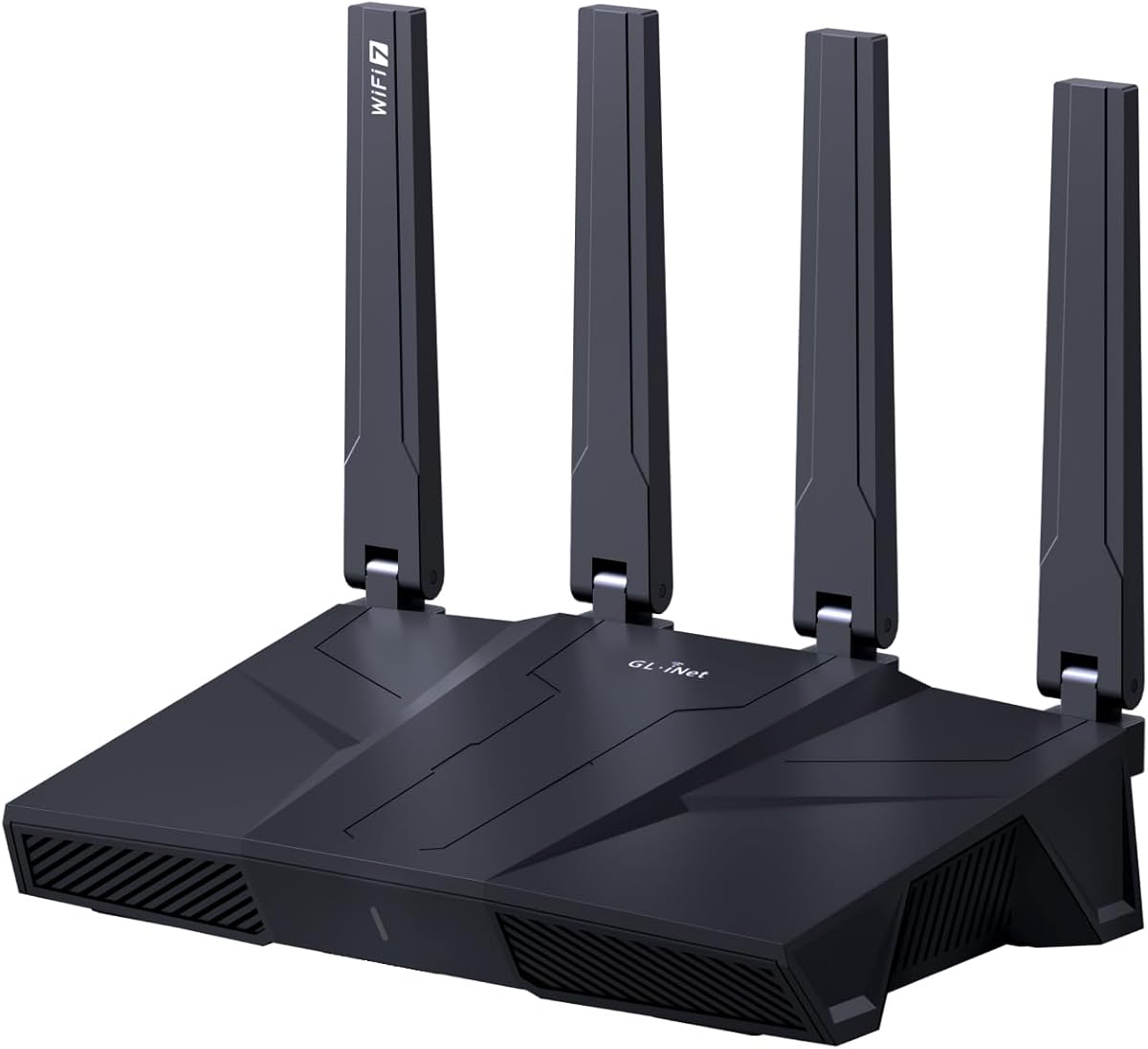
Archer BE230 offers WiFi 7 at the lowest cost. Dual-band delivers up to 2882 Mbps with MLO and 4K-QAM. Dual 2.5G ports maximize Gigabitplus internet speeds for wired devices.
We may earn a commission when you buy through this link, at no additional cost to you.
A next-gen 2.0 GHz Quad-Core processor manages high throughput efficiently. It covers 2000 sq ft for 60 devices and supports EasyMesh for seamless whole-home connectivity upgrades.
It lacks 6 GHz band. Yet its price and processor performance make it ideal for first-time WiFi 7 adopters seeking modern features without paying more.
Select this for entry-level WiFi 7. It fits budget-conscious buyers needing fast speeds and future-proof tech for current internet plans.
State-of-the-art 2.0 GHz Quad-Core processor manages high throughput effortlessly, eliminating lag even during heavy data transmissions.
Dual 2.5G ports break the 1G barrier, maximizing Gigabitplus internet with seamless high-speed wired connectivity to multiple LAN devices.
We may earn a commission when you buy through this link, at no additional cost to you.
Flint 3 combines WiFi 7 with OpenVPN and Wireguard speeds up to 680Mbps. AdGuard Home support blocks unwanted tracking ads via DNS server for clutter-free browsing.
We may earn a commission when you buy through this link, at no additional cost to you.
Its higher storage caters to DIY users installing plugins. Covers 2000 sq ft with 100+ device capacity and MLO for ultra-fast, low latency performance in dense environments.
It lacks HomeShield and needs firmware update. Still, its VPN control and open-source flexibility make it unique for privacy-focused users needing customization.
Pick this for privacy and control. It suits tech-savvy households wanting advanced filtering, strong VPN, and WiFi 7 speeds in one router.
Enable DNS server to block unwanted tracking and filter ads, taking full control over online experience with clutter-free browsing.
Wireguard and OpenVPN both reach 680Mbps, giving complete control over streaming, gaming, and work bandwidth without limits.
We may earn a commission when you buy through this link, at no additional cost to you.
This ASUS ROG Rapture delivers 30 Gbps speeds with Quad-Band WiFi 7. Dual 10G ports maximize wired flexibility, while Triple-Level Game Acceleration boosts PC gaming traffic to servers.
We may earn a commission when you buy through this link, at no additional cost to you.
New 320MHz channels and 4096-QAM increase capacity. External dual-feeding antennas boost coverage and signal strength, ideal for large spaces needing extreme performance and gaming optimization.
Its cost is premium and features target gamers. For non-gamers it may be overkill. However, its wired and wireless capacity remains unmatched for demanding network setups.
Invest if you need top-tier gaming performance. It suits enthusiasts wanting maximum speed, wired ports, and specialized acceleration for competitive play.
Boosts PC gaming traffic from port to server, optimizing every step for competitive advantages and reduced latency during sessions.
Maximized connectivity with dual 10G ports and quad 2.5G ports ensures no bottleneck for high-demand wired devices like PCs.
We may earn a commission when you buy through this link, at no additional cost to you.
X10 features AD7200 wireless speed including 60GHz band support for compatible devices. Covers 2500 sq ft with 10G SFP+ and six 1G Ethernet ports for strong wired flexibility.
We may earn a commission when you buy through this link, at no additional cost to you.
USB 3.0 sharing creates personal cloud storage. Alexa Voice Controls add convenience. Its quad-core processor handles multiple streams smoothly for gaming and streaming simultaneously.
Fewer 60GHz devices limit unique benefits. Yet its wired options and coverage remain useful for homes needing extensive ports and legacy support alongside modern WiFi.
Consider for wired-heavy homes needing legacy support. It suits those wanting 10G wired capacity and USB sharing at a competitive price.
AD7200 speed includes 60GHz WiFi devices for ultra-short range high-speed data transfer with reduced interference.
USB 3.0 ports share drives and printers, creating a personal cloud storage accessible from anywhere conveniently.
We may earn a commission when you buy through this link, at no additional cost to you.
Choosing the right high bandwidth router depends on your internet plan, number of devices, and specific usage needs like gaming or streaming. Understanding key features ensures you invest wisely.
Modern routers use WiFi 6E or WiFi 7 with access to 6 GHz band and faster speeds. Look for MLO, 4K-QAM, and 320 MHz channels for maximum throughput. Older WiFi 6 models still work well for moderate needs.
Prioritize newer standards if you plan to upgrade devices soon for better longevity.
Check advertised speeds match your internet plan and usage. Multi-gig routers with 2.5G or 10G ports handle fast connections better. Total Mbps across bands determines how many users can stream without lag simultaneously.
Ensure router speed exceeds your ISP plan to avoid bottlenecks in peak hours.
Match coverage to home size in square feet. More antennas and beamforming technology improve signal reach and stability through walls. Mesh support helps expand coverage without losing performance across large or multi-story homes.
Select coverage ratings that exceed your square footage for consistent performance.
High bandwidth devices like consoles and NAS benefit from wired connections. Count available Gigabit or multi-gig ports. Look for WAN and LAN speeds supporting future internet upgrades without replacing router soon.
More 2.5G or 10G ports give flexibility for wired high-demand devices.
Built-in security tools protect against threats. Features like HomeShield, Armor, or private IoT networks isolate risky devices. Parental controls manage screen time and filter content easily through apps or web panels.
Ensure router includes free basic security and easy control panels for families.
Some routers allow VPN server or client installation for secure remote access. Open-source options support plugins like AdGuard for DNS filtering. Check compatibility with your VPN service providers before buying.
Choose routers with VPN features if privacy or remote work access matters.
Look for companion apps for guided setup, monitoring, and firmware updates. Alexa or Google Assistant integration adds voice control convenience. Intuitive interfaces save time and simplify troubleshooting for non-technical users.
Apps make daily management easier and keeping firmware current simple.
Select routers supporting latest standards like WiFi 7 for device compatibility over years. Multi-gig ports and mesh expansion help grow with your network needs without new purchases every time upgrades are needed.
Balance initial cost with longevity by investing in standards that outlast current devices.
Start by placing the router centrally away from walls and electronics. Connect modem via Ethernet to WAN port. Download the companion app to run setup wizards, create network names, and connect devices securely.
Regularly update firmware through the app for performance patches and security fixes. Use Quality of Service settings to prioritize critical apps like video calls. Monitor connected devices and remove unused ones to keep network tidy.
Ensure adequate ventilation to prevent overheating. Clean dust vents gently. If performance drops, restart router. For large homes, expand using mesh extenders or add wired access points to maintain speed across all rooms.
WiFi 6E adds the 6 GHz band to WiFi 6 for less congestion. WiFi 7 brings MLO, 4K-QAM, and 320 MHz channels for faster speeds and lower latency. WiFi 7 is future-ready for newest devices with higher throughput capacity.
Not strictly, but it provides headroom for faster speeds if your ISP upgrades. It also benefits wired devices like NAS or consoles needing multi-gig transfers. For now, Gigabit is enough, but 2.5G helps future-proof your setup.
Yes, they work with most cable, fiber, and DSL providers. You connect them to a modem or gateway via Ethernet. Some modem/router combos may need bridge mode, but routers function independently once connected properly.
Basic features like device scans and parental controls are free. Premium features require subscriptions. Essential protection works without paying, but advanced threat monitoring costs extra. Always enable basic security settings out of box.
Modern routers support 50 to over 100 devices depending on model and WiFi standard. Capacity improves with MU-MIMO and OFDMA. Real-world limits vary by device types and usage intensity, but more connected devices reduce performance.
These are routers only; they need a separate modem or gateway to connect to ISP. The router manages your home network. Ensure your modem matches internet speed and is compatible with your router model before setup.
This guide highlighted ten strong options from budget WiFi 7 to premium gaming models. Top picks include TP-Link AXE5400 for balanced performance, BE230 for value, and ROG GT-BE98 Pro for extreme needs.
Prioritize speed and features matching your internet plan and device count. Look for future-proof standards, good coverage, and security. Don't overspend on unused features, but invest enough to avoid upgrading soon.
Always check current listings for availability and pricing before purchase. Prices change frequently and newer models may appear. Use this list as a starting point to find the right router for your home.